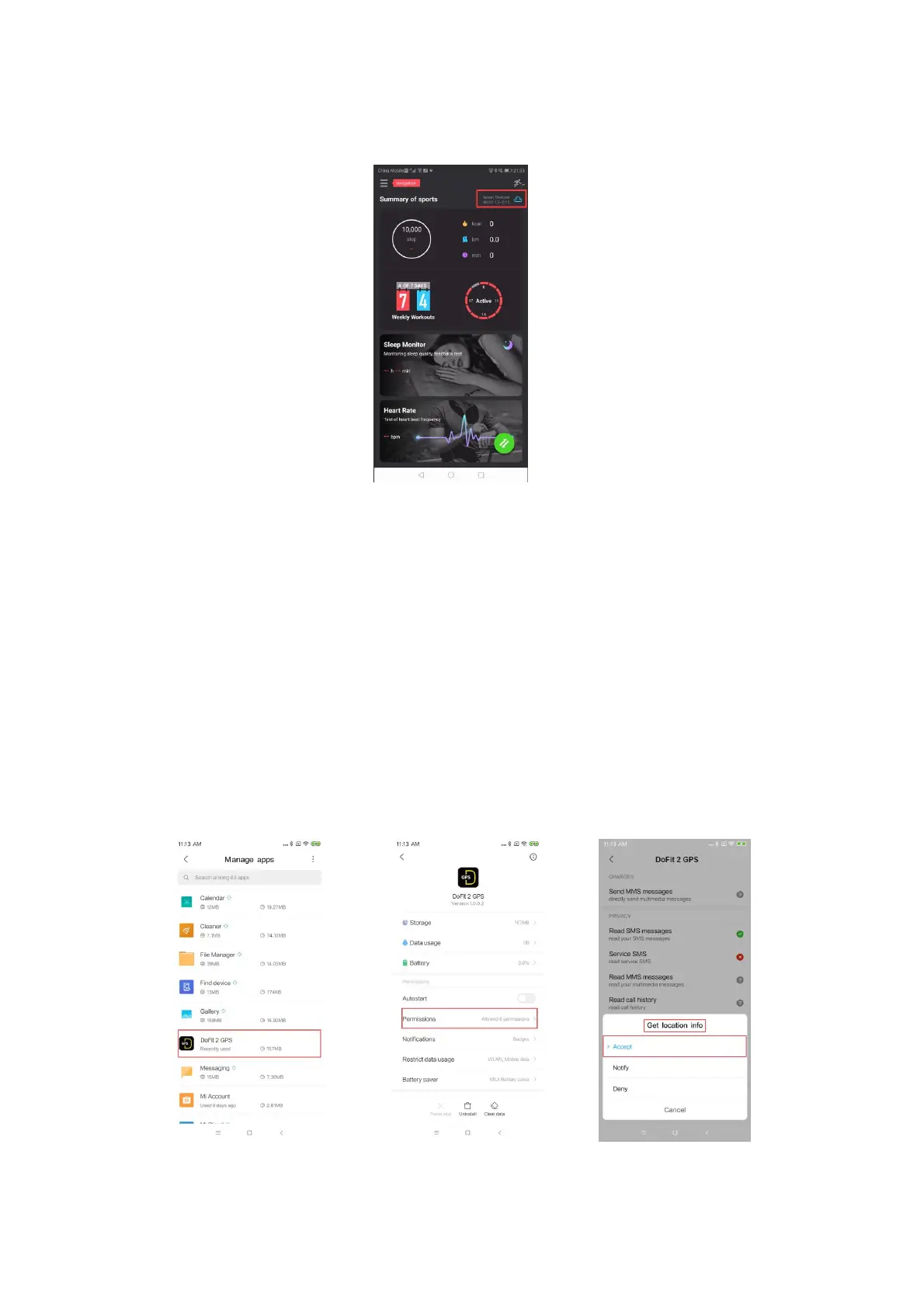
Every time the Device is connected to the App weather data will update on the App
and the Device. (see Pic 8 below).
Pic.8 Weather function interface
2. Prerequisites for the use of weather functions
The APP requires the location permission on your Smartphone and obtains weather
data based on latitude and longitude. If the weather data does not change when the
App and Device sync data, you need to check if the phone has restricted the
location.
3. Allowing location permissions on your phone
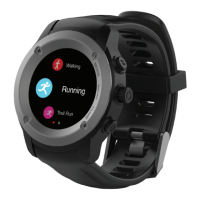
1)Steps for Android system location permissions (taken from a Redmi Note 5 as
an example).
Locate your Smartphone’s App Settings.
Find your DOFit 2 GPS App and select it
Turn on/ accept permission for “Location”.
Pic.9 In phone Manage app Pic.10 Find "Permissions" Pic.11 Accept location


 To Next Page