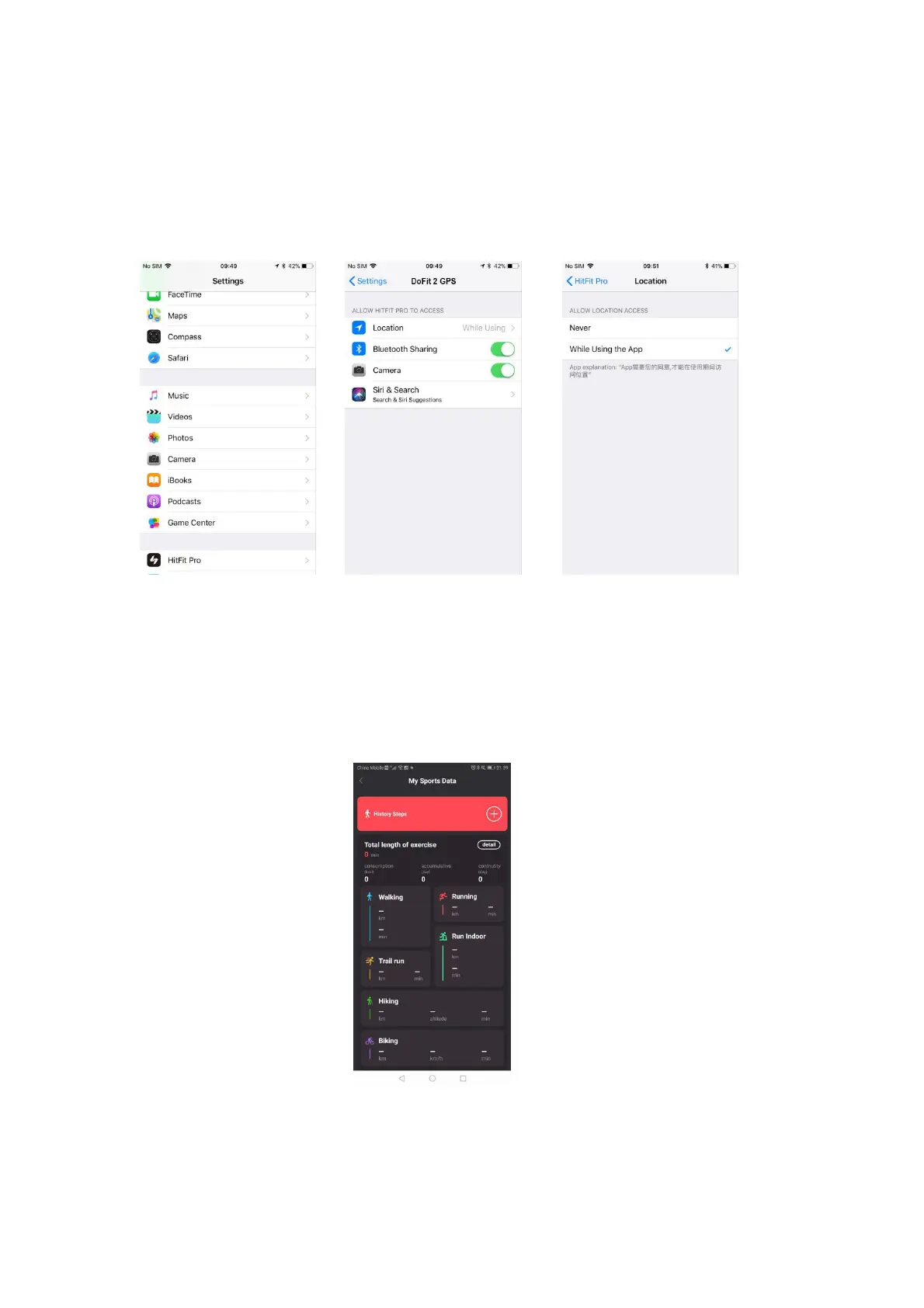
2) Steps for IOS system location permissions (using Apple 6 IOS system version
12.2.6 as an example).
Open Settings and scroll down until you find your DoFit 2 GPS App. Select
the App.
In the settings of the App, find the location option (as shown in Pic 13).
In the location option, select "While using the App " (as shown in Pic 14).
Pic.12 APP in settings Pic.13 APP info Pic.14 APP permissions
8.2 My sports data (in APP)
1. Press on the Sport Summary at the top of the home page step to view the My
Sports Data page.
You will then be able to view the cumulative sport time, cumulative calories burned,
cumulative active days, cumulative continuous sport days, today's sport steps and
details of the last sport for each type of sport data and weekly target (see Pic 15).
Pic.15 Sports data page
2. Press on the accumulated sport time (or detail) enter the day/week/month
page and view the corresponding data. Under All, the user can see the data
of today, this week, this month and total data (see diagram below).


 To Next Page