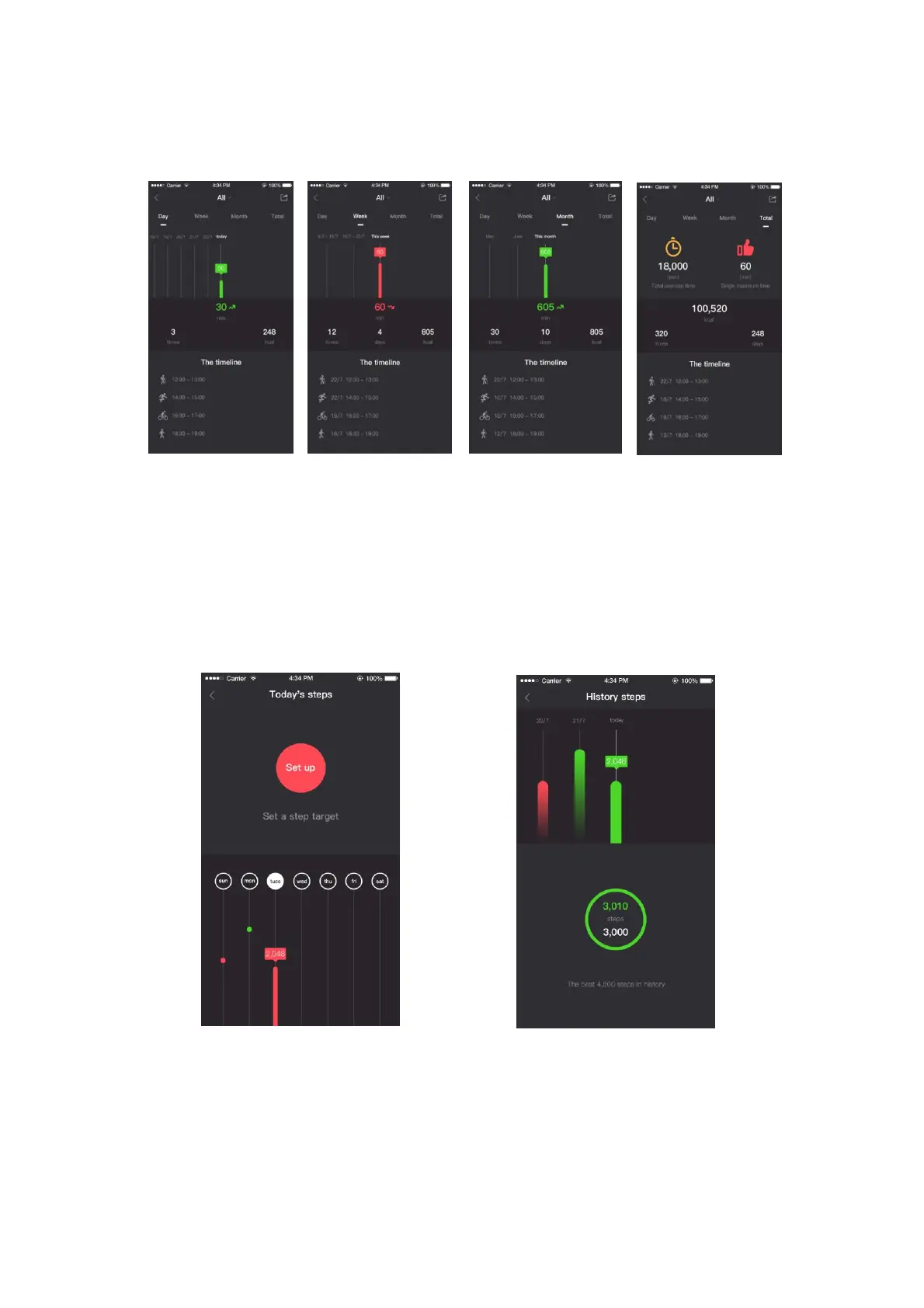
Day sport data Week sport data Month sport data Total sport data
Pic. 16&Pic. 17
3. Press Today's steps to see the completion of the latest week's walking data.
As shown in Pic. 18, the target number for the day is displayed in green. As
shown in Pic. 19, the target is not reached (displayed in red, Pic. 20).
4. Press on the week view to enter the historical step data
5. Press set-up to set the walking target of that day (Pic. 21)
Pic.18 Weekly step data Pic.19 Step goal achievement


 To Next Page