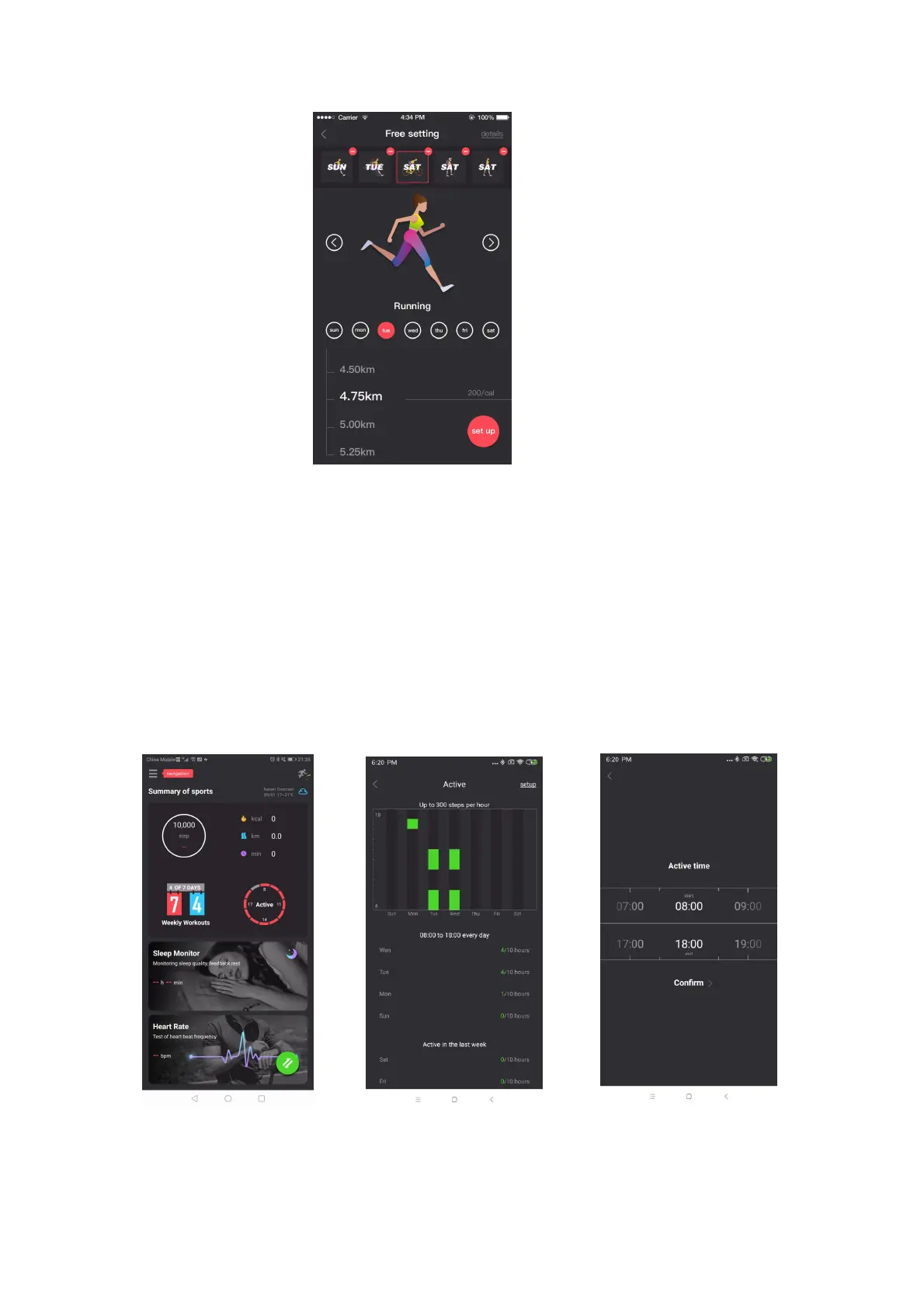
Pic.28 Weekly Goals setting interface
8.4 Active
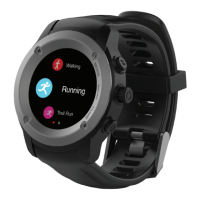
1. On the APP home page interface, red and blue colours are used to represent
steps taken and step goals (Pic.29)
2. Blue indicates that you have walked more than 300 steps during 1 hour, and red
indicates that you have not reached 300 steps in the time period (Pic 30)
3. Once you select the Active circle you can see more detail of your active steps per
day. Green numbering represents how many hours of the daily goal you have
achieved per day of the week.
4. You can set your own time period (up to 12 hours and at least 4 hours) by
selecting setup in the top right hand corner of the Active menu. (Pic 30 and 31).
Pic.29 Active step color Pic. 30 Color when more than 300 steps Pic. 31 step time period
setting


 To Next Page