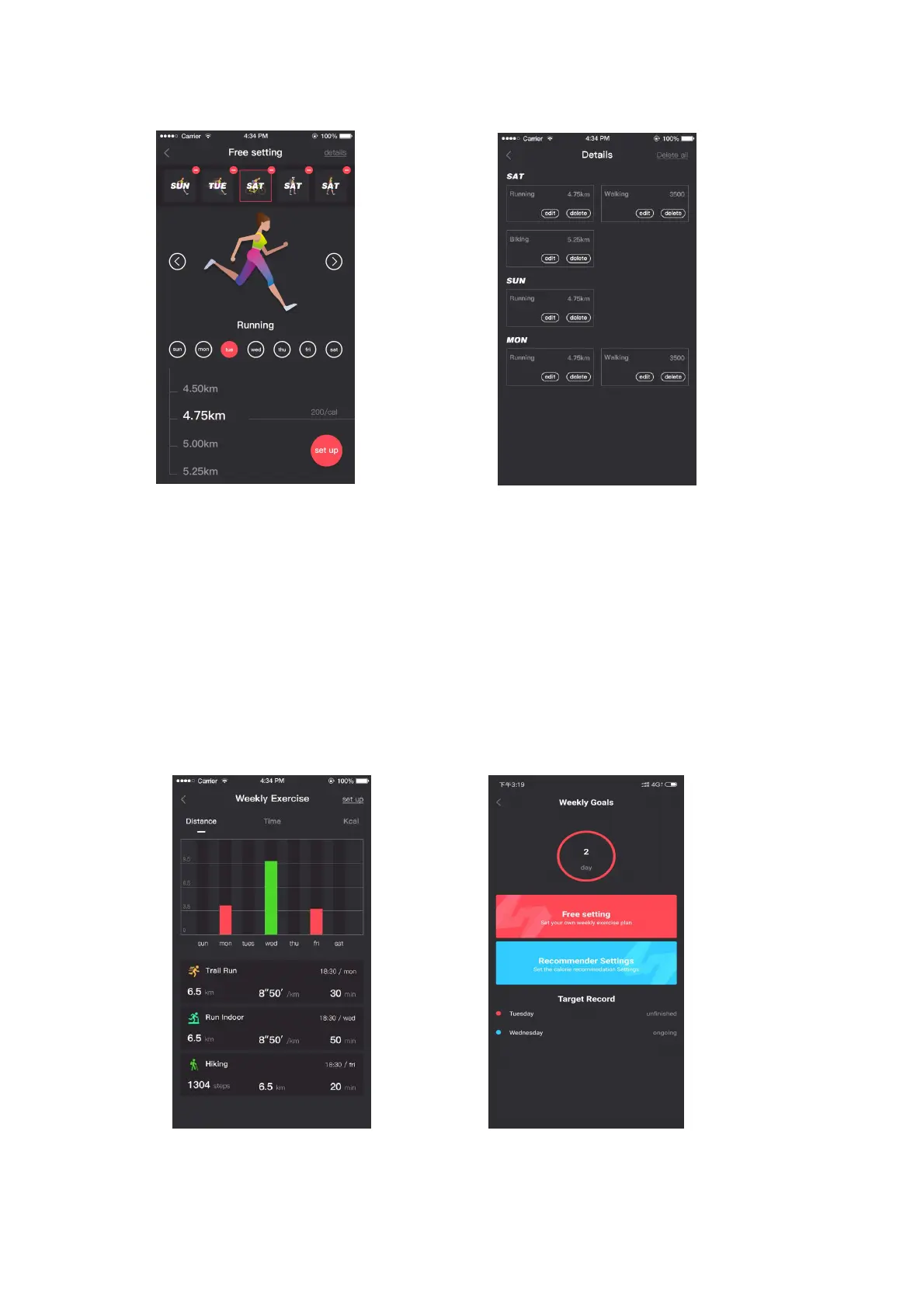
Pic.24 Week target setting interface Pic.25 Day target motion setting interface
8.3 Weekly workouts
1. The sports interface displays exercise data for one-week.
2. You can set the moving target in the upper right corner.
3. You can set the distance or time as the target and divide it into the week and day
targets (Pic.26).
4. You can swipe across your screen to view weekly data on distance, time and
calories.
Select any record to view the details of the workout record such as track, heart
rate and altitude data, select setup (top right) to set the day's moving target. (Pic 27
and 28)
Pic.26 Weekly exercise type interface Pic.27 Weekly Goals interface


 To Next Page