4.8 Phone book:
4.8.1 After syncing the Smartphone, your entire contact listing will
appear on the Smartwatch.
4.8.2 Tap on name to make call from Smartwatch.
4.8.3 Tap on quick search function to find contact.
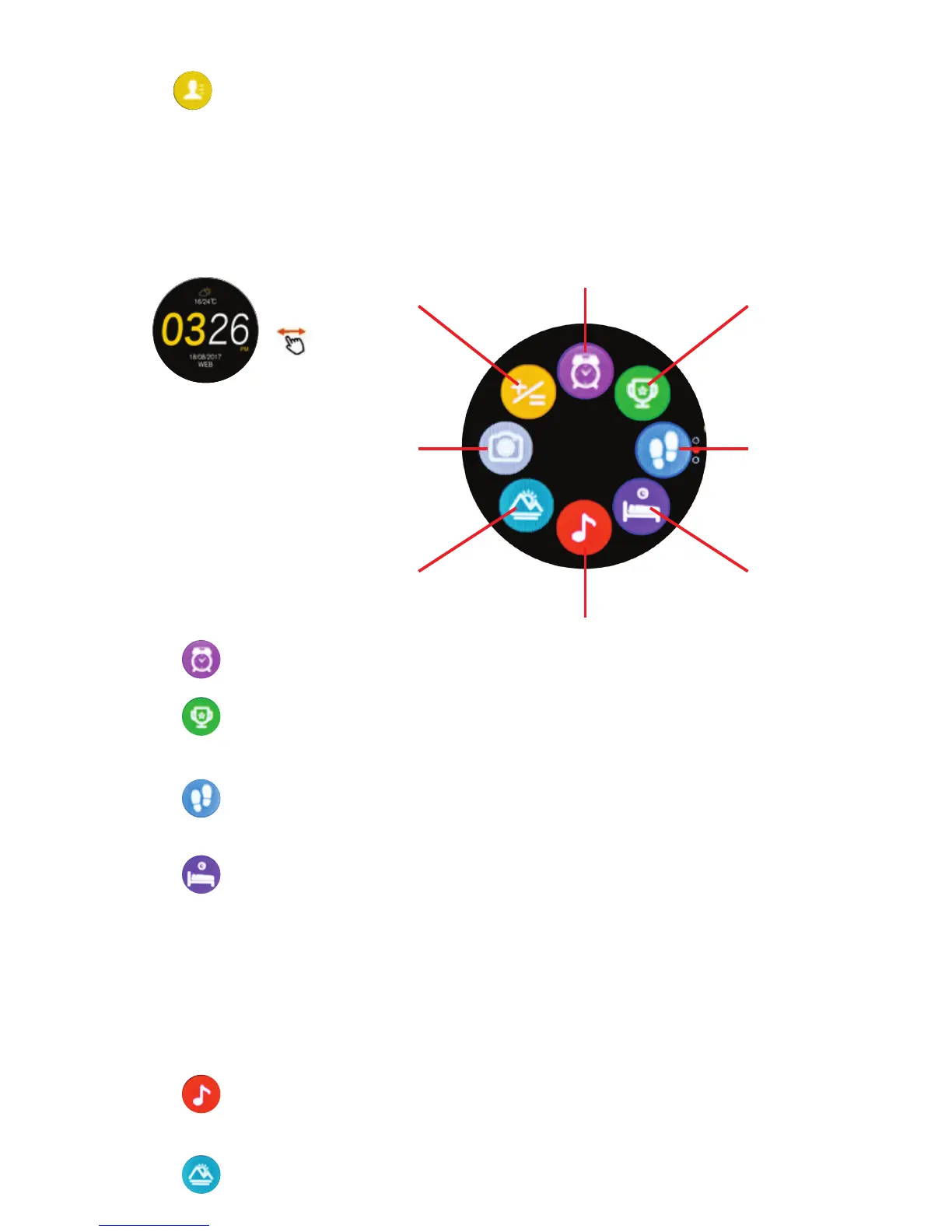
5. Mode sub-menu 2
5.1 Alarm:
Scroll down and tap to add and customize alarms and ringtones.
Alarm (5.1)
Target
Setting
(5.2)
Pedometer
(5.3)
Sleep
(5.4)
Music (5.5)
Calculator
(5.8)
Camera Remote
(5.7)
Altitude/
Air pressure (5.6)
5.2 Target setting:
Tap Edit to set/reset goals for daily steps taken, distance travelled,
calories burned, daily stepping duration
5.4 Sleep: (see section 3.6)
5.4.1 Indicates sleep time within last 24hours.
5.4.2 Tap on icon and scroll to see detailed sleep/time analysis.
5.4.3 Scroll right to left to edit your bed time and awake time.
5.4.4 Note: hours slept is determined by movement during sleeping
period: vigorous movement will result in no sleep being recorded:
gentle movement is light sleep: deep sleep is while remaining still.
5.4.5 The sleeping hours calculated are approximate: unusual sleeping
habits or disabilities will result in inaccurate measurement.
5.5 Music:
Control volume, pause, play and select song in Smartphone music:
(Note: not all phones will support this function).
5.6 Altitude/Air pressure:(see section 7.4)
5.3 Pedometer:
5.3.1 Indicates daily steps as a percentage of goal set.
5.3.2 Tap on target icon to see current steps taken in 24hr period.


 To Next Page
 Loading...