Touch Screen1.3
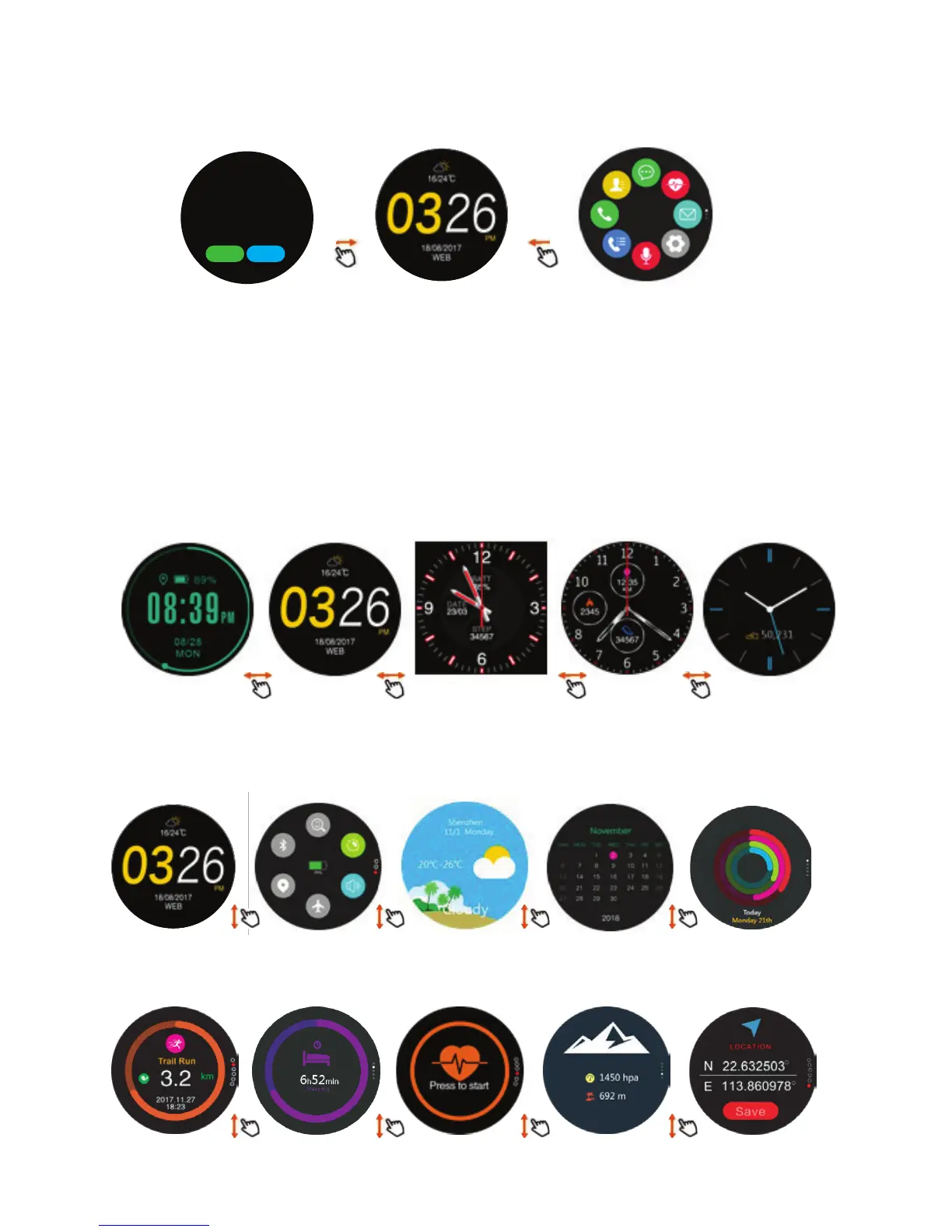
1.3.1 When on main screen, swipe left or right to enter sub screens.
1.3.2 To enter any of the mode screen functions, tap on icon
(see explanatory notes later).
1.3.3 To change clock display, press and hold the clock screen to access and
select clock display options: when screen selected, press rotary for
confirmation.
1.3.4 Main screen submenus: To access sub-menus, select either main screen or
mode screen: slide up or down to see all the functions within the menus.
Clock
(main screen)
Connectivity
screen
Mode screen
Essentials Weather Daily
activity
Calendar
Clock
(main screen)
Sleep Heart rate LocationPressure/
Altitude
Sport selection
Phone is not
connected. Do you
want to connect?
Connect Cancel


 To Next Page