24
11. Using the Test Light
1. Turn on the receiver by pressing the on/off button.
The indicator light will come on for a moment then
blink once every 4 seconds, showing that the receiver
is ready to use (the receiver needs to be charged if
the indicator light is red).
2. Turn the transmitter on by pressing the on/off button
on the right side of the transmitter until the OLED
screen illuminates. The LED will blink every 4 seconds
and the OLED screen will show the remaining battery
life (the transmitter needs to be charged if there is
only 1 bar showing on the battery icon for the OLED
transmitter screen).
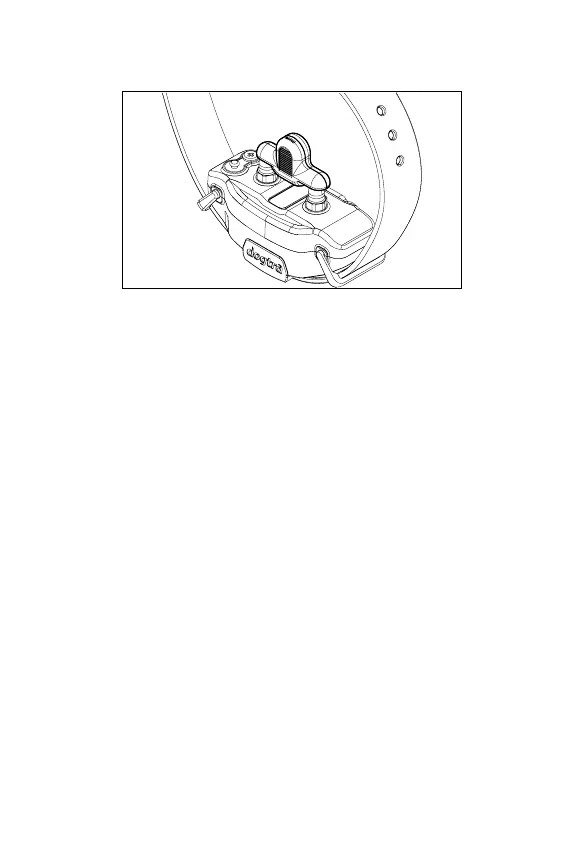
3. Place the test light, included in the package contents,
on the contact points as shown in the diagram.


 To Next Page