44 45
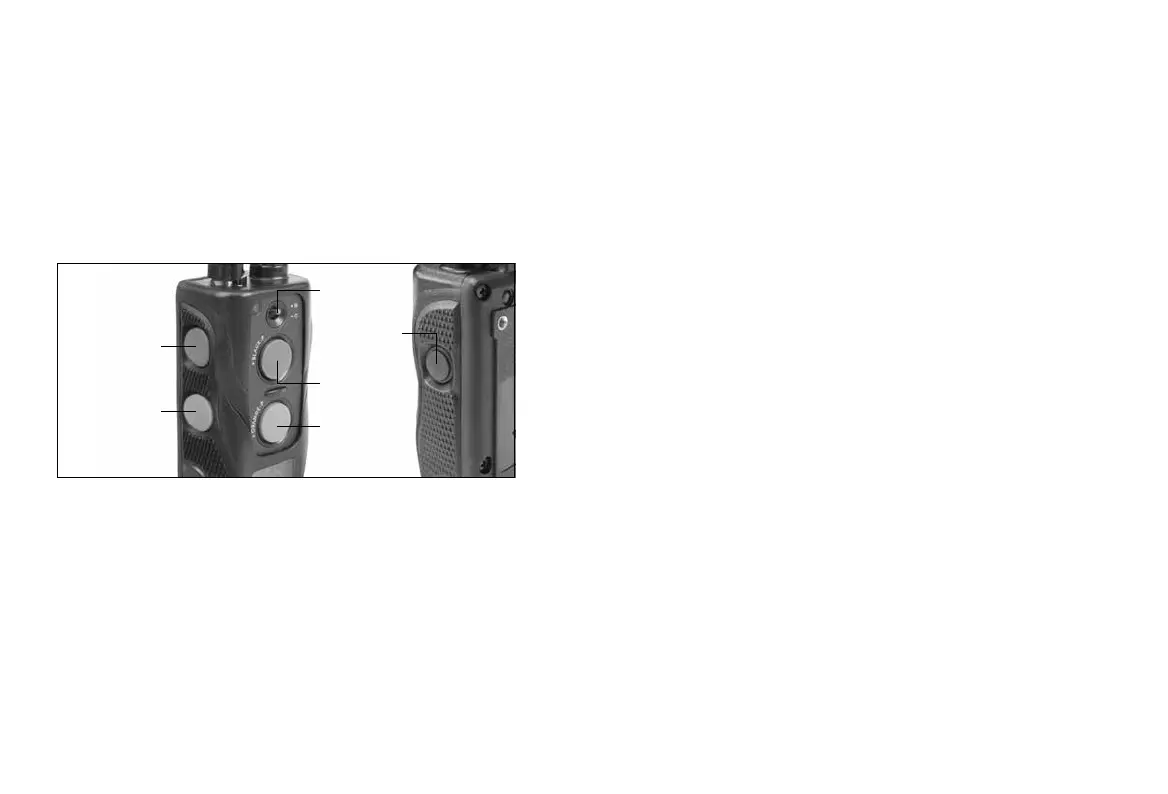
On/off switch
Nick/Constant
toggle switch
2
nd
-dog Pager
(orange button)
1
st
-dog Pager
(gray button)
1
st
-dog
Nick &
Constant
(gray button)
2
nd
-dog
Nick &
Constant
(orange button)
Pager Button
The “Pager” button is located on the face of the
transmitter. Pressing it will give non-stimulating vibration
as long as the button is depressed, for up to 12 seconds.
642C
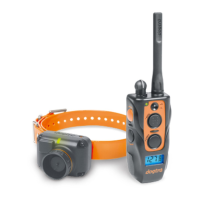
The 642C two-dog unit has five buttons and a toggle
switch on the transmitter (two on the face of the
transmitter, two on the left side, and one on the right side.).
Nick & Constant Toggle Switch
Located on the face of the transmitter is a toggle switch.
The toggle switch has a setting for “Nick” and another
for “Constant”. The color-coordinated buttons (orange for
the orange receiver/collar and gray for the black receiver/
collar) will implement the desired stimulation based on
the toggle switch setting. When either the orange or
gray stimulation button is pressed and the toggle is set
on “Nick” the receiver emits a single pulse of electrical
stimulation.
When you press either the orange or gray stimulation
button, and the toggle is set on “Constant”, the receiver
emits a continuous stimulation as long as the button
is pushed, for up to 12 seconds to the corresponding
collar. If the button is not released after 12 seconds, the
stimulation will automatically turn off as a safety feature.
The collar will be ready to be reactivated once the button
has been released.
Pager Button
The Pager buttons are located on the face of the
transmitter. The orange button corresponds with the
orange receiver/collar and the gray with the black
receiver/collar. Pressing it will give non-stimulating
vibration as long as the button is depressed, for up to 12
seconds.


 To Next Page