Quick Start On Charging Your Device
04
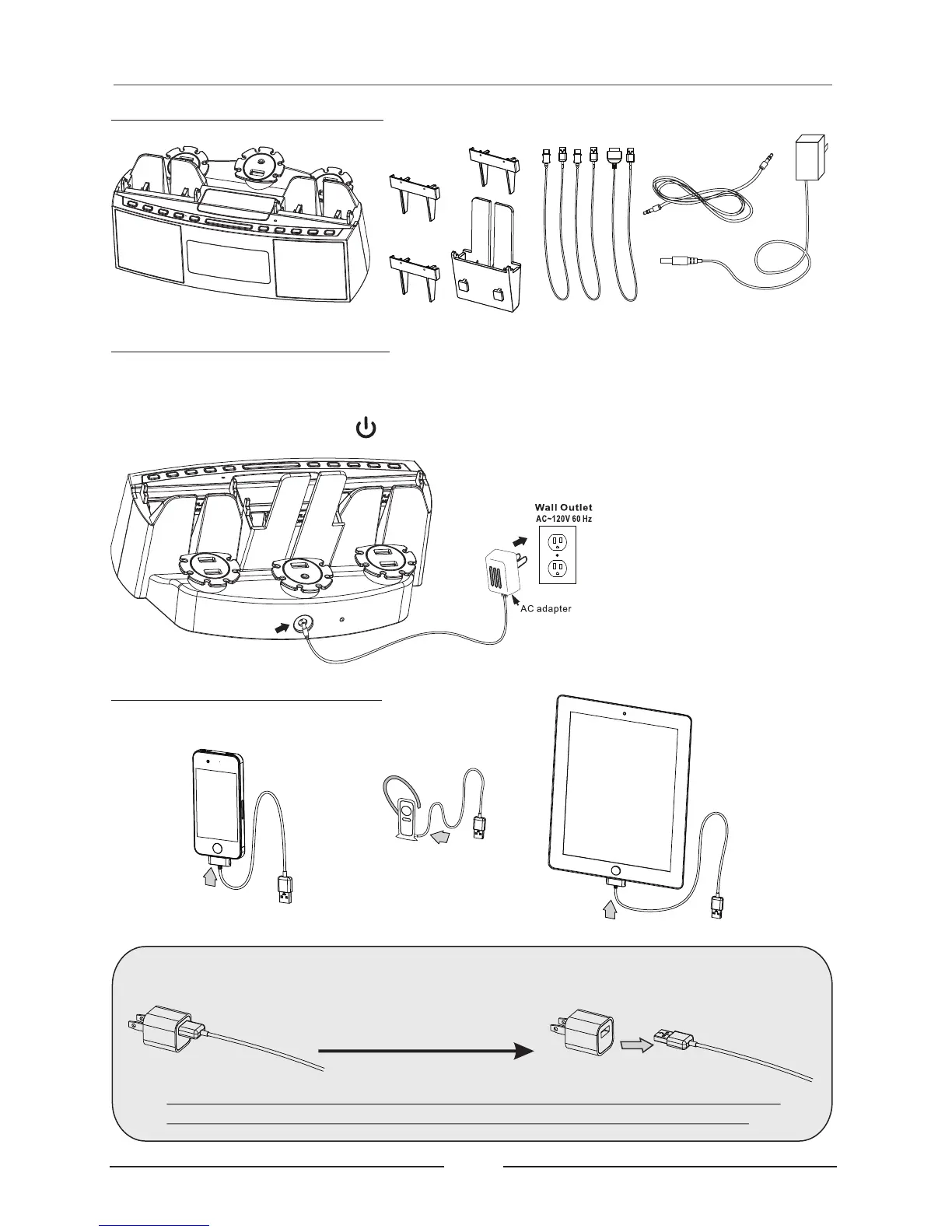
How to Charge Your Devices
1. Connect the charging cable to your device:
Connect Unit to Power Outlet
Phones
Plug the small end of included AC/DC power adapter into the DC POWER INPUT
on the rear of unit and connect power adapter to an AC power outlet to power the
unit. Press the STANDBY ( ) button to power ON/OFF.
Tablets & MIDs
Other Devices
If necessary, disconnect your USB cable from your existing smart phone
power adaptor, then use the charging cable that comes with your phone.
NOTE: Older model phones may not come with a USB charging cable. Contact
your phone's service provider or review the cables available in this catalog.
Remove USB cable
from 120V adaptor
Remove Items from Package


 To Next Page