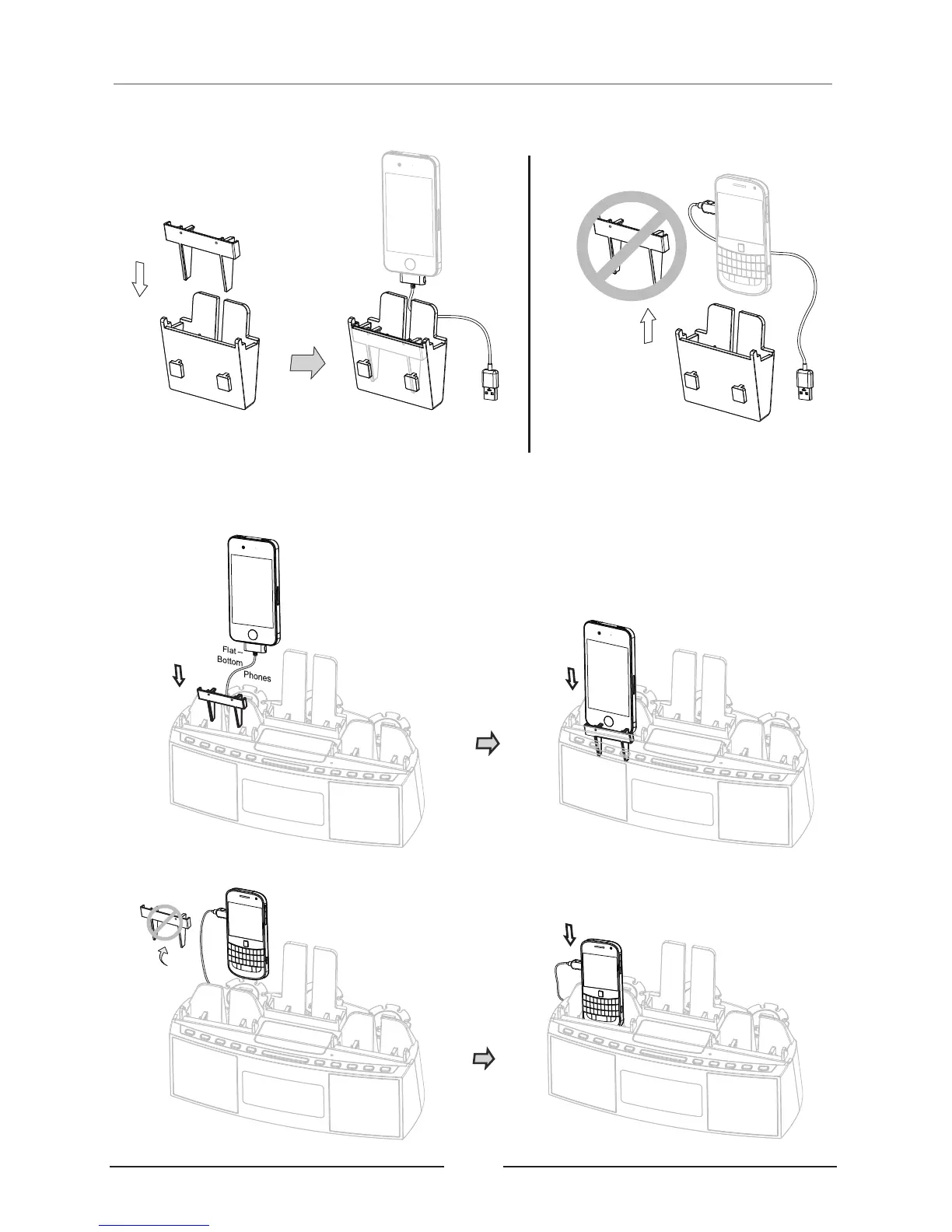
4. Your 's shape will determine if an insert is needed. Use the insert for
flat-bottom phones. Round-bottom phones do not need the insert;
smart device
5. Wrap excess cable around cable organizer leaving enough cable to allow phone to be
inserted into cradle;
A
For FLAT-BOTTOM phones
a. For flat-bottom phones;
B
For ROUND-BOTTOM phones
Optional Insert
06
Quick Start On Charging Your Device
remove
b. For round-bottom phones, remove the insert.
Place the
DEVICE into
the insert.
Place the
DEVICE
directly into
cradle.
Place the
INSERT into
the cradle.


 To Next Page