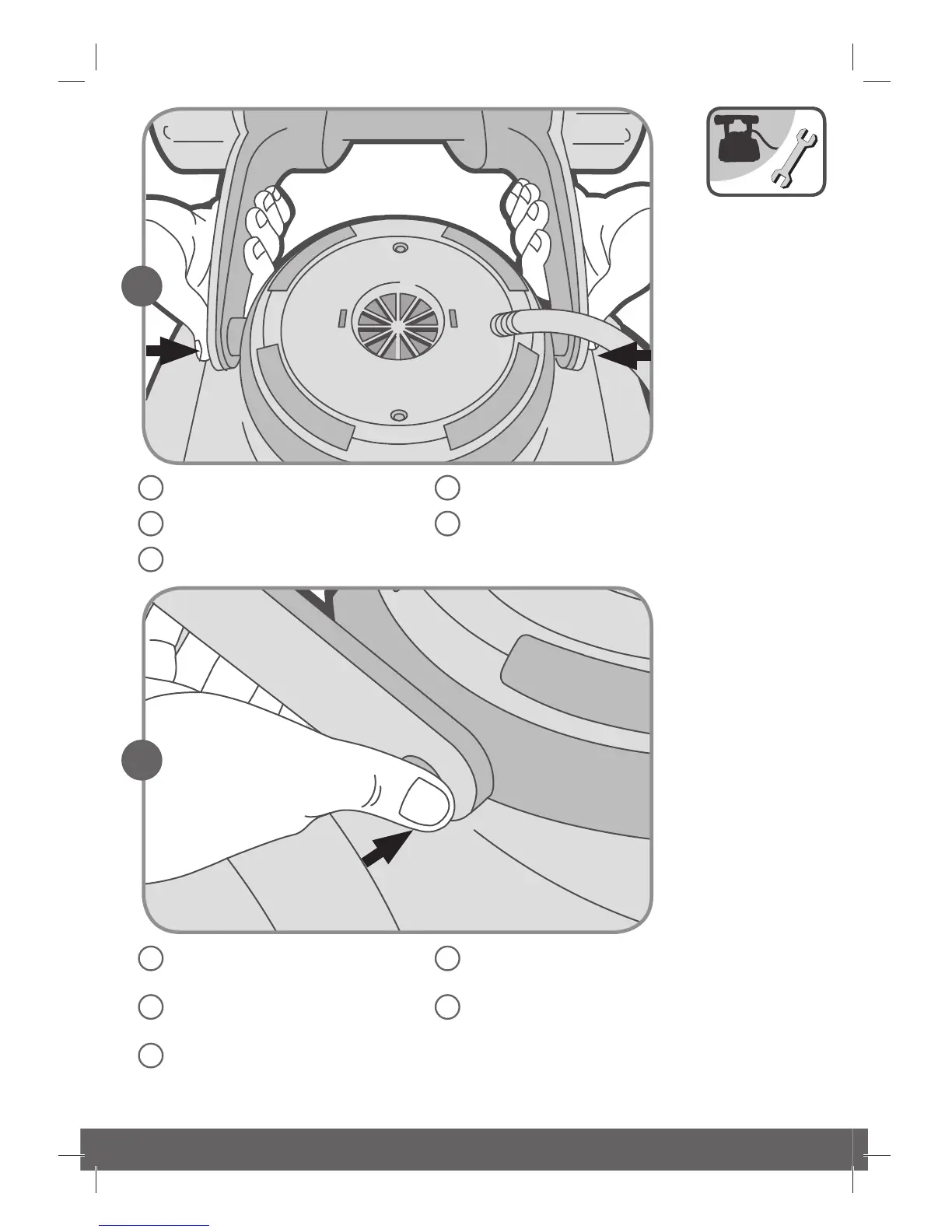
Turning the tower into working
position, step by step.
Ruotare gradualmente la torretta
in posizione di lavoro.
Mettez la tourelle en position
de marche, étape par étape.
Drehen Sie den Turm Schritt für
Schritt in die Arbeitsposition.
Gire la torre gradualmente a
la posición de trabajo.
Press the handle buttons towards
the robot center.
Premere i pulsanti dell’impugnatura
verso il centro del robot.
Appuyez sur les boutons de la
poignée en direction du centre
du robot.
Drücken Sie die Knöpfe des Griffes
in Richtung des Roboterkörpers.
Presione los botones de la manija
hacia el centro del robot.



 To Next Page