DashboardScreen
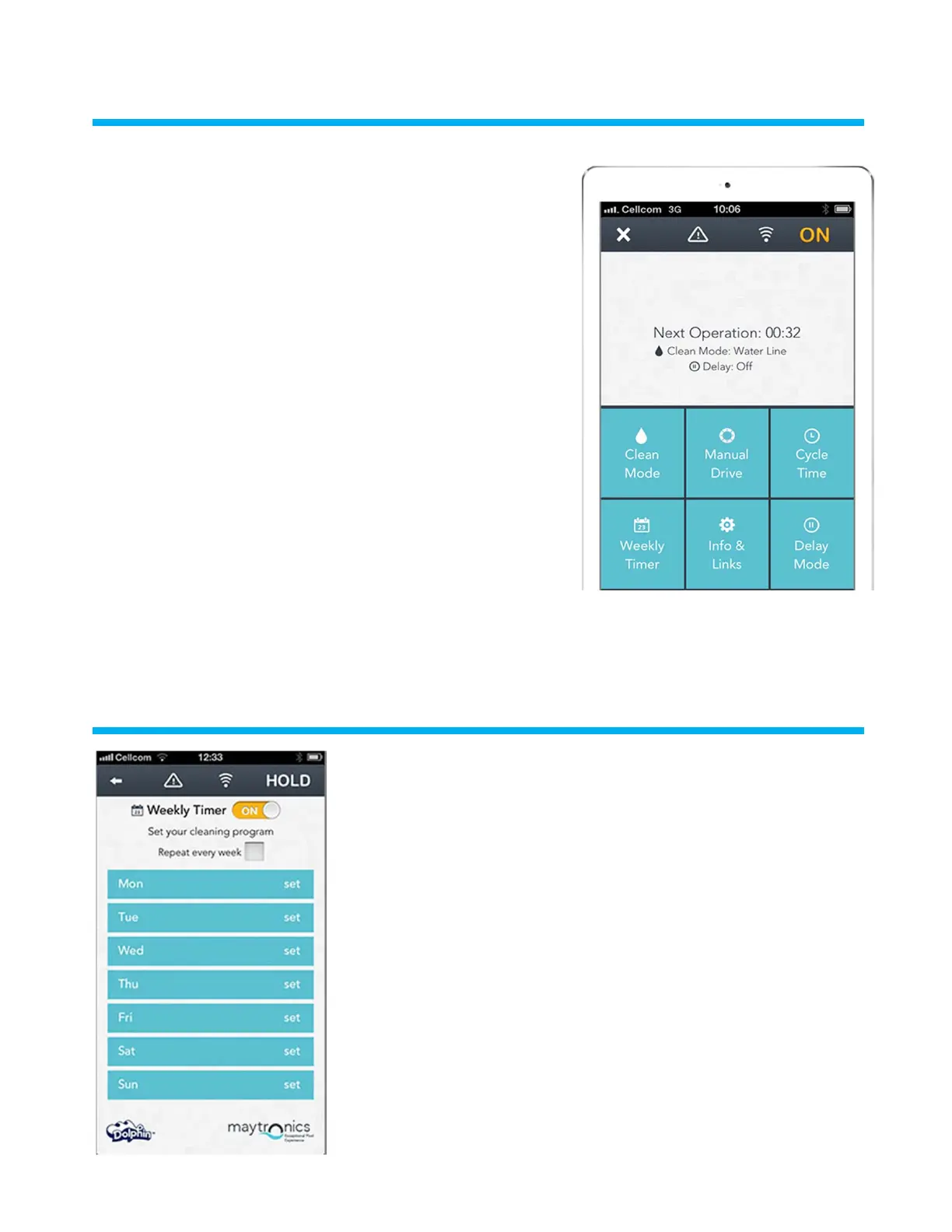
• Get a quick glimpse of your Dolphin's operational stats, and easily set
up each of the MyDolphin™ app features.
• The top indicator bar shows functional information, including on-o
status, signal strength and error notifications.
• The main screen window shows the operational status and
information, including the remaining cycle time and selected cleaning
mode.
• The buttons on the lower half of the screen show the available
operation modes: cleaning mode, manual drive, cycle time, weekly
timer, info/links, and delay mode.
•
Dolphin
MyDolphin™
•
- ,
•
•
,
, ,
,
ApplicationFeatures
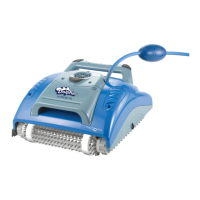
Weekly timer
You can use the MyDolphin™ app to set the weekly timer on your Dolphin robotic
pool cleaner. This unique planning system enables you to create a personalized
cleaning schedule for your Dolphin (per day and hour). Set it for just one week or
to repeat on a weekly basis.
MyDolphin™
1



 To Next Page