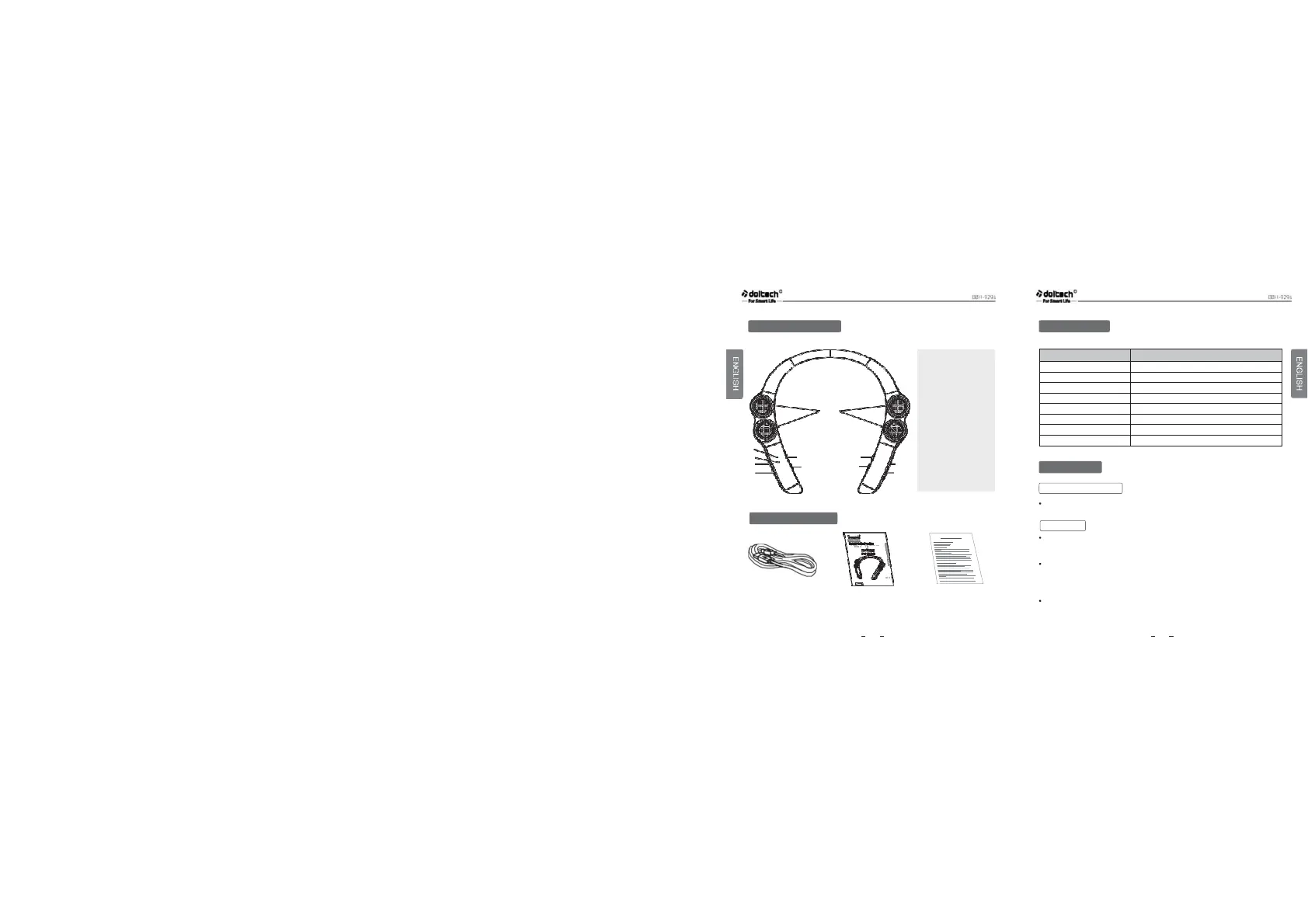
1、Sound Producing Unit
2、Microphone
3、LED Sign:
Means the working
status of the device
4、Last Song
5、Next Song
6、Charger Port :
Connect power supply
that above 5v、200mah
7、MFB: Play/Pause the music
2
3
4
5
6
7
8
9
10
11
8、Power: Turn on/off
9、MFB
:
Answer/Hang up
the phone
10、Volume-: Volume down
11、Volume+: Volume up
Item Description
Wireless specification 5.0(Headset/Hands-Free/A2DP Profiles)
Battery Battery 3.7V/900 mAh Li-Polymer
Standby time/Talk Time Up to 500 hours/Up to 15 hours
Music play time Up to 15 hours
Charging time Less than 3.5 hours
Charging rated input DC 5.0V,500mA
Operation temperature -15 °C~60°C
Dimension/weight 196mm(W)x180mm(L)x26mm(H)/85g
Push the Power switch to the ON or OFF position
USB Charging Cable
User Manual
Warranty Card
When the charger is connected (with the power on or off) the speaker will
turn off automatically.
While charging, the LED indicator will show a solid red light and then
change to Violet color, which means the battery has been charged to 80%
and above.
When charging is completed, the LED indicator will show a solid blue light
Recommend to use a DC5V 1A USB charger to charge the Speaker.
2 3
reserved Note
For the be st
Charging
Package Contents
Specifications
Description of parts
How to Use
Power On/Power Off


 To Next Page