EasyManua.ls Logo

Domain DM-B7518BT - User Manual

Default Icon
17 pages
Print Icon
To Next Page IconTo Next Page
Loading...
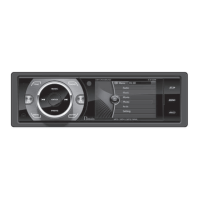
CD/MP3/USB/SD/BLUETOOTH PLAYER WITH FM/AM TUNER
9482CMB7437L109A说明书.indd 1 2013-7-22 15:02:20

Questions and Answers

  • M
    Mrs. Brittney Jones DDSAug 16, 2025
    What to do if my Car Receiver won't switch on?
    • T
      Thomas MartinAug 16, 2025
      If your Car Receiver won't switch on, there might be a few reasons: * The car ignition might not be on. Try turning your car key in the ignition. * The cable might not be properly connected. Check the cable connection. * The fuse might be burnt. Replace the fuse with a new one of the same capacity.
  • T
    Tyler YoungAug 19, 2025
    How to fix no sound on my Car Receiver?
    • P
      pmitchellSep 12, 2025
      If there is no sound from your Car Receiver, ensure that the volume isn't set to the minimum or that the mute function is not activated. Check the volume level and switch the mute function off.
  • J
    Jeremy GonzalesAug 22, 2025
    Why does my Car Receiver lose preset stations?
    • M
      Mrs. Melissa Rivera PhDAug 22, 2025
      If your Car Receiver loses preset stations, the battery cable might not be properly connected. Connect the permanent live on the unit to the permanent live on the vehicle.
  • J
    Janet FisherAug 25, 2025
    Why is my Car Receiver radio station reception poor?
    • E
      erika91Aug 26, 2025
      If you're experiencing poor quality reception on your Car Receiver, the antenna might not be fully extended or it could be broken. Fully extend the antenna, and if it's broken, replace it with a new one.
  • L
    lconradAug 28, 2025
    What to do if my Car Receiver won't play discs?
    • W
      William GrayAug 28, 2025
      If your Car Receiver won't play discs, it could be due to the disc being inserted incorrectly or the disc being dirty or damaged. * Ensure the disc is inserted with the label side facing up. * Clean the disc and check for any damage. You might also want to try another disc.
  • V
    Valerie MorenoAug 31, 2025
    How to fix Car Receiver when unable to receive stations?
    • F
      fitzpatrickkimberlyAug 31, 2025
      If your Car Receiver is unable to receive stations, it might be due to the antenna not being connected properly. Ensure that the antenna is correctly connected.
  • J
    Jeffery AlvaradoSep 3, 2025
    What to do if Car Receiver unit or screen does not work normally?
    • A
      Autumn SimpsonSep 3, 2025
      If the Car Receiver unit or screen isn't working as expected, the system might be unstable. Try pressing the RESET button.
  • M
    mary34Sep 6, 2025
    Why does the sound skip on my Car Receiver due to vibration?
    • K
      karendanielSep 6, 2025
      If the sound skips on your Car Receiver due to vibration, it could be because: 1. The mounting angle is over 30 degrees. Adjust the mounting angle to less than 30 degrees. 2. The mounting is unstable. Mount the unit securely with the supplied parts.
  • J
    Jerome ReedSep 9, 2025
    What to do if Car Receiver cannot read USB device or SD/MMC card?
    • S
      Sabrina MillerSep 9, 2025
      If your Car Receiver cannot read the USB device or SD/MMC card, it might be because the NTFS format is not supported. Check that the file system is in FAT or FAT32 format.
  • T
    tatedonnaSep 12, 2025
    What to do if I am unable to insert USB device or SD/MMC card into Car Receiver?
    • M
      Melanie MartinezSep 12, 2025
      If you're unable to insert a USB device or SD/MMC card into your Car Receiver, the memory card or USB device may have been inserted the wrong way round. Try inserting it the other way around.

Summary

Safety Information

Precautions for Safe Operation

Details safety measures for installation and proper use of the unit to prevent damage or injury.

CD Playback Guidelines

Provides instructions for handling discs and notes on playing CDs to ensure optimal performance.

Panel Controls Overview

Front Panel Button Functions

Describes the function of each numbered button and control on the unit's front panel.

Other Unit Instructions

Unit Features and Ports

Details the SD/MMC card slot, disc eject mechanism, reset hole, and disc slot.

Remote Controls

Remote Operation and Battery

Explains the remote control's operating range, usage, and how to replace its battery.

General Operation

Basic Unit Functions

Covers power on/off, volume adjustment, audio mute, and source selection (SRC).

Sound Settings

Audio and EQ Adjustments

Explains how to adjust sound effects (EQ) and audio settings like balance and fader.

CD;MP3;WMA Operations

File Playback and Disc Handling

Notes on file compatibility, precautions, disc loading, and eject function.

Track and Folder Navigation

Details how to select tracks, navigate folders, and use fast-forward/reverse functions.

Playback Modes and Functions

Explains top function, scan play, and repeat play modes for CD/MP3/WMA playback.

USB;SD;MMC MP3 Playback

Connecting and Using Devices

Describes how to load/unload SD/MMC cards and USB devices for music playback.

Tuner Operation

Radio Band and Tuning Functions

Explains band selection, manual/seek tuning, and auto store for radio stations.

Bluetooth Operations

Pairing and Making Calls

Details Bluetooth pairing, making/receiving calls, and call transfer procedures.

Bluetooth Audio and Notes

Explains A2DP audio streaming and general notes for Bluetooth connectivity.

Menu Function

System Setup Options

Covers radio modes, scroll, beep, time format, and clock setting adjustments.

Electrical Connections

Wiring Diagram

Provides a diagram illustrating the unit's wiring connections to the car system.

Installation Guide

Dashboard Installation and Reset

Details dashboard opening requirements, installation procedures, and unit reset.

Anti-Theft System

Detachable Panel Operation

Explains how to remove, install, and use the detachable panel for security.

Troubleshooting

General Unit Issues

Covers problems like the unit not switching on or having no sound.

Disc Playback Problems

Addresses issues with playing discs and sound skipping due to vibration.

Tuner and USB;SD;MMC Issues

Details problems with radio reception, preset stations, and USB/SD/MMC card reading.

Specifications

General and Component Specs

Lists power supply, dimensions, weight, and various component specifications.

Radio and Disc Player Specs

Details FM/AM radio frequency ranges and disc player performance metrics.

Domain DM-B7518BT Specifications

General IconGeneral
BrandDomain
ModelDM-B7518BT
CategoryCar Receiver
LanguageEnglish

Related product manuals