11
EN
D21 Drop-in Cooktop
14
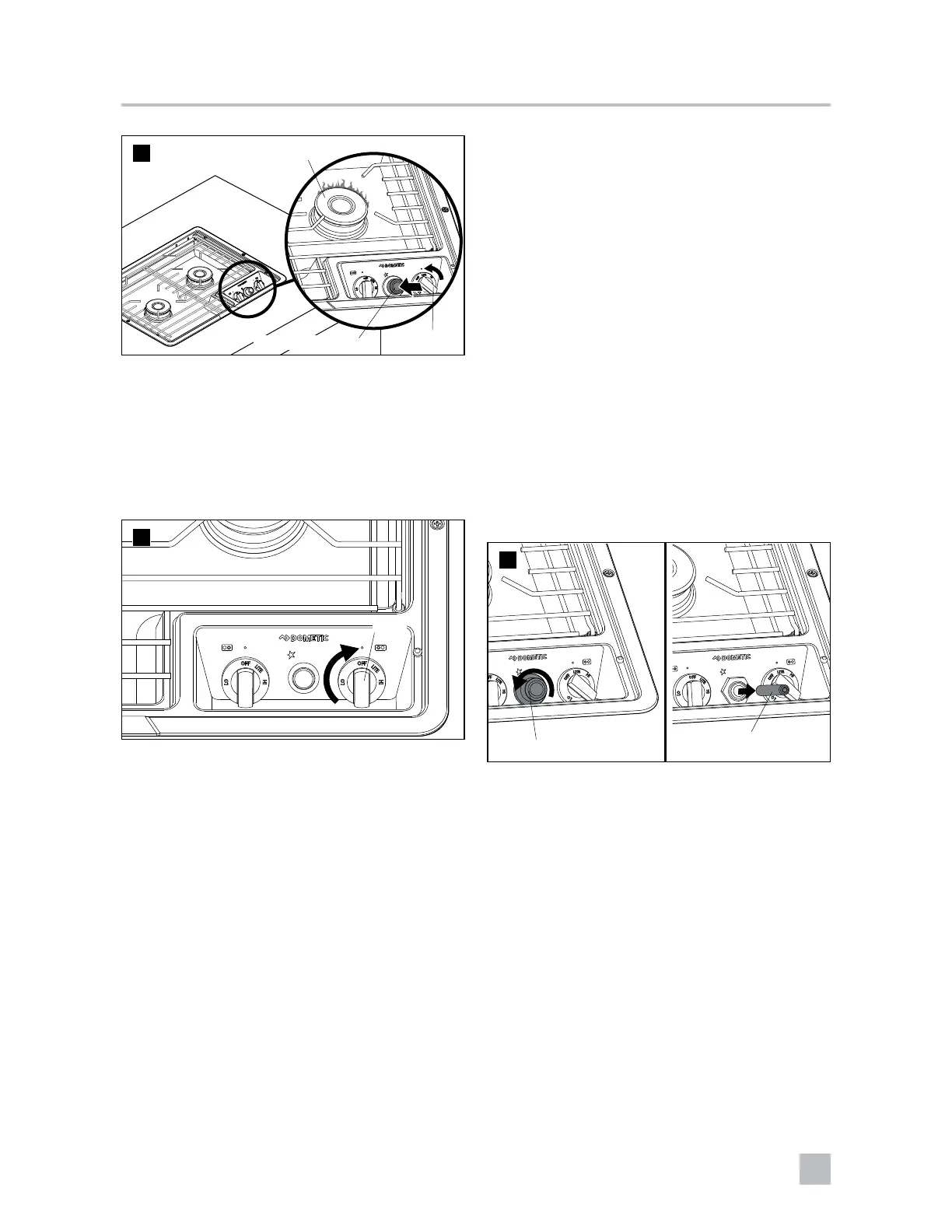
Burner
Knob
Electronic Ignition
➤ To light the Cooktop using the electronic
ignition, turn the knob counterclockwise, then
press and hold the electronic ignition button
until the burner lights.
5.5 Extinguishing the burner
15
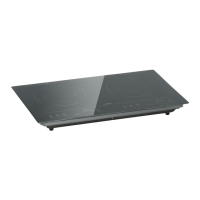
Knob
➤ To extinguish the burner, turn the knob to the
“OFF” position to stop the flow of gas to the
burner.
5.6 Changing the battery
(battery ignition)
16
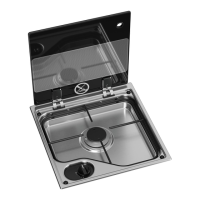
Ignition Switch Cover
Battery
➤ Unscrew the ignition switch cover.
➤ Remove and replace the AAA battery.



 To Next Page