Using the appliance D15, D50
18
Setting the temperature
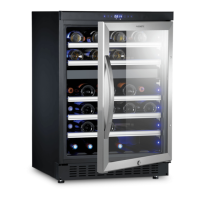
The device has two separate temperature zones. The temperature of both zones can
be set between 5 °C and 22 °C (40 °F and 72 °F).
The lower temperature zone is ideal for storing white and red wine at 13 °C to
22 °C (55 °F to 72 °F).
The upper temperature zone is suitable for storing champagne and white wine
at a setting of 5 °C to 13 °C (40 °F to 55 °F).
I
➤ Press the or button to set the temperature.
✓ The display flashes while you make the setting.
✓ After the temperature has been set, the display shows the current inner
temperature of the particular temperature zone.
I
Checking the set temperature
This is how to display the set temperature:
➤ Press the or button briefly.
✓ The set temperature is shown in the display for 5 seconds.
Then the display shows the current inner temperature again.
I
NOTE
• The temperature for the lower temperature zone must always be
just as high or higher than the upper temperature zone .
• The appliance functions at its best if the difference in temperature
between the two zones is at least 4 °C.
NOTE
When using the appliance for the first time or if it has not been used for a
long time, the inner temperature could differ from the one you have set.
The temperature display flashes as long as this is the case.
Once the set temperature has been reached, the temperature display
remains lit.
NOTE
In the event of an interruption to the power supply (power failure, switch
over) the unit saves the previous temperature settings.
_MaCave_A5.book Seite 18 Freitag, 2. Dezember 2016 10:15 10


 To Next Page