DW6 Using the refrigerator
13
Setting the temperature
I
➤ Press the TEMP – button to reduce the cooling temperature in increments of 1 °C.
➤ Press the TEMP + button to increase the cooling temperature in increments of 1 °C.
✓ The set temperature appears on the display and flashes twice. The current interior temperature
of the refrigerator is then displayed.
Storing bottles (fig. 9, page 6)
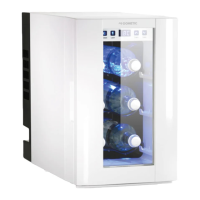
➤ Place the bottles horizontally on the grid shelves.
➤ Place a maximum of two bottles on a shelf.
➤ Make sure that the bottles do not exceed the maximum bottle length of 35 cm.
NOTE
The cooling performance can be affected by:
• The ambient temperature
• The number of bottles to be cooled
• The frequency with which the door is opened.
DW6-O-16s.book Seite 13 Montag, 3. April 2017 4:04 16


 To Next Page