EasyManua.ls Logo

Dometic FAN-TASTIC VENT - User Manual

Dometic FAN-TASTIC VENT
16 pages
Print Icon
To Next Page IconTo Next Page
Loading...
FAN-TASTIC VENT
FAN
REVISION B | Form No. 8613-02 06/18 | ©2018 Dometic Corporation
Fan-Tastic Vent™ Fans and Controllers
EN
Fan-Tastic Vent
Installation and Operation Manual
Question and Answer IconNeed help?

Do you have a question about the Dometic FAN-TASTIC VENT and is the answer not in the manual?

Summary

Explanation of Symbols and Safety Instructions

Recognize Safety Information

This section explains the safety alert symbol and its purpose in conveying potential injury hazards.

Understand Signal Words

Defines signal words like WARNING, CAUTION, and NOTICE used in safety messages.

Supplemental Directives

Supplemental Directives

Provides critical safety instructions and compliance requirements for installation and operation.

General Information

Recommended Hardware and Supplies

Lists necessary hardware, supplies, and electrical wiring information for installation.

Recommended Tools and Hardware

Specifies the tools required for the installation process.

Intended Use

Installation

Vent Roof Mounting

Step-by-step instructions for mounting the vent to the RV roof, including sealant application.

Fan Mounting

Details on how to mount the fan unit after the exterior flange is secured.

Clamp-Fan Mounting

Clamp-Fan Mounting

Instructions for installing the 'clamp fan' configuration, securing the garnish to the fan base.

Mounting Wall Controls

Mounting the Wall Controls

Guidance on installing the wall-mounted controller for RV manufacturer models.

Operation

Manual Lift Vents

Instructions on how to manually open or close the vent lid using the hand-knob.

Automatic Lift Vents

Details on operating automatic lift vents, including speed settings and safety switches.

Operating the Reverse Switch

Operating the Reverse Switch

How to use the switch to control fan direction (IN/OUT) and turn the fan OFF.

Operating the Thermostat

Operating the Thermostat

Explanation of how the fan operates automatically based on temperature settings.

Premium Remote and Wall Controls

Model 6300, 6350, 7300, and 7350 Controls

Details on operating premium remote and wall controls for specific Fan-Tastic Vent models.

Wall-Mounted Controls

Model 5300, 5350 Wall-Mounted Controls

Instructions for using the wall-mounted controls for models 5300 and 5350.

RJ-11 Wall-Mounted Controls

Model 5200, 5250 RJ-11 Wall-Mounted Controls

Operating instructions for the RJ-11 wall-mounted controls of models 5200 and 5250.

Model 4200 RJ-11 Wall-Mounted Controls

Model 4200 RJ-11 Wall-Mounted Controls

Guide to operating the Model 4200 RJ-11 wall-mounted fan controls.

Model 4100 Series Operation

Model 4100, 4150, 4175

Instructions for operating models 4100, 4150, and 4175, including speed and thermostat settings.

Model 3300, 3350 Operation

Model 3300, 3350

Details on operating models 3300 and 3350, including speed, direction, thermostat, and rain sensor.

Model 4201, 4251, 4301, 4351 Operation

Model 4201, 4251, 4301, 4351

Operating instructions for models 4201, 4251, 4301, 4351, covering speed, direction, and rain sensor.

Maintenance

Replacing the Fuse

Step-by-step guide on how to locate and replace the fuse.

Replacing Batteries

Instructions for replacing batteries in the 7300/7350 Remote Control.

Fixing a Stuck Lid

Procedure for addressing a stuck lid, including cleaning and applying sealant.

Cleaning the Fan

Cleaning the Fan

Detailed instructions on how to safely remove and clean the fan screen and blade.

Limited Warranty Information

Summary

Explanation of Symbols and Safety Instructions

Recognize Safety Information

This section explains the safety alert symbol and its purpose in conveying potential injury hazards.

Understand Signal Words

Defines signal words like WARNING, CAUTION, and NOTICE used in safety messages.

Supplemental Directives

Supplemental Directives

Provides critical safety instructions and compliance requirements for installation and operation.

General Information

Recommended Hardware and Supplies

Lists necessary hardware, supplies, and electrical wiring information for installation.

Recommended Tools and Hardware

Specifies the tools required for the installation process.

Intended Use

Installation

Vent Roof Mounting

Step-by-step instructions for mounting the vent to the RV roof, including sealant application.

Fan Mounting

Details on how to mount the fan unit after the exterior flange is secured.

Clamp-Fan Mounting

Clamp-Fan Mounting

Instructions for installing the 'clamp fan' configuration, securing the garnish to the fan base.

Mounting Wall Controls

Mounting the Wall Controls

Guidance on installing the wall-mounted controller for RV manufacturer models.

Operation

Manual Lift Vents

Instructions on how to manually open or close the vent lid using the hand-knob.

Automatic Lift Vents

Details on operating automatic lift vents, including speed settings and safety switches.

Operating the Reverse Switch

Operating the Reverse Switch

How to use the switch to control fan direction (IN/OUT) and turn the fan OFF.

Operating the Thermostat

Operating the Thermostat

Explanation of how the fan operates automatically based on temperature settings.

Premium Remote and Wall Controls

Model 6300, 6350, 7300, and 7350 Controls

Details on operating premium remote and wall controls for specific Fan-Tastic Vent models.

Wall-Mounted Controls

Model 5300, 5350 Wall-Mounted Controls

Instructions for using the wall-mounted controls for models 5300 and 5350.

RJ-11 Wall-Mounted Controls

Model 5200, 5250 RJ-11 Wall-Mounted Controls

Operating instructions for the RJ-11 wall-mounted controls of models 5200 and 5250.

Model 4200 RJ-11 Wall-Mounted Controls

Model 4200 RJ-11 Wall-Mounted Controls

Guide to operating the Model 4200 RJ-11 wall-mounted fan controls.

Model 4100 Series Operation

Model 4100, 4150, 4175

Instructions for operating models 4100, 4150, and 4175, including speed and thermostat settings.

Model 3300, 3350 Operation

Model 3300, 3350

Details on operating models 3300 and 3350, including speed, direction, thermostat, and rain sensor.

Model 4201, 4251, 4301, 4351 Operation

Model 4201, 4251, 4301, 4351

Operating instructions for models 4201, 4251, 4301, 4351, covering speed, direction, and rain sensor.

Maintenance

Replacing the Fuse

Step-by-step guide on how to locate and replace the fuse.

Replacing Batteries

Instructions for replacing batteries in the 7300/7350 Remote Control.

Fixing a Stuck Lid

Procedure for addressing a stuck lid, including cleaning and applying sealant.

Cleaning the Fan

Cleaning the Fan

Detailed instructions on how to safely remove and clean the fan screen and blade.

Limited Warranty Information

Overview

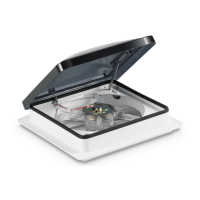
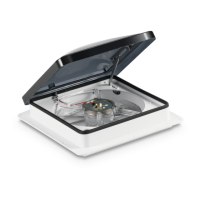
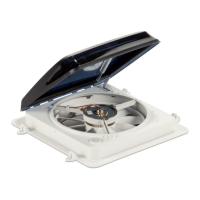
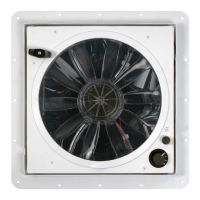
The Dometic Fan-Tastic Vent is a recreational vehicle (RV) ventilation system designed to provide maximum airflow while offering protection from the elements. It is intended for use in RVs and comes in various models, including manual lift, automatic lift, and models with remote or wall-mounted controls.

Function Description

The primary function of the Fan-Tastic Vent is to circulate air within an RV, either by exhausting stale air out or drawing fresh air in. This helps to maintain a comfortable ambient temperature and improve air quality inside the vehicle. The fan operates on 12 VDC power and is designed to run on filtered DC current.

The vent features a dome (lid) that can be opened and closed to allow or restrict airflow. Depending on the model, the lid can be opened manually or automatically. Many models include a thermostat, allowing the fan to automatically turn on or off based on the interior temperature of the RV. This feature helps to regulate comfort levels without constant manual adjustment.

Some models are equipped with a fan blade motor-reversing switch, enabling the user to choose between "OUT" (exhaust mode) to expel hot, stale air, or "IN" (intake mode) to draw fresh air in. The intake mode can effectively pressurize the coach if all windows, doors, and other vents are closed.

Several models also incorporate a rain sensor. When moisture contacts the sensor, the lid automatically closes, and the fan motor disengages to prevent water from entering the RV. Once the rain sensor dries, the lid will not automatically re-open; it requires manual intervention or a specific command from the control unit to re-open. Manually opening the lid when the rain sensor has activated will bypass the sensor, allowing the fan to operate according to its previous settings. The rain sensor will reactivate once it dries.

Usage Features

The Fan-Tastic Vent offers a range of usage features depending on the specific model:

Manual Lift Vents:

  • To open or close the lid, users grasp and turn a black hand-knob in the desired direction.
  • The fan motor will not operate unless the dome is partially open (approximately 4 inches or more), due to a built-in safety switch.
  • Users can turn a three-speed knob to select performance levels: 0-OFF, 1-LOW, 2-MEDIUM, and 3-HIGH.
  • For increased airflow, it is recommended to open a window or door farthest from the vent.

Automatic Lift Vents and Controlled Models (e.g., Models 6300, 6350, 7300, 7350, 5300, 5350, 5200, 5250, 4200, 4100, 4150, 4175, 3300, 3350, 4201, 4251, 4301, 4351):

  • Power ON/OFF: A dedicated button turns the fan ON (often starting in Auto mode or HIGH speed) and OFF (stopping the fan and closing the lid).
  • Fan Speed Control: Buttons (UP/DOWN or a knob) allow users to increase or decrease the fan speed. Some models offer 13 speeds, indicated by percentage or LED illumination on the remote/wall control. Changing fan speed typically switches the fan to Manual mode.
  • Thermostat Control: For models with a thermostat, UP/DOWN buttons or a dial adjust the set temperature (e.g., 60°F-90°F or 15°C-30°C). The fan operates automatically to maintain this temperature. Adjusting the temperature setting usually switches the fan to Auto mode.
  • Lid UP/DOWN Control: Buttons or switches are used to open and close the vent lid. This operation is often independent of the fan ON/OFF switch.
  • Air OUT/IN (Reverse Switch): For models with this feature, a switch or button reverses the fan blade direction to either exhaust air (OUT) or draw air in (IN). To reverse direction while the fan is operating, users typically need to select a neutral (OFF) position, allow the blades to stop, and then select the opposite direction.
  • Rain Sensor ON/OFF: Some models allow the user to turn the rain sensor ON or OFF by pressing a specific button for a few seconds. An LED often indicates when the rain sensor is turned OFF.
  • Manual/Auto Mode Selection: Dedicated buttons or actions (like adjusting speed or temperature) switch between Manual and Auto modes. LEDs indicate the currently active mode.
  • Remote Control (Models 7300 & 7350): These models feature wireless remote controls that "sleep" after 30 seconds of inactivity to conserve battery life. Pressing any button "awakens" the controller, displaying the last settings. If manually shut off, the controller resets.
  • Wall-Mounted Controls: Many models come with wall-mounted controls that offer similar functionalities to the remote controls, allowing convenient operation from inside the RV.

Maintenance Features

The manual outlines several maintenance procedures to ensure the longevity and optimal performance of the Fan-Tastic Vent:

  • Fuse Replacement: The fan uses a 4 amp "slo-blo" fuse. To replace it, locate the black cap on the screen assembly, twist it counter-clockwise, and gently pull it down. The fuse is attached to the backside of the cap. After inspecting and replacing a broken fuse, re-insert the new fuse into the holder cap and screw the cap back into place clockwise until snug.
  • Battery Replacement (7300/7350 Remote Control): To replace batteries in the remote control, pull back on the finger tab on the rear cover and lift it off. Match the (+) and (–) markings on the new batteries (AA UM-3 DC 1.5V) with those inside the compartment. To close, align the tab opposite the finger tab with the square hole and push the cover down until it clicks into place.
  • Fixing a Stuck Lid: If the EPDM rubber dome seal is damaged or torn, Dometic should be contacted for replacement. For maintenance, open the dome completely. Clean the underside of the lid and the EPDM rubber seal with denatured or rubbing alcohol on a clean rag. Optionally, apply a water-based protectant to the inside of the dome where it meets the seal, allowing it to dry and buff to a high sheen. Finally, apply an even coating of 100% silicone to the entire top surface of the EPDM rubber dome seal to prevent sticking.
  • Cleaning the Fan:
    1. Remove the fuse.
    2. Remove the Pop N' Lock™ screen ring by grasping the finger tab and pulling straight down while bracing the screen assembly.
    3. Hold the fan blade to prevent it from turning and remove the Phillips-head screw from the center hub.
    4. Grasp the fan blade with two hands on opposite sides and pull down firmly, wiggling if necessary, until it slides off the motor shaft.
    5. Clean the screen insert and fan blade with window cleaner, non-abrasive dish soap, and warm water. They can also be placed on the top rack of an automatic dishwasher.
    6. Optionally, once clean and dry, wipe or spray a water-based protectant on the screen and blade and buff to a high gloss to minimize dust and dirt buildup and ease future cleaning.
    7. Re-assemble the fan by reversing the removal steps.

The manual emphasizes the importance of following safety instructions, including taking precautions when working on the RV roof and ensuring proper electrical connections (12 VDC only, filtered DC current). It also advises against leaving the vent lid open and unattended for extended periods or using the product in inclement weather to prevent water damage.

Dometic FAN-TASTIC VENT Specifications

General IconGeneral
ModelFAN-TASTIC VENT
CategoryFan
Voltage12V DC
Manual Lift DomeYes
Built-in ThermostatYes
Reversible AirflowYes
Rain SensorYes
MaterialPlastic
ColorWhite
Airflow920 CFM
Fan Diameter12 inches
Remote ControlYes

Related product manuals