EasyManua.ls Logo

Dometic P030 - User Manual

Dometic P030
20 pages
Print Icon
To Next Page IconTo Next Page
Loading...
MARINE
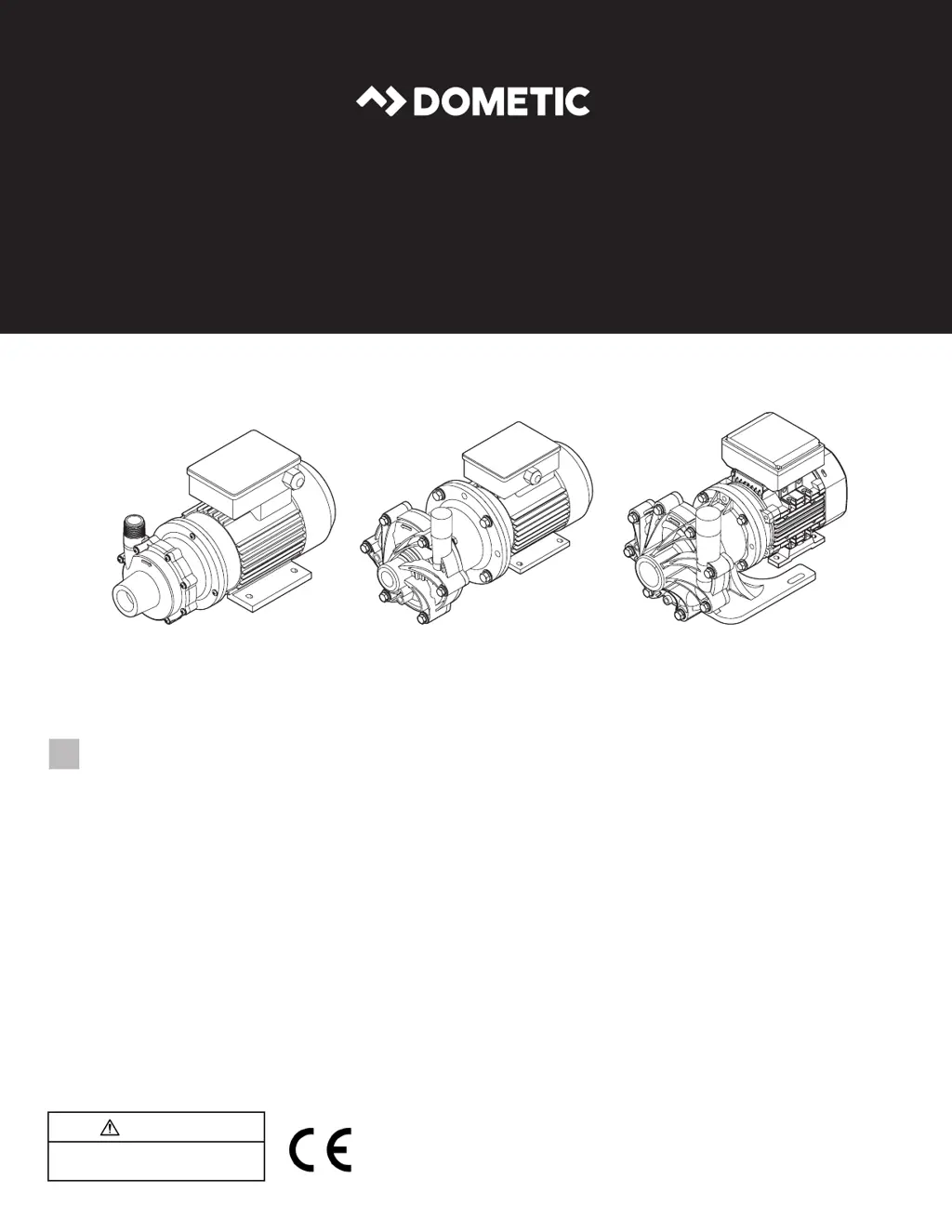
MAGNETIC-DRIVE PUMPS
Form No. 341460 12/20 | ©2020 Dometic Corporation
WARNING
Cancer and Reproductive Harm
www.P65Warnings.ca.gov
P030, P045, P048, P075, P100, P137, P150, P200
EN
Magnetic-Drive Centrifugal Pump
Installation and Operation Manual ........2

Questions and Answers

  • S
    Susan NguyenAug 5, 2025
    How to fix insufficient or nonexistent flow in my Dometic P030?
    • C
      Charles GilmoreAug 6, 2025
      If the Dometic Water Pump's flow is insufficient or nonexistent, it could be due to several reasons. First, check for air leaks in the suction piping and tighten the seals. Ensure the pump head is filled with fluid before starting. Verify the system head meets application requirements, as a larger pump may be needed. Make sure the suction and discharge valves are open. Check the fluid mixture concentrations if the viscosity or specific gravity is too high. Ensure proper inlet pressure, positioning the pump below water level or in a fully pressurized loop if the suction lift is too high. Also, inspect the inlet strainer and pump lines for clogs. Finally, confirm the motor wiring matches the pump's wiring diagram.
  • N
    Nancy YoungAug 13, 2025
    Why is the pressure low on my Dometic Water Pump?
    • H
      Holly HoffmanAug 13, 2025
      If the pressure of your Dometic Water Pump is low, it could be due to a few reasons. Air or gas might be present in the liquid running through the pump; bleed the air out of the system using an automatic bleeder or manually open a bleeder line at the highest point. The impeller diameter might be too small, so check the application requirements and consider if a larger pump is required. The system head might be lower than expected, so check the application requirements and consider if a smaller pump is required. Lastly, the motor could be rotating incorrectly; check the wiring to ensure it matches the wiring diagram on the pump.
  • A
    Ashley ChapmanAug 20, 2025
    Why is my Dometic P030 Water Pump vibrating or making a loud noise?
    • M
      Margaret HahnAug 20, 2025
      If your Dometic Water Pump is vibrating or making loud noises, it could be due to cavitation from improper suction or feed. Ensure proper inlet pressure is maintained and check the inlet strainer and pump lines, removing any debris. Alternatively, the pump might not be securely mounted. In this case, use vibration isolators between the pump mount and the mounting surface.
  • K
    Kevin BrownAug 29, 2025
    Why is my Dometic P030 Water Pump using so much power?
    • P
      Paige SmithAug 29, 2025
      If your Dometic Water Pump is using an excessive amount of power, it could be because the voltage is too low. Check the generator power output to ensure it is maintaining the proper voltage. Another cause could be that the specific gravity or viscosity is too high, in which case you should check the fluid mixture concentrations.

Summary

Explanation of Symbols and Safety Instructions

1.1 Recognize Safety Information

Identifies the safety alert symbol used to warn of potential physical injury hazards. Obey all safety messages to avoid injury or death.

1.2 Understand Signal Words

Explains signal words like DANGER, WARNING, CAUTION, and NOTICE for hazard severity and messages.

1.3 Supplemental Directives

Provides directives to reduce risks before installation or operation, including reading instructions and following codes.

1.4 General Safety Messages

Covers general safety warnings for magnetic hazards, electrical shock, fire, explosion, flood/leak, and impact hazards.

Intended Use

General Information

Specifications

4.1 Maximum Surface Temperature

Specifies the maximum allowable surface temperature for the pump as 180 °F (82 °C).

4.2 Minimum Flow Rate

Provides a table detailing the minimum flow rates for various pump models at different RPMs.

Installation

5.1 Selecting the Pump Location

Guides on selecting an appropriate location for pump installation, considering factors like water line and foundation.

5.2 Rotating the Pump Head (Optional)

Explains how to rotate the pump head for easier installation and piping, noting it's optional.

5.2.1 P030 Model

Provides specific instructions for rotating the pump head on the P030 model.

5.2.2 P045, P048, P075, P100, P137, P150, and P200 Models

Details the procedure for rotating the pump head on various Dometic pump models (P045-P200).

5.3 Mounting the Pump

Instructs on securely mounting the pump in the chosen location, including using shims and sealant.

5.4 Connecting the Piping

Provides guidelines for connecting piping, emphasizing proper suction line setup and discharge valve use.

5.5 Connecting a Drain Plug or Valve (Optional)

Explains how to install an optional drain plug or valve in the impeller housing for fluid removal before servicing.

5.6 Making the Electrical Connections

Highlights important considerations for making electrical connections, including voltage, grounding, and protection.

Operation

6.1 Priming the Pump

Explains that the pump is not self-priming and how mounting below the waterline assists priming.

6.2 Starting the Pump

Details the steps for starting the pump, emphasizing secure connections and positive suction to prevent cavitation.

6.3 Verifying the Rotation of the Motor

Describes how to verify correct motor rotation by observing the fan and directional arrows.

6.4 Shutting Down the Pump

Outlines the procedure for safely shutting down the pump by turning off the motor and closing valves.

Maintenance

7.1 Recommended Maintenance Schedule

Explains that the maintenance schedule depends on the fluid pumped and the application, suggesting inspection intervals.

7.2 Flushing and Draining the Pump

Details the process for flushing and draining the pump to remove internal pressure before maintenance.

7.3 Disassembling the Pump

Provides exploded views and instructions for disassembling various pump models (P030, P045, P048, P075, P100).

7.4 Inspecting the Pump Components

Details how to inspect pump components like housing, impeller, and seals for wear or damage.

7.4.1 Impeller Bushing Wear Tolerance

Explains how to use a diagram and table to determine impeller bushing wear and when replacement is needed.

7.5 Installing Pump Wear Kit (Optional)

Provides instructions for installing an optional pump wear kit, specifically the impeller bushing, using an arbor press.

7.6 Installing a Pump Wet End Replacement Kit (Optional)

Guides on installing an optional pump wet end replacement kit, which includes the pump head assembly.

7.7 Reassembling the Pump

Provides instructions and diagrams for reassembling the pump after maintenance or component replacement.

Troubleshooting

Disposal

Warranty Information

Dometic P030 Specifications

General IconGeneral
BrandDometic
ModelP030
CategoryWater Pump
LanguageEnglish

Related product manuals