Technical description PLB40
10
• Undervoltage protection
• Overcurrent protection
• Short circuit protection
• Incorrect polarity protection
5.1 Connections and display
5.2 Display
No. in
fig. 2, page 3
Description
1 Power button
2 Display (LCD)
3 2 x USB socket (5 V, max. 4.2 A overall)
412Vg 2-pin connection output to portable refrigeration
512Vg heavy duty connection socket output for portable
refrigeration and 12 V applicances
6 Adjustable handle
7 2x fuse holder
8 AC/DC adapter input socket
9 DC/DC Anderson™ SB™ input socket
10 Reset button (beneath the cap)
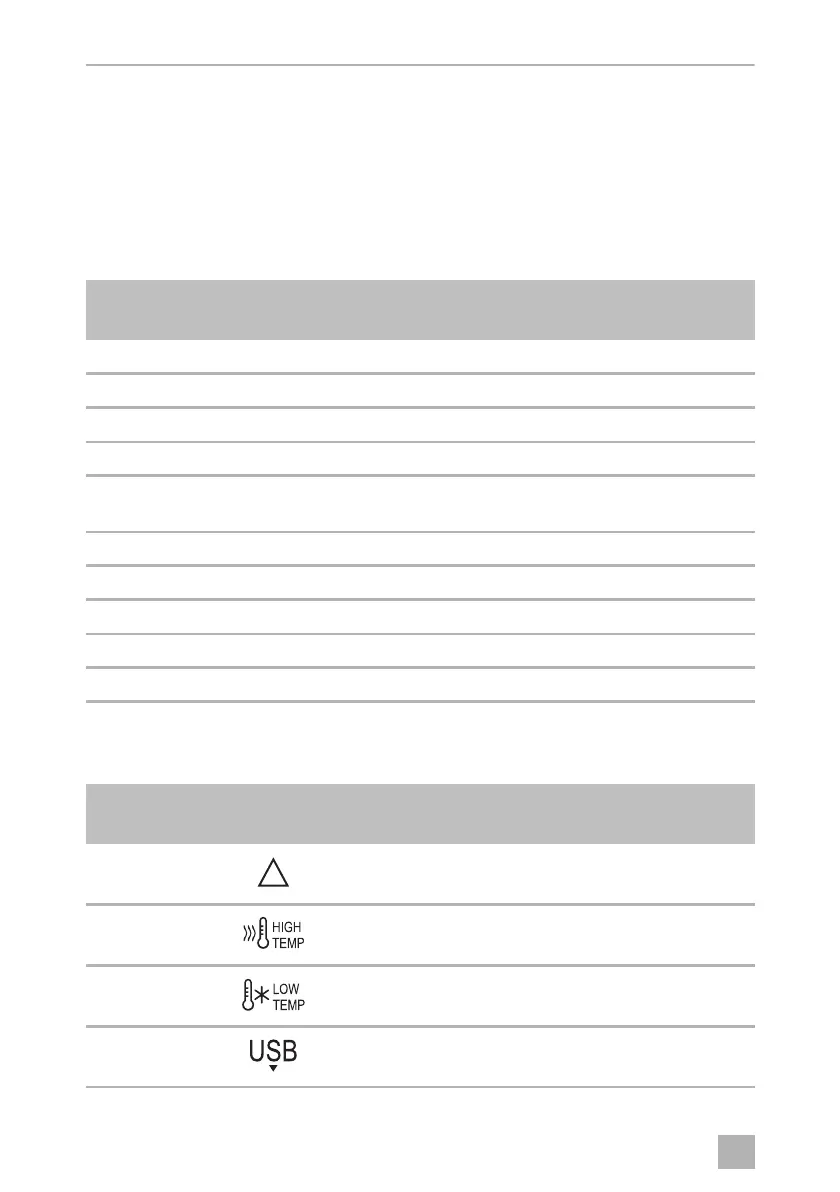
No. in
fig. 3, page 4
Description
1 A failure occurred (chapter “Troubleshooting” on
page 14).
2 See chapter “Troubleshooting” on page 14.
3 See chapter “Troubleshooting” on page 14.
4 The battery pack supplies energy to an USB device.
!
DometicPLB40_OPM_4445102672_EMEA16_20xx-xx-xx.book Seite 10 Dienstag, 26. Januar 2021 4:43 16


 To Next Page
 Loading...