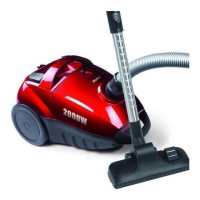
DO7236S
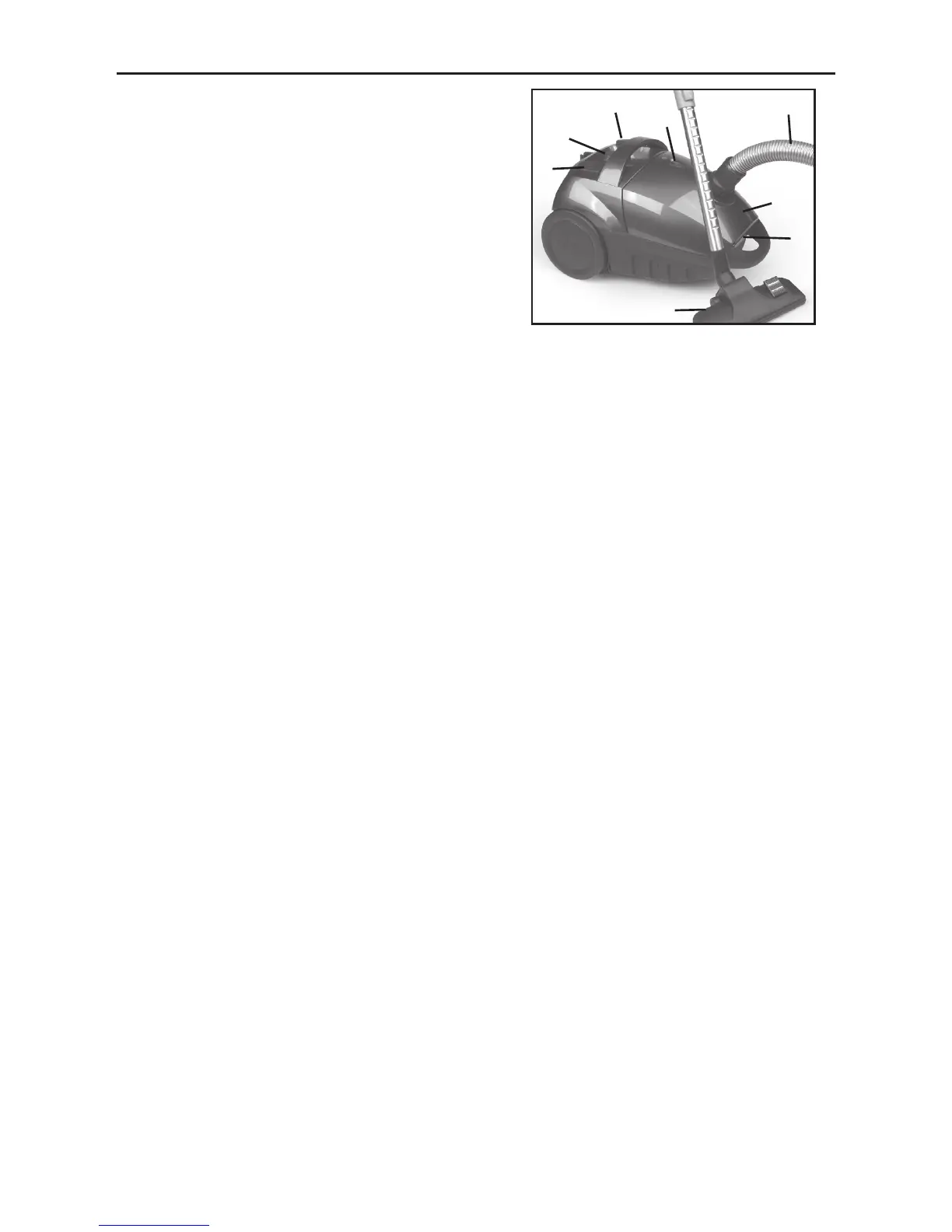
1. On/off switch
2. Cable rewinder
3. Suction power regulation
4. Lid of the accessories
5. Indication for bag change
6. Clip opening dust bag compartment
7. Floor brush
8. Flexible hose
ASSEMBLY
Attach the hose to the hose connection of the vacuum cleaner.
Attach the metal tube to the hose.
Connect the oor brush to the metal tube.
INSTRUCTIONS FOR USE
1. Button to rewind the cable :
Pull the cord out of the appliance as far as necessary. Make sure you don’t exceed the
red marking on the wire. Keep hold of the plug during the rewinding of the cord. You
can press the button with your foot to rewind the cable.
2. Suction power regulation :
Use the sliding knob to adjust the suction power of your vacuum cleaner.
3. When the red marking that indicates the change of the dust bag becomes visible,
you should check the following :
- Is the dust bag full ? If so change it.
- Is the dust bag blocked ? If so remove the blockage immediately.
CHANGING THE DUST BAG
The vacuum cleaner cannot be used without the dust bag. When the dust bag is full or
damaged you need to replace it immediately.
1. Pull the knob of the lid of the dust bag to open it.
2. Remove the dust bag and place a new one in the correct position.
MAINTENANCE
1. Motor lter
The motor lter is situated in the dust bag compartment. You need to change or clean
the motor lter when it is visible dirty. This can improve the efciency of your
vacuum cleaner and prolong the life. It is recommended to at least clean the motor
lter twice a year.
1. Remove the lter
2. Clean it thoroughly
3. Let it dry by exposior to air
4. Replace it into the vacuum cleaner
1
3
2
5
8
4
6
7
1515


 To Next Page