Need help?
Do you have a question about the Donerton C5S and is the answer not in the manual?
Essential safety guidelines and precautions for using the C5 wireless earbuds to prevent damage or injury.
Diagram and labels identifying the various parts of the C5 wireless earbuds and charging case.
Instructions on how to wear the C5 wireless earbuds correctly for optimal sound quality and comfort.
Step-by-step guide to pair the C5 earbuds with your mobile device via Bluetooth for wireless audio.
How to control music playback, volume, and calls using touch gestures on the earbuds.
Technical details for the C5 wireless earbuds, including Bluetooth version, impedance, and battery life.
Technical details for the C5 charging case, including battery capacity and charging currents.
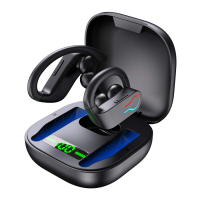
This document describes the C5 wireless earbuds, highlighting their features, specifications, and usage instructions.
The C5 wireless earbuds are designed with the latest technology, offering touch control functionality and exceptional audio quality. A key focus of the C5 is user experience, achieved through a comfortable and ergonomic in-ear design that ensures a perfect fit without causing pressure or discomfort during prolonged use. The earbuds also feature portable and wireless MagSafe charging, allowing users to charge them anytime and anywhere.
To ensure safe operation and longevity of the device, users are advised to adhere to the following safety rules:
The C5S Bluetooth headset package includes:
The C5 earbuds and charging case have several identifiable components:
The earbuds are marked with "R" for right and "L" for left on their case. Ensure they are worn in the correct direction for optimal sound quality. The LED position should be facing down when worn.
Attention: Pairing to the phone is only required for the first connection. After the initial setup, the earbuds will automatically connect to your phone when removed from the case.
The earbuds feature intuitive touch controls:
Before operation, please remove the protective cover on the earbuds. To avoid radio interference and noisy environments, use the earbuds to replay high-quality music or local music from the device.
Remove the insulation cover before initial use. Recharge the charging case if it has not been used for over 90 days. Only use a good quality wireless charging transmitter and charging cable. The earbud LED light will turn blue when it is fully charged.
Either the L or R earbud can be used alone to connect to your phone. To do this, go to your phone's Bluetooth device connection list and remove "Touch Two C5." Then, repeat the "Connect to Phone" steps, but with only the L/R earbud.
| Malfunction | The Reason | Solution |
|---|---|---|
| Unable to start | Low battery | Charge the headset |
| Silent after matching | Match operation is incorrect | Rematch |
| Can talk, but red indicator illuminates | The battery is low, Bright red indicator | Clear the headset immediately |
| Charging without prompt | The headphones are not put well | Check if the headphones are in place |
| Headset Automatic shut-down | Low battery | Charge the headset |
| Headphones have echo | The volume is too high or the environment is too noisy | Volume adjustment or change places |
| The call has a noise | Caused by environmental interference or Sound source equipment is far away | Change place or ensure the distance of the source device is close |
| The other party's voice is small | The headset is not worn correctly | Adjust the position of the headset and adjust the volume |
| Bad signal, Intermittent | Too far or outside interference | Put the phone closer to the main earbud or keep it from the outer interference signal |

 To Next Page
 General