CONTROL PANEL
o
000 - O
VOICESTYLE FUN,TRANS
CHORD —J
START,STCP INTROEND
ASYSTART B,'SYSTOP
. 13
METRO
ööö
14
DEMO
O
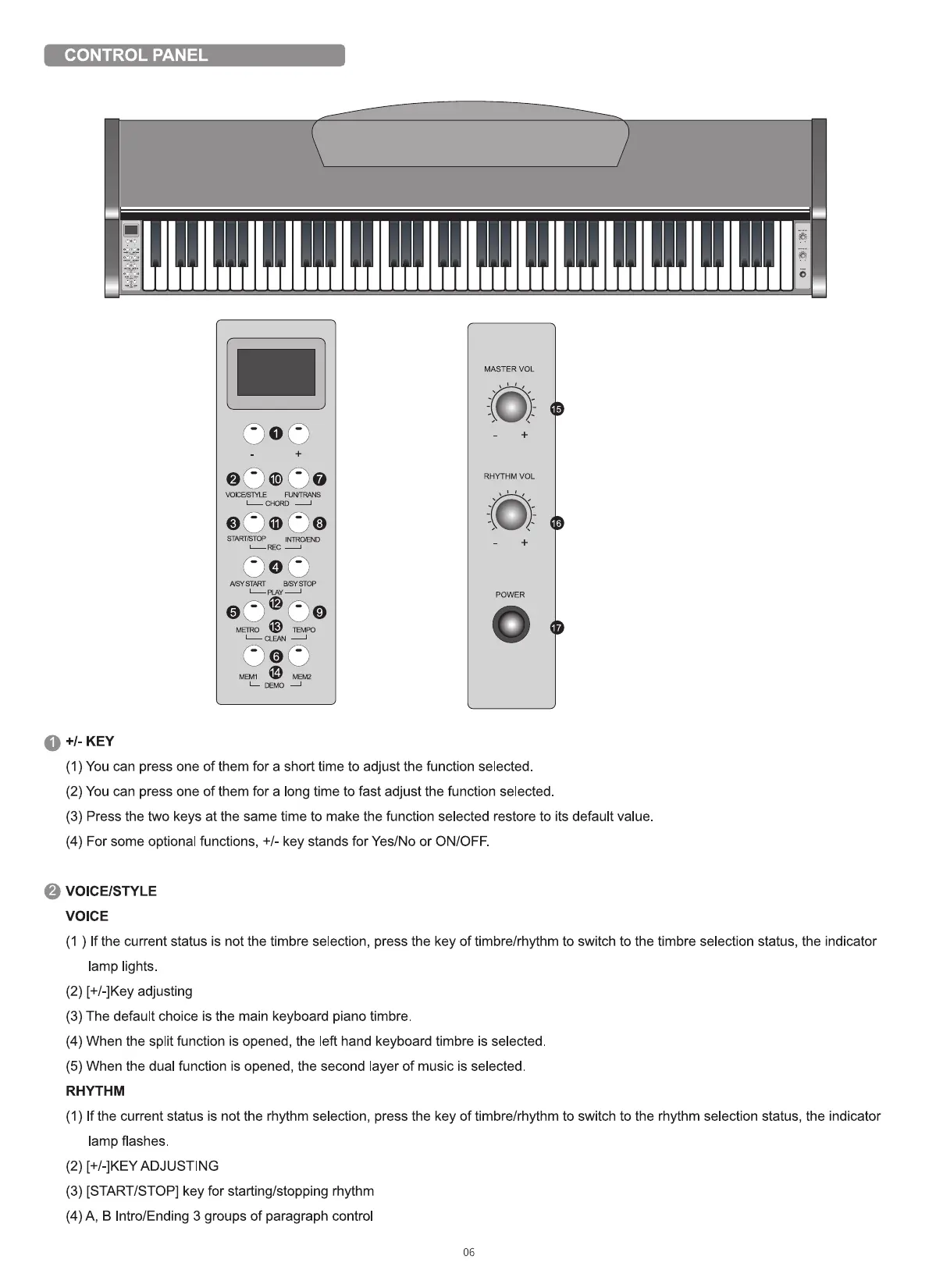
+1_ KEY
MASTER VOL
O
RHYTHM VOL
O
POWER
(1) You can press one of them for a short time to adjust the function selected
(2) You can press one of them for a long time to fast adjust the function selected.
(3) Press the two keys at the same time to make the function selected restore to its default value
(4) For some optional functions, +/- key stands for Yes/No or ON/OFF.
VOICE/STYLE
VOICE
(1 ) If the current status is not the timbre selection, press the key of timbre/rhythm to switch to the timbre selection status, the indicator
lamp lights.
(2) [+/-]Key adjusting
(3) The default choice is the main keyboard piano timbre.
(4) When the split function is opened, the left hand keyboard timbre is selected.
(5) When the dual function is opened, the second layer of music is selected
RHYTHM
(1) If the current status is not the rhythm selection, press the key of timbre/rhythm to switch to the rhythm selection status, the indicator
lamp flashes
(2) [+/-]KEY ADJUSTING
(3) [START/STOP] key for starting/stopping rhythm
(4) A, B Intro/Ending 3 groups of paragraph control
06



 To Next Page