
 Need help?
Do you have a question about the Donner DMK 25 MIDI and is the answer not in the manual?
Download necessary apps like DAW, Garageband, N-track, STAGELIGHT, Walk Band, or Perfect Piano.
Connect the MIDI keyboard to your phone/iPad via USB cable and appropriate adapter type.
Modify key/pad volume by entering editing function, selecting content, and adjusting values.
Change the mode of the transport button by accessing editing functions and modifying settings.
Modify CC/CN values for transport buttons, knobs, and push rods via the editing function.
Save your current settings by accessing the saving function and selecting a preset slot.
Reload previously saved presets by using the load function and selecting the desired preset.
 General
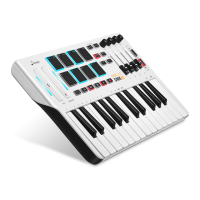
| Number of Keys | 25 |
|---|---|
| Velocity Sensitivity | Yes |
| Aftertouch | No |
| Pads | 8 |
| Transport Controls | Yes |
| Pitch Bend Wheel | Yes |
| Modulation Wheel | Yes |
| USB Bus Powered | Yes |
| Type | Keyboard Controller |
| MIDI Connectivity | USB |
| Compatibility | Windows, macOS |

 To Next Page