REAR PANEL
RECOMMENDED DAW SOFTWARE
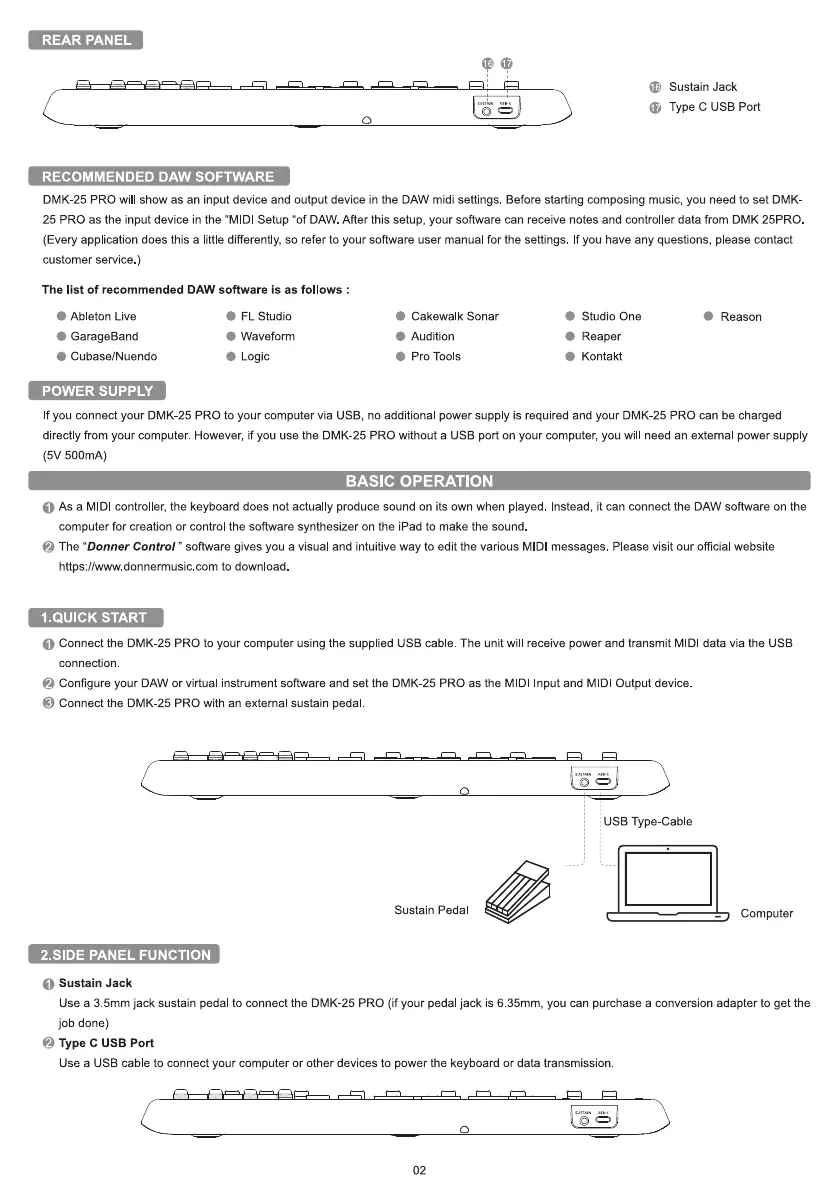
C Sustain Jack
Type C USB Port
DMK-25 PRO will show as an input device and output device in the DAW midi settings. Before starting composing music, you need to set DMK
25 PRO as the input device in the "MIDl Setup "Of DAW. After this setup, your software can receive notes and controller data from DMK 25PRO
(Every application does this a little differently, so refer to your software user manual for the settings. If you have any questions, please contact
customer service )
The list of recommended DAW software is as follows :
Ab eton Live
GarageBand
Cubase/Nuendo
POWER SUPPLY
FL Studio
Waveform
Logic
Cakewalk Sonar
Audition
Pro Tools
Studio One
Reaper
Kontakt
Reason
If you connect your DMK-25 PRO to your computer via USB, no additional power supply is required and your DMK-25 PRO can be charged
directly from your computer. However, if you use the DMK-25 PRO without a USB port on your computer, you will need an external power supply
(5V 500mA)
BASIC OPERATION
O As a MIDI controller, the keyboard does not actually produce sound on its own when played. nstead, it can connect the DAW software on the
computer for creation or control the software synthesizer on the iPad to make the sound
The "Donner Control " software gives you a visual and intuitive way to edit the various MIDl messages. Please visit our official website
https://www donnermusic com to download
I.QUICK START
O Connect the DMK-25 PRO to your computer using the supplied USB cable The unit wil receive power and transmit MIDl data via the USB
connection
Configure your DAW or virtual instrument software and set the DMK-25 PRO as the MIDI Input and MIDl Output device
O
Connect the DMK-25 PRO with an external sustain pedal
Sustain Pedal
2.SlDE PANEL FUNCTION
O
Sustain Jack
USB Type-Cable
Computer
Use a 3 5mm jack sustain pedal to connect the DMK-25 PRO (if your pedal jack is 6 35mm, you can purchase a conversion adapter to get the
job done)
e Type C USB Port
Use a USB cable to connect your computer or other devices to power the keyboard or data transmission
02


 To Next Page
 Loading...


