7
EN
Play music:
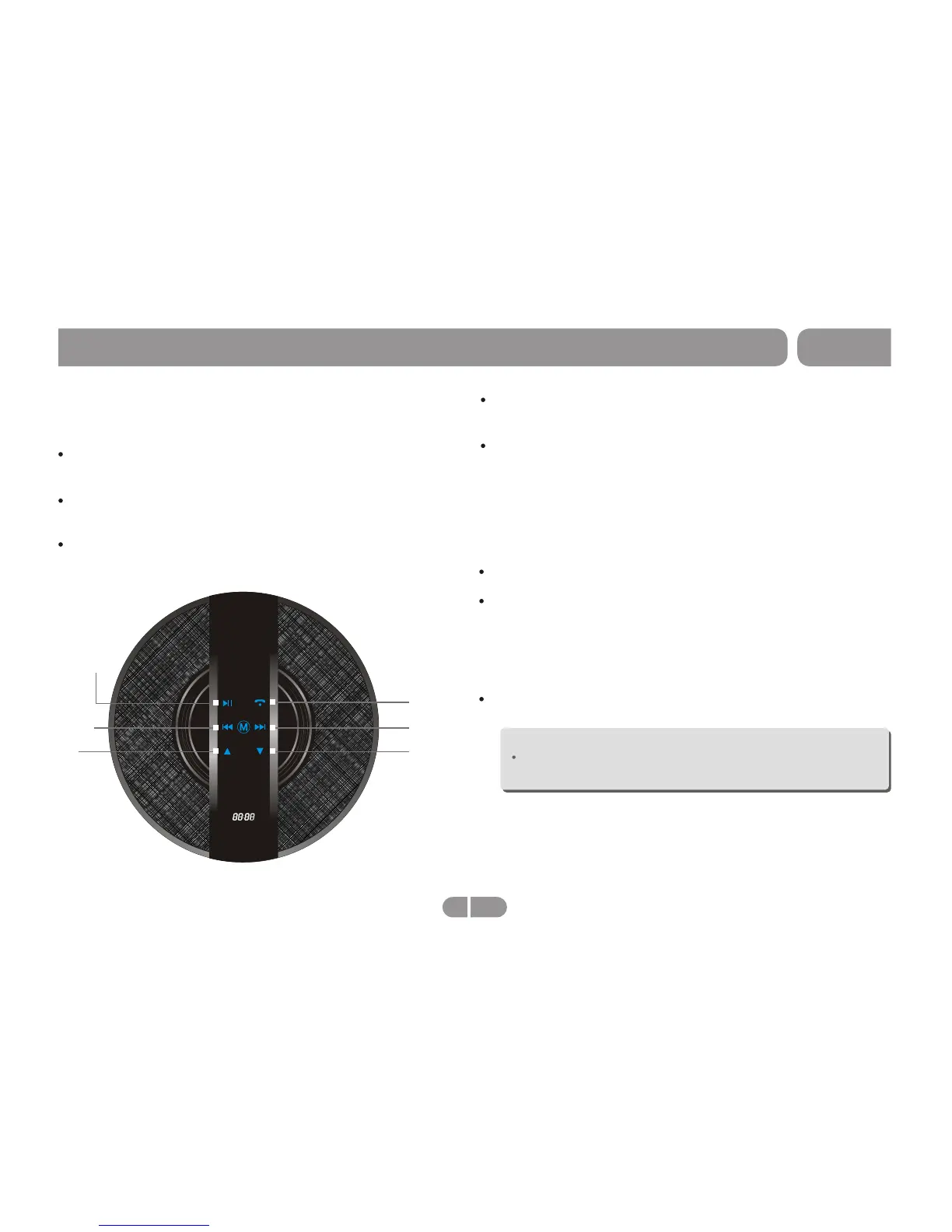
BT-200
Operation-Bluetooth (CH01)
Vol-
Vol+
Next
Previous
Play/Pause
Phone
Play music from connected device: notebook, mobile
phone, tablet etc.
Press "Play/Pause" button to start playing music. While
music is playing press "Play/Pause"
To adjust the volume simply press "Up" to increase the
volume, or "Down" to decrease the volume.
Bluetooth mode (CH01)
Press the "Next" button to skip song, or move to the
following song.
Press the "Previous" button to playback song, or start
song over, if song is playing. Press it twice quickly to
return to prior song.
While in Bluetooth mode (CH01)
Hands free call
Use "Phone" button to answer or end a call.
Double tap " Phone" button to redial last call.
Sleep Mode:
If speaker is left inactive for 15 minutes, it will enter sleep mode.
Note:
The speaker will reject connection while in sleep mode. To
reconnect, turn speaker on.


 To Next Page