Or output MIDI clock, configurable frequency division (2~24)/multiplier
(2/4/8/16).
(Note: CV/Gate related information: https://en.wikipedia.org/wiki/CV/gate)
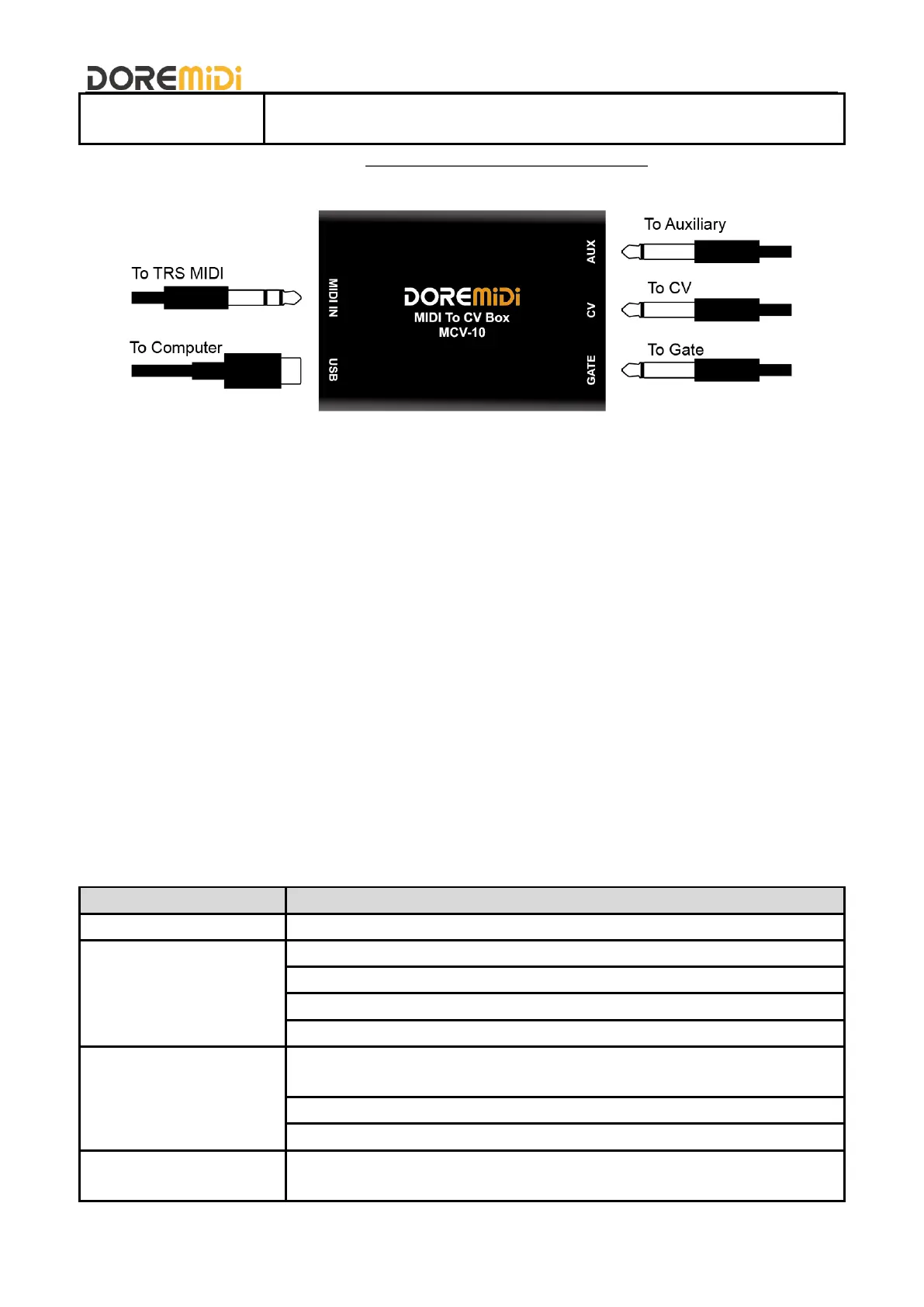
4. Connection
5. Steps for usage
1) Powering/connecting the computer:
Supply power to the product through "USB" or connect to a computer, and the indicator light is always on
after power is supplied.
2) Connect the MIDI DIN device:
Through the MIDI TRS port of "MIDI IN", connect the TRS to MIDI cable, and then connect to the MIDI
OUT of the MIDI device.
3) Connect the Gate:
Use a mono 3.5mm TRS cable and connect it to the gate input interface of the synthesizer through
"GATE". The gate defaults to 0/5V output, the gate is closed to 0V, and the gate is open to 5V.
4) Connect the CV:
Use a mono 3.5mm TRS cable to connect to the synth's CV input via "CV".
5) Connect the AUX:
AUX is the auxiliary output. Use a mono 3.5mm TRS cable to connect to the auxiliary input interface of
the synthesizer through "AUX".
MCV-10 factory default parameter table
Responds to all MIDI channels by default.
0/5V output, Gate closed is 0V, open is 5V
CV Type: V/Oct, voltage range 0~8.833V, corresponding to Note 21~127
(A0~G9)
Note Priority: Respond to latest Note
Reference Note: 0V corresponds to Note 21 (A0)
AUX Type: MIDI volume, voltage range 0~5V, corresponding to MIDI
volume 0~127


 To Next Page
 Loading...