6. MCV-10 parameter configuration method
MCV-10 can receive SysEx to configure parameters through USB serial port/USB MIDI/MIDI IN. If
you use USB serial port to configure parameters, you can use USB MIDI/MIDI IN to output MIDI
messages at the same time to achieve the effect of testing GATE/CV/CV/AUX output. The following uses
the USB serial port configuration as an example.
XCOM V2.6 software download link: www.doremidi.cn
Software environment: Windows7 or above
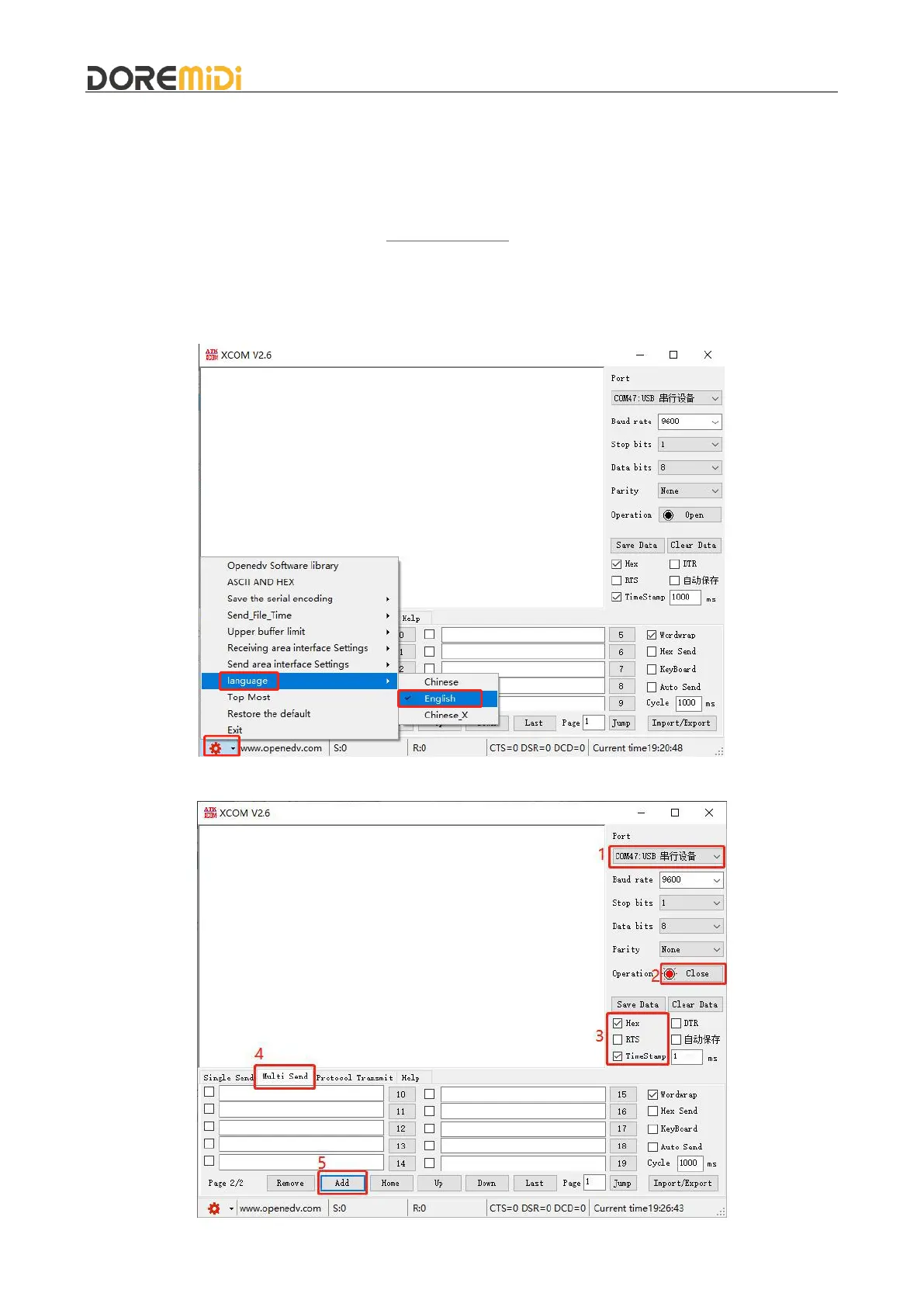
Connect the MCV-10 to the computer, open XCOM V2.6, and configure the language you need, as
shown in the figure:
Configure the XCOM software, as shown in the figure:



 To Next Page