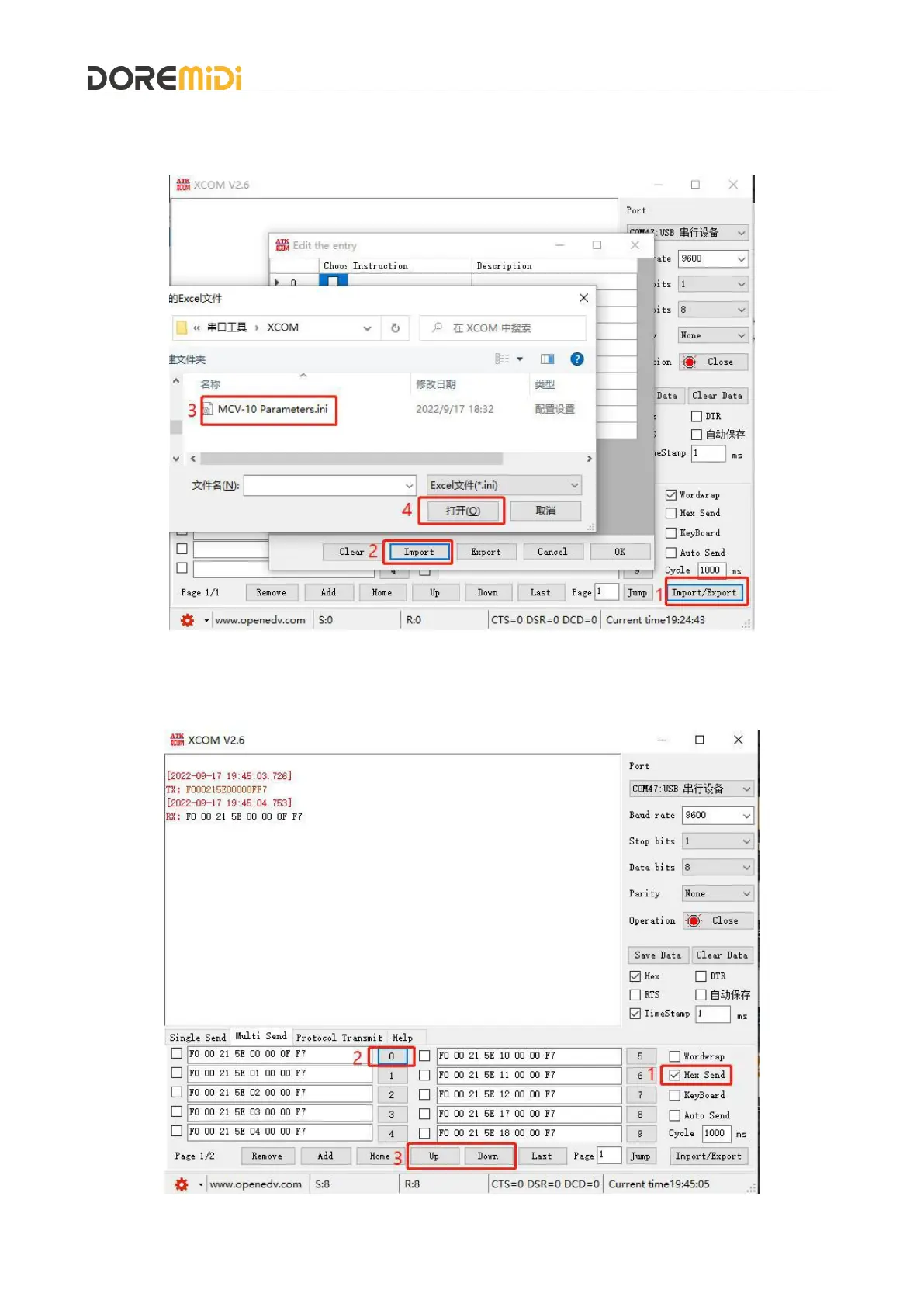
Import parameter table. The USB serial port configuration software is attached with “MCV-10
Parameters.ini” which can import the configured SysEx messages to facilitate the configuration of
different parameters. As shown in the figure. As shown in the figure:
Send the parameters that need to be configured, refer to "MCV-10 Parameter Configuration Table",
after configuration, XCOM will receive the same configuration parameters (RX: F0...F7) to indicate
that the configuration is successful, as shown in the figure:



 To Next Page