1. Introduction
MIDI to DMX controller (MTD-1024) can convert MIDI messages to DMX messages. Supports MIDI
Note/CC/After Touch MIDI messages, can map the value of MIDI messages to DMX channels, and can
configure up to 1024 DMX channels. MTD-1024 can be used for MIDI performance, DMX lighting control
scene.
2. Appearance
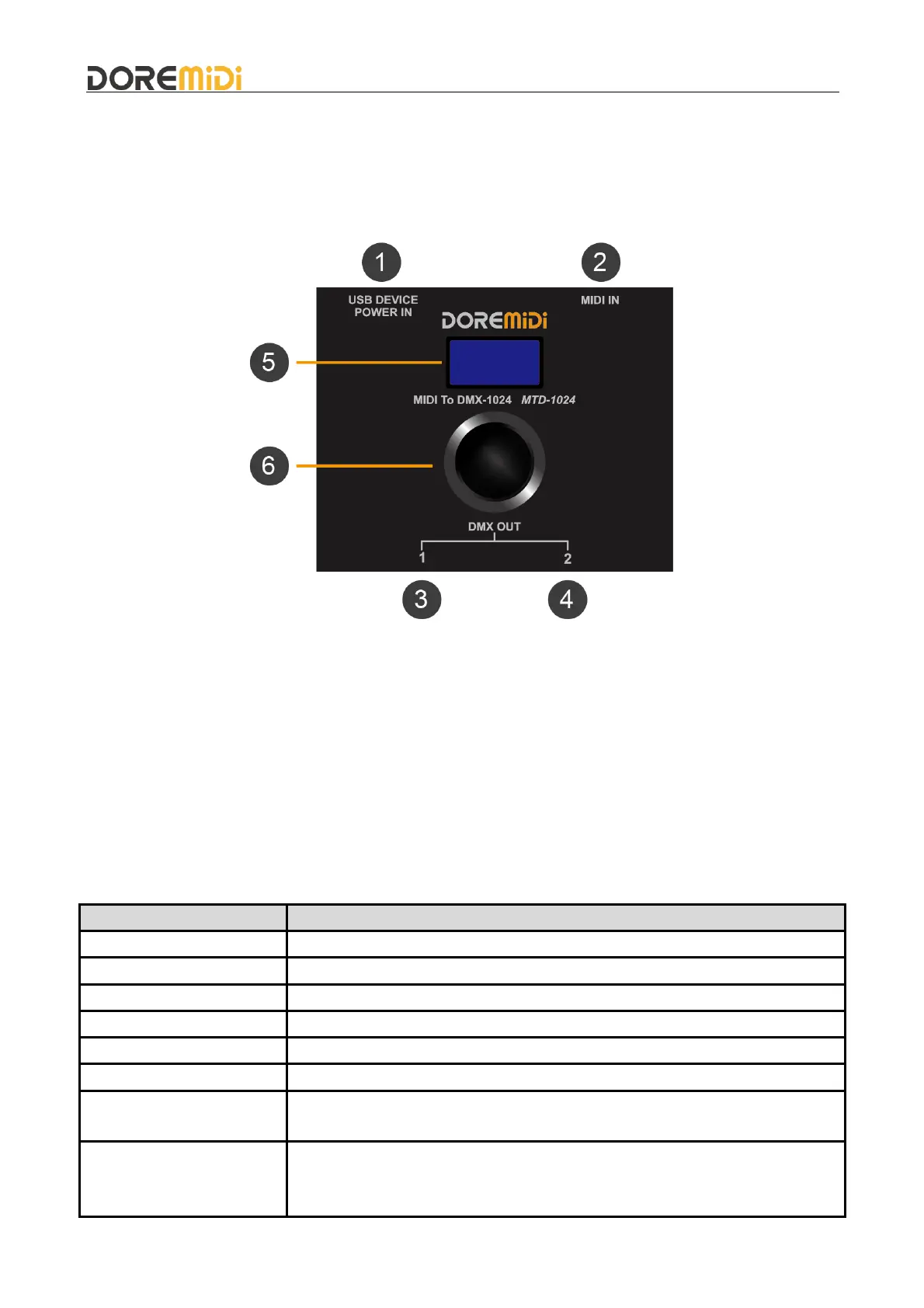
❶ USB DEVICE: Product power supply port, power supply voltage 5VDC, current 1A, with USB MIDI
function, it can also be connected to computers/mobile phones and other terminals to receive MIDI
messages.
❷ MIDI IN: MIDI DIN input port, use a five-pin MIDI cable to connect an instrument with MIDI OUT.
❸ DMX OUT1: DMX output port, connect the device with DMX IN port through 3Pin XLR cable.
❹ DMX OUT2: DMX output port, connect the device with DMX IN port through 3Pin XLR cable.
❺ Display Screen: OLED display screen, showing the working status of MTD-1024.
❻ Knob: Knob with button function, through rotation and click, configure the working of MTD-1024.
3. Product Parameters
Standard USB MIDI device, compliant with USB class, plug and play.
Built-in high-speed optical isolator, compatible with all MIDI five-pin output
interfaces.
Support 1024 channel configuration, each DMX output port has 512
channels.
DMX OUT1: 1~512 DMX OUT2: 513~1024.


 To Next Page
 Loading...