4.4. Upload/download configuration parameters
Users can configure MIDI to DMX parameters according to different application scenarios. And save
the configured parameters as a file for quick configuration next time.
Preparation
Operating environment: Windows7 or above system.
Software: Download the "AccessPort.exe" software. (Download from www.doremidi.cn)
Connection: Connect the USB Device port of MTD-1024 to the computer.
Configuring the COM port
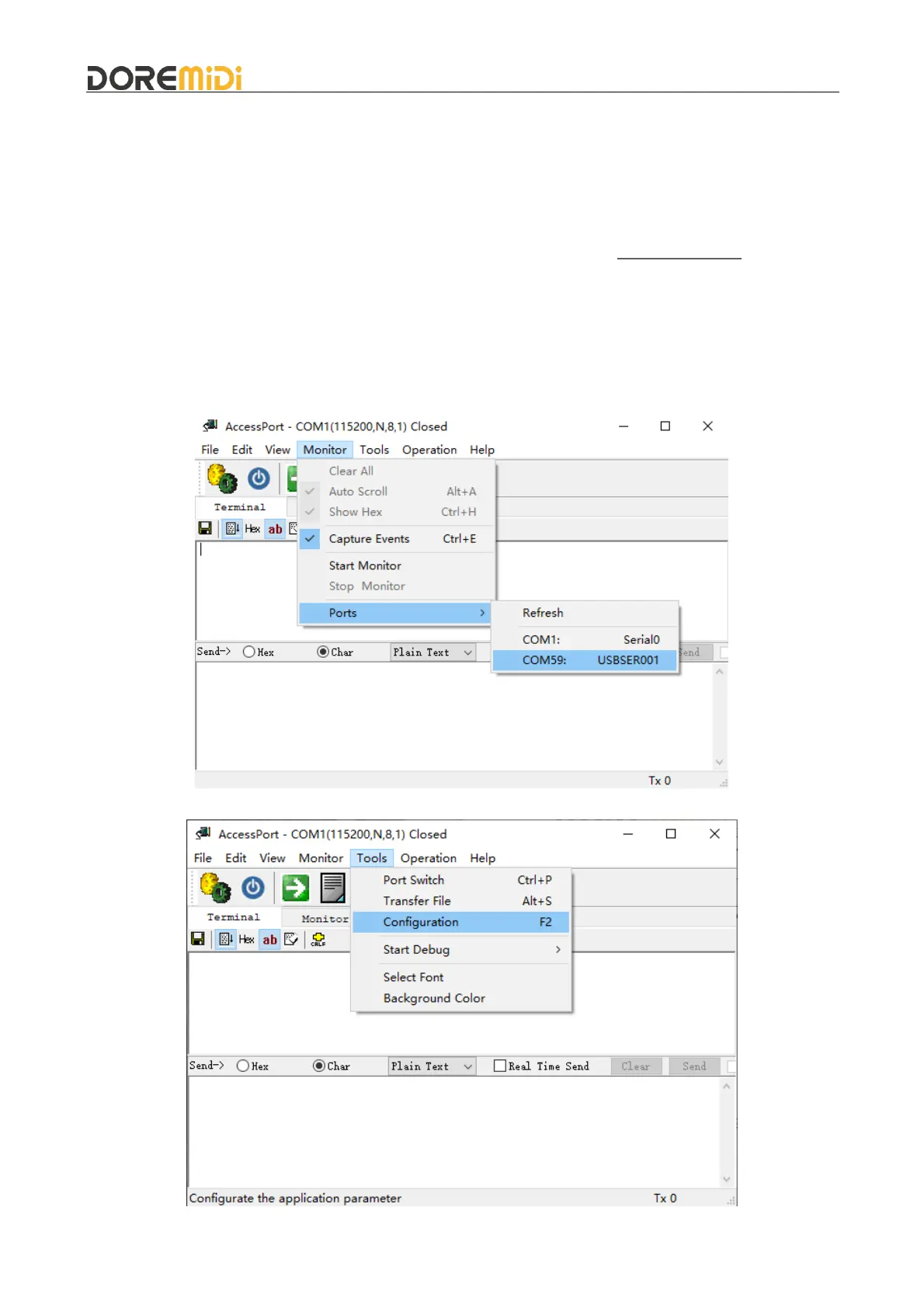
Open the "AccessPort.exe" software, select "Monitor→Ports→COMxx", as shown in the figure:
(Note: The COM names of different computers are different, please choose according to the actual
situation.)
Select "Tools→Configuration", as shown in the figure:


 To Next Page