1. A Micro USB-cable allows you to connect your mobile
phone to your computer and to transfer all types of
documents (images, music,..) from your computer to your
mobile phone or reverse. The mobile phone is detected
as a mulmedia device and you can copy/paste the les
from your computer to your mobile phone.
2. Once your mobile phone is connected to your computer,
a message
is displayed in the noca-
on bar.
3. In the nocaon screen click on the
and select
in order to
make sure that the internal and external memory
(micro SD card) is accessible via your computer.
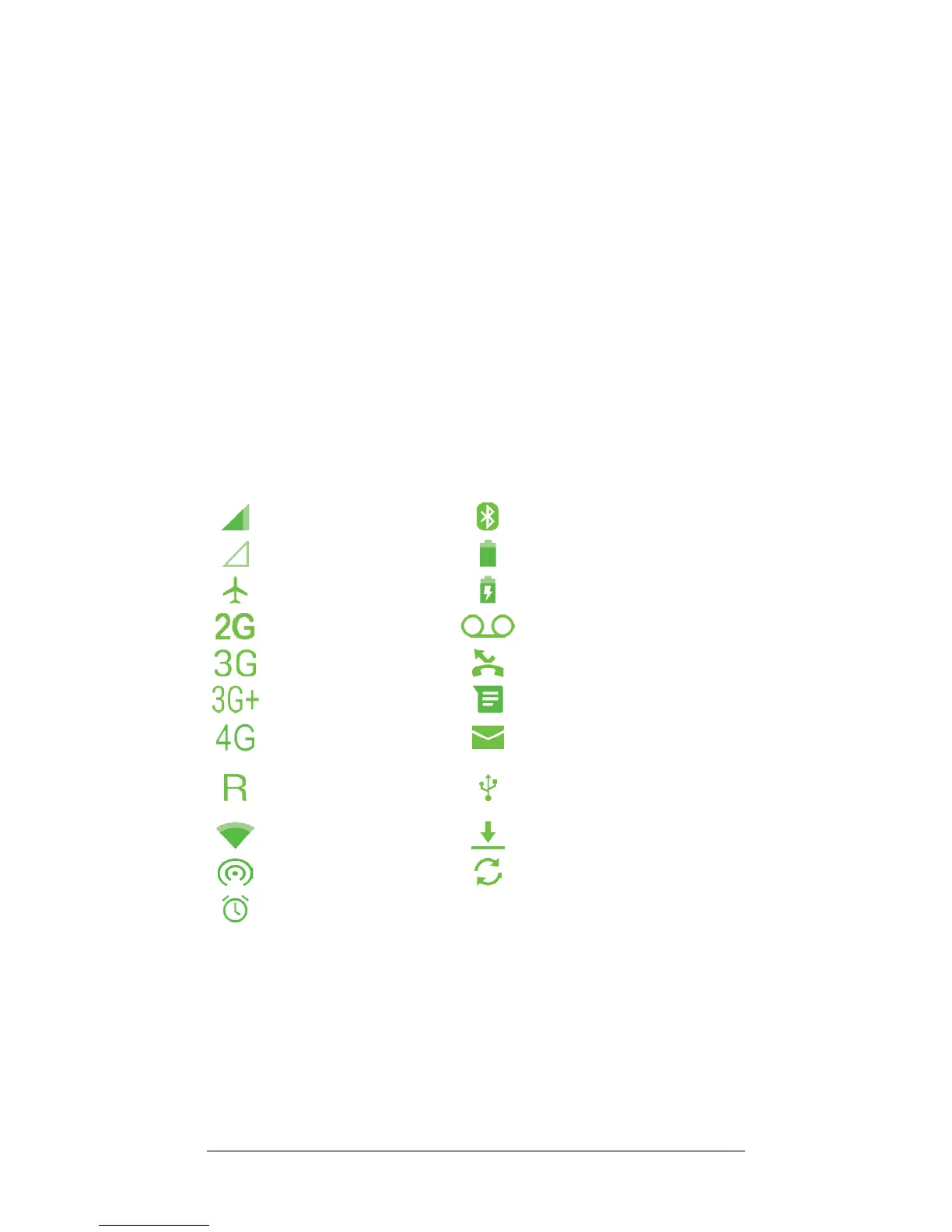
Current signal strength Bluetooth is acvated
No network available Baery charge level
Flight mode acve Baery is charging
2G connecon New voice mail is received
3G connecon Missed call
3G+ connecon New SMS/MMS received
4G connecon New e-mail is received
You are connected to a
foreign network, roaming
fees might apply
Connected to USB
Wi-Fi is acvated Downloading in progress
Hotspot Wi-Fi Synchronisaon in progress
Alarm acvated



 To Next Page