English
Location based services
LBS stands for Location-Based Service and is a software application for mo-
bile devices that requires knowledge about where the device is located.
The service can be query-based and it can provide you with useful informa-
tion such as “Where is the nearest restaurant?”. The service can also be
push-based and send you coupons or let you view commute traffic. By law,
location-based services must be permission-based. That means that you
must opt in (actively say yes) to the service in order to use it.
Tip: is shown in the status bar when your phones location is being used
by any app.
Note! Turning off location for your device also turns it off for Google apps
and other non-Google apps. This means that apps can’t use your phone's
location, and many useful features will be turned off.
How to turn off GPS location services
1. From the Home screen, open the notification panel, tap Set
My other connections The geolocation options.
2. Switch to disable location services.
CAUTION
If you turn off location-based services apps such as map, navigation, and
weather applications cannot access your location information.
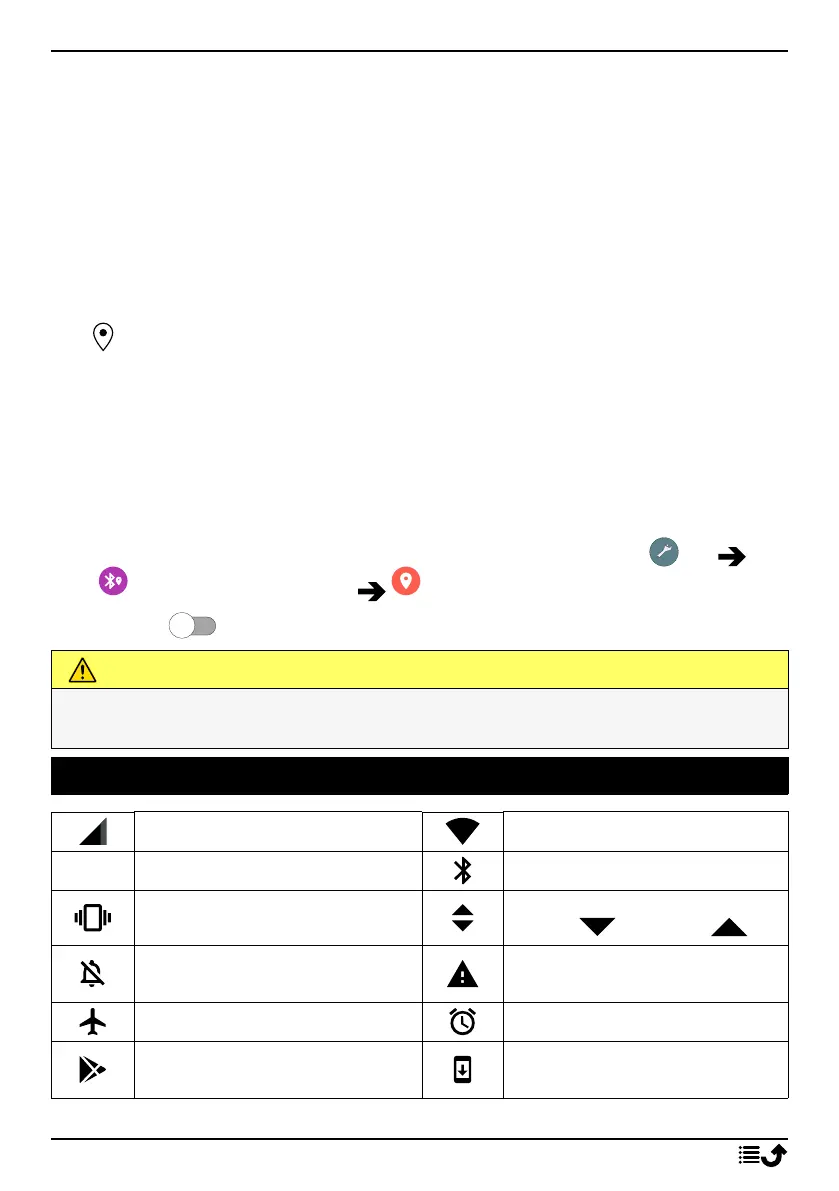
Status icons
Mobile network
Wi-Fi network
R
Roaming (in other network)
Bluetooth on
Vibrate mode
Data transmission:
data in , data out .
Silent mode
Error occurred or caution
required
Flight mode
Alarm active
Google Play Store software
updates available
System update available
69



 To Next Page