English
www.doro.com EN 1
Installation
Important!
The earpiece of the handset may attract small ferromagnetic objects such as staples and pins,
care should be taken when placing the handset near these items.
Connection
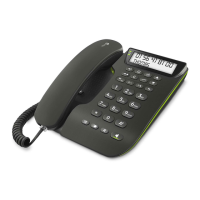
1. Connect the curly cord to the handset and the socket marked Q
underneath the telephone.
2. Connect the telephone cord to the socket marked t underneath the
telephone, and then to the telephone network socket.
3. A click will be heard when the modular plug is correctly in place.
4. Lift the handset and listen for the dial tone. Your telephone is now
operational.
Hearing Aid compatible
This telephone is hearing aid compatible. Select T mode on the hearing aid to
enable coupling.
Connection of headset
The socket underneath the telephone marked = is used for the connection of
a headset. The headset button = is for connecting/disconnecting a telephone
call (equivalent to lifting and putting down the handset) when a headset is
connected.
Please note!
DORO original headsets are tested and adapted to DORO Congress 100. Other types and
makes of headsets may be used, though the function and sound quality can not be guaranteed.
Any damage occurring due to incompatible or non Doro headsets being installed, will not be
covered under the telephones guarantee.
Connection of additional equipment
On the left side of the telephone there is a socket marked TERMINAL. This is
used for connecting additional telephone equipment to the same telephone line,
e.g. a wireless telephone, modem, etc.


 To Next Page