• lter factors are automatically considered
• automatically considers the variable lens speed of zoom lenses
• automatically presets to the lm speed in use
• automatic consideration of indirect ashing and diuser plate utilization
• only collects the light amount necessary for a proper exposure (TTL)
TTL Flash Control with Automatic Time Release
TTL also allows you to take shots with a focus range of your choice and automatic time release. For this set
your camera to automatic time release mode and the ash to TTL. Now you can manually set your camera
to the aperture desired. Please keep in mind that by choosing a smaller aperture (larger aperture count) the
ash range will also reduce. Your camera automatically controls the ash synchronization period needed,
and together with TTL ash control correct exposed picture results are reached.
TTL Flash Control with Automatic Diaphragm Mechanism
First set your camera to automatic diaphragm mechanism mode, then set your ash to TTL mode. Now you
can set your camera to a shutter speed of your choice. However, values falling below the shortest ash
synchronization period can not be selected (most cameras automatically prevent this). Together with the
camera´s automatic diaphragm mechanism, TTL ash control ensures correct exposed objects.
TTL Flash Control with Manual Exposure Setting
Set your camera to manual exposure and the ash to TTL. Now you can set your camera to a shutter speed
of your choice. However, values falling below the shortest ash synchronization period can not be selected
(most cameras automatically prevent this). TTL ash control ensures a proper illumination of the object.
- For Nikon D40 & D40x owners: The ash can support an ISO speed up to 800 in full auto mode. It may not
perform as expected if the ISO speed exceeds the supported range.
Exposure OK Indicator
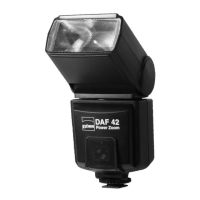
The DAF-42 features an exposure indicator. This indicator shows you wether the red ash suciently
illumninated the object or wether you should repeat the shot using a shorter distance. In case the illumination
was sucient, “OK” appears for approx. 2 seconds on the LC display. Simultaneously the AUTO OK light
glows. With activated beeper signal a beeper sounds once. The exposure OK indicator only activates in TTL
mode.
For Canon ash type: The ETTL indicator will light while connected with ETTL cameras.
For Nikon ash type: The LC Display will show TTL, I-TTL and BL in dierent way while connected to dierent
camera models. Please refer to the camera’s manual.
Manual Flash Mode Photography
Press down the MODE button 1x for manual ash mode. On the LC display appears “M” followed by the
performance data. Via the MODE button you can reduce the full ash power 1/1 to 1/16 in the following steps:
1/2, 1/4, 1/8 and 1/16. Press down the MODE button until the desired ash performance value appears on the
LC display. The aperture on the camera needs to be set manually. Depending on the aperture setting, the
desired ring range can be varied. The ring range at a certain lens stop can be read o from the ash range
indication on the LC display.
14


 To Next Page
 Loading...