34
CONTENTS
TABLE 1
REJECT
REASON
Description
Teller's actions
UV
High UV level of the banknote is
found with turned on UV-T or UV-R
detection
Remove the banknote and recount
it. If the high level of UV lumines-
cence is a feature of this type of
banknotes, then switch off UV-T
or/and UV-R.
MG
A banknote with wrong magnet
marks is detected
Remove the banknote.
SCANNER
ERROR
Banknote scanning error Place the banknote in the hopper
and recount it.
TOO LONG
Short side of the banknote exce-
eded 120mm (a probable reason
can be: a banknote has passed
with a skew or the banknotes got
stuck together).
Place the banknote in the hopper
and recount it. Adjust feeder gap if
required.
FEED ERROR
Banknote feeding error Place the banknote in the hopper
and recount it.
Banknote counter DORS 820
35
Banknote counter DORS 820
BATCH QUOTA
OVERFLOW
The quantity of fed banknotes
exceeds the one required by
selected mode (sorting or
stacker limit).
The banknote issue doesn't
match the issue of the 1st
note in the batch (for DEN and
MIX modes)
Place the banknote in the
hopper and recount it.
ISSUE
UNFIT EDGE
UNFIT TEAR
UNFIT
CORNER
UNFIT SPOT
UNFIT
GRAFFITY
UNFIT HOLE
UNFIT DIRT
UNFIT TAPE
SERIAL
NUMBER
Banknote fitness doesn't meet
the preset specifications
Remove the banknote.
Banknote SN doesn't match
selected criteria.
7 ADD key
Touch ADD key to turn on or turn off ADD mode (Fig.13). To switch
between ADD1, ADD2, ADD3 modes use MENU key.
ADD mode is for accumulation of counted banknotes by their denomination
and total amount, the banknotes added to the hopper will be summed with
the ones already counted. Touch RESET to reset counted total amount and
notes quantity.
Please mind that in DEN and MIX modes COUNT and AMOUNT values are
displayed according to selected ADD mode while counting and after the
counting has been finished.
8 AUTO / MAN key
AUTO / MAN key (Fig. 13) sets the counter to automatic or manual start
mode. The key has two states: for automatic start and for manual
start.
In automatic start mode the counter will start counting as soon as the notes
are placed into the hopper.
In manual start mode the counter will start counting as soon as the key
or is touched, depending on selected user profile.
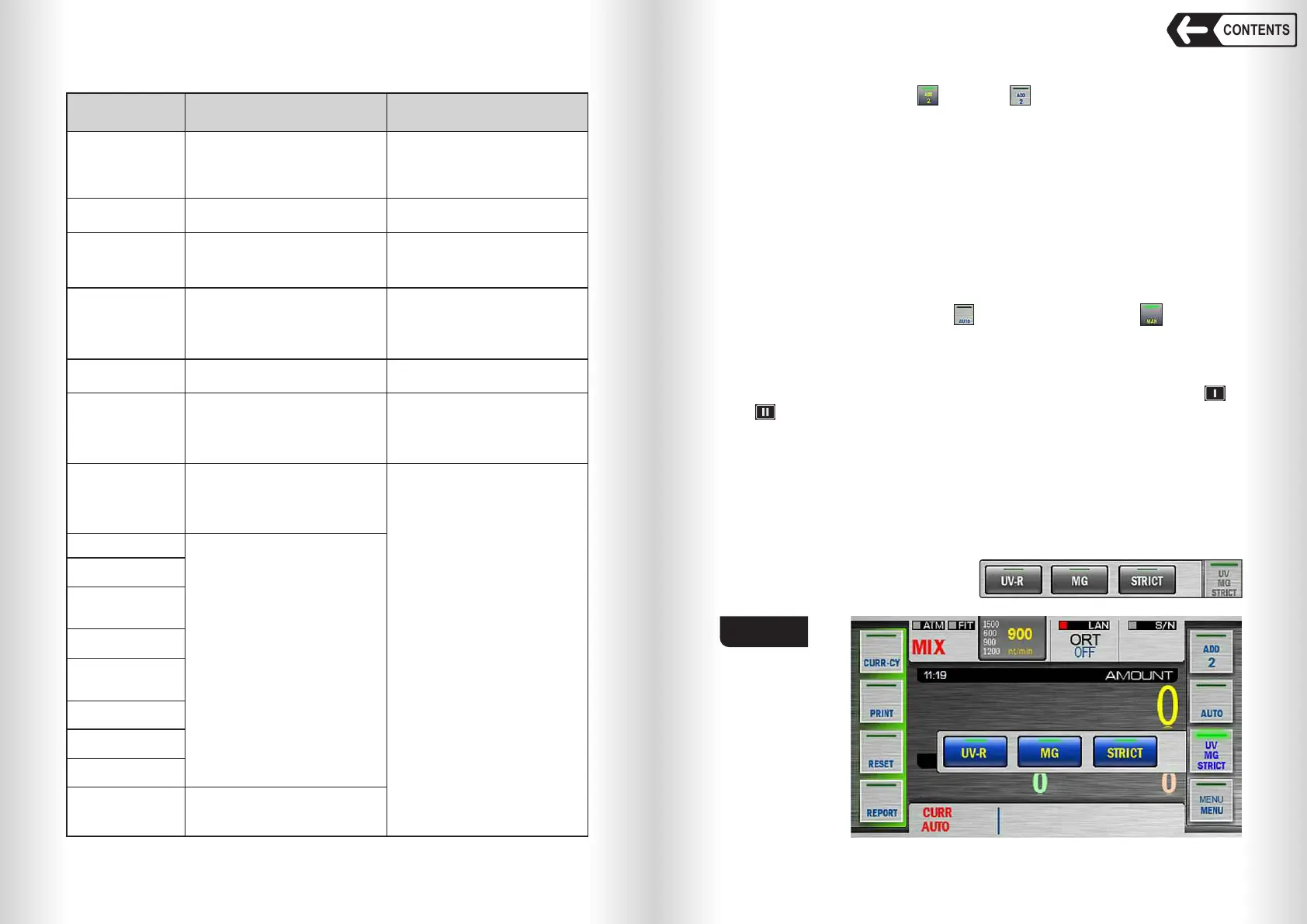
9 UV-MG-STRICT / UV-DENS key
UV-MG-STRICT / UV-DENS key provides quick access to detection options
depending on selected count mode. In MULTI, DEN and MIX modes
touching this key recalls pop-up menu where UV-R, MG or STRICT
detection can be turned on / off. Turned on detection will be highlighted in
blue if Default theme is used (Fig. 53).
Turned off detection will be
highlighted in grey:
Fig. 53


 To Next Page
 Loading...


