37
36
CONTENTS
Banknote counter DORS 820 Banknote counter DORS 820
Touching this key in COUNT mode recalls pop-up menu where UV-T or
DENS. detection can be turned on / off. Turned on detection will be
highlighted in blue if Default theme is used (Fig. 54). Turned off detection
will be highlighted in grey:
Fig. 54
10 BATCH key
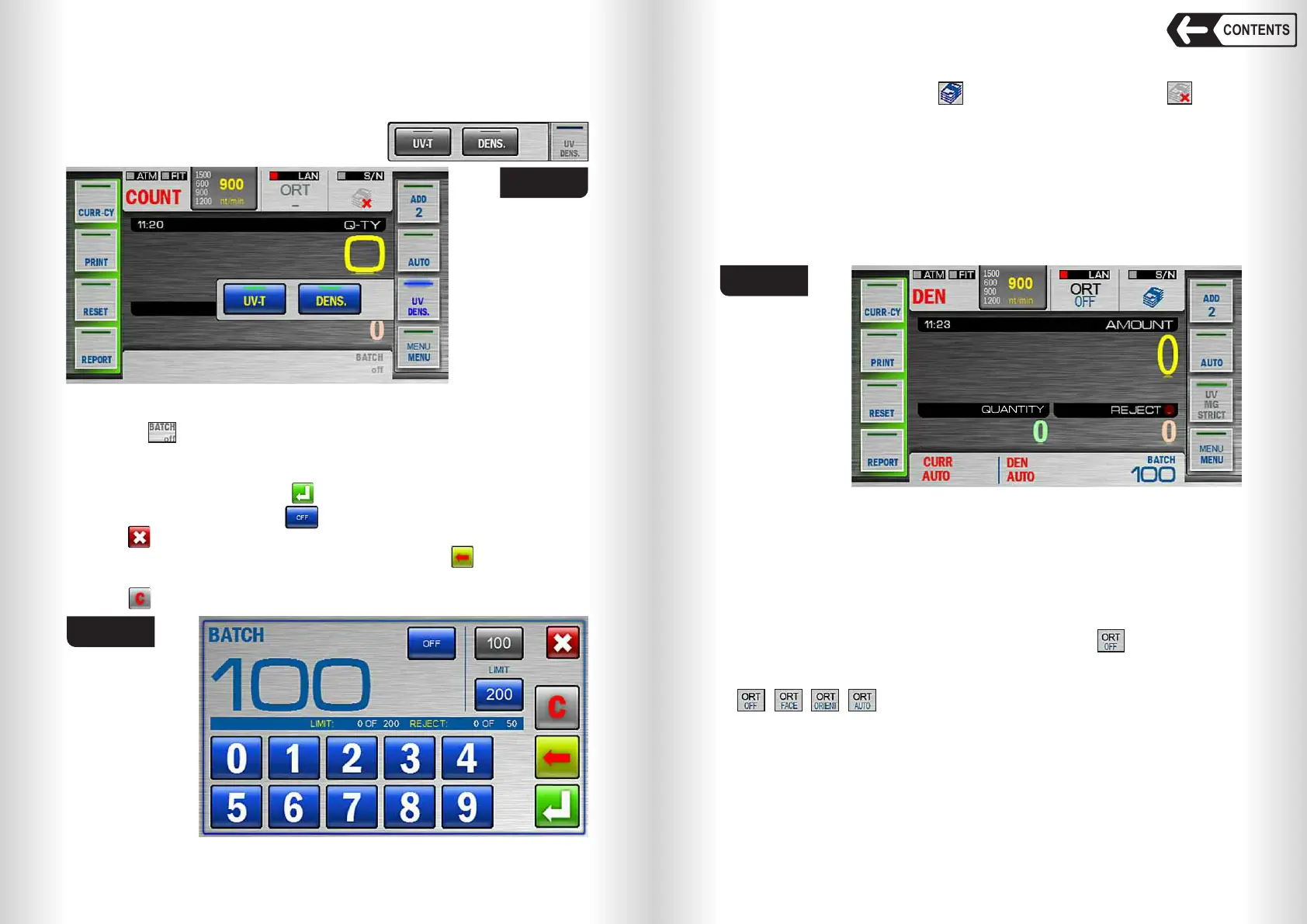
Touching key recalls BATCH submenu, available in DEN and COUNT
modes (BATCH option is unavailable in MIX mode), see Fig. 55.
BATCH submenu lets you select batch size and stacker limit.
Turn on batch mode by touching key (batch size should be greater than 0).
Turn off batch mode by touching key.
Touch to cancel the changes and return to main menu.
Set batch size (1…999) by touching 0…9 keys. Touch to delete the last
figure.
Touch to reset batch size.
Fig. 55
Note: the
inscriptions on
the key are also
highlighted
depending on
selected
detection mode.
The fast access key to BATCH mode is available on the main screen in the
top right corner (see Fig. 56). means that batch mode is on; means
that batch mode is off.
The batch size is shown in the bottom right corner of the main screen (see
Fig. 56). Once the batch size is reached, the indicator starts blinking, and in
10 seconds the message «BATCH IS READY» appears in the screen. If the
number of the banknotes in the stacker is less than the batch size, the
message is: «add X», where X is the number of banknotes required to
complete the batch of the selected size, in 10 seconds message «ADD
BANKNOTES» will appear in the screen.
Note: The batch size indicator is also the hot key for a quick access to the
«BATCH» submenu.
In the BATCH submenu the user can change stacker capacity. The current
value of the stacker capacity is highlighted in blue. Touch the required value
(new value will be highlighted in blue) to change stacker capacity.
Note: under the current batch size there is an information bar which
contains info about the rejected banknotes; the current batch size and the
stacker capacity (see Fig. 55).
Fig. 56
11 «ORIENTATION» key
Select the orientation of the banknotes by touching key. A menu will
appear to select the required orientation (see Fig. 56). You may also select
the orientation by repetitive touching of ORT key; the mode will change as
, , , showing selected orientation of the banknotes.
The menu will be closed in 7 seconds after the mode has been selected or
when the counting begins.
You can select the following setting for the orientation of the banknotes:
«OFF» (disregard the orientation) - see Fig. 57.
«FACE» - the banknotes will pass to the stacker if they were placed in the
hopper face side up (face side is determined by issue bank), see Fig. 58.
The other banknotes will be sent to reject pocket.


 To Next Page
 Loading...


