39
38
CONTENTS
Banknote counter DORS 820 Banknote counter DORS 820
Fig. 57
«ORIENT» - the banknotes will pass to the stacker if they were placed in the
hopper in main orientation (face side up and the image in the right position),
see Fig. 59. The other banknotes will be sent to reject pocket.
«AUTO» (by the first note in the stack) – the banknotes will pass to the
stacker if they were oriented in the hopper same way as the first note in the
batch, see Fig. 60. The other notes will be redirected to the reject pocket.
Fig. 58
Fig. 59
Fig. 60
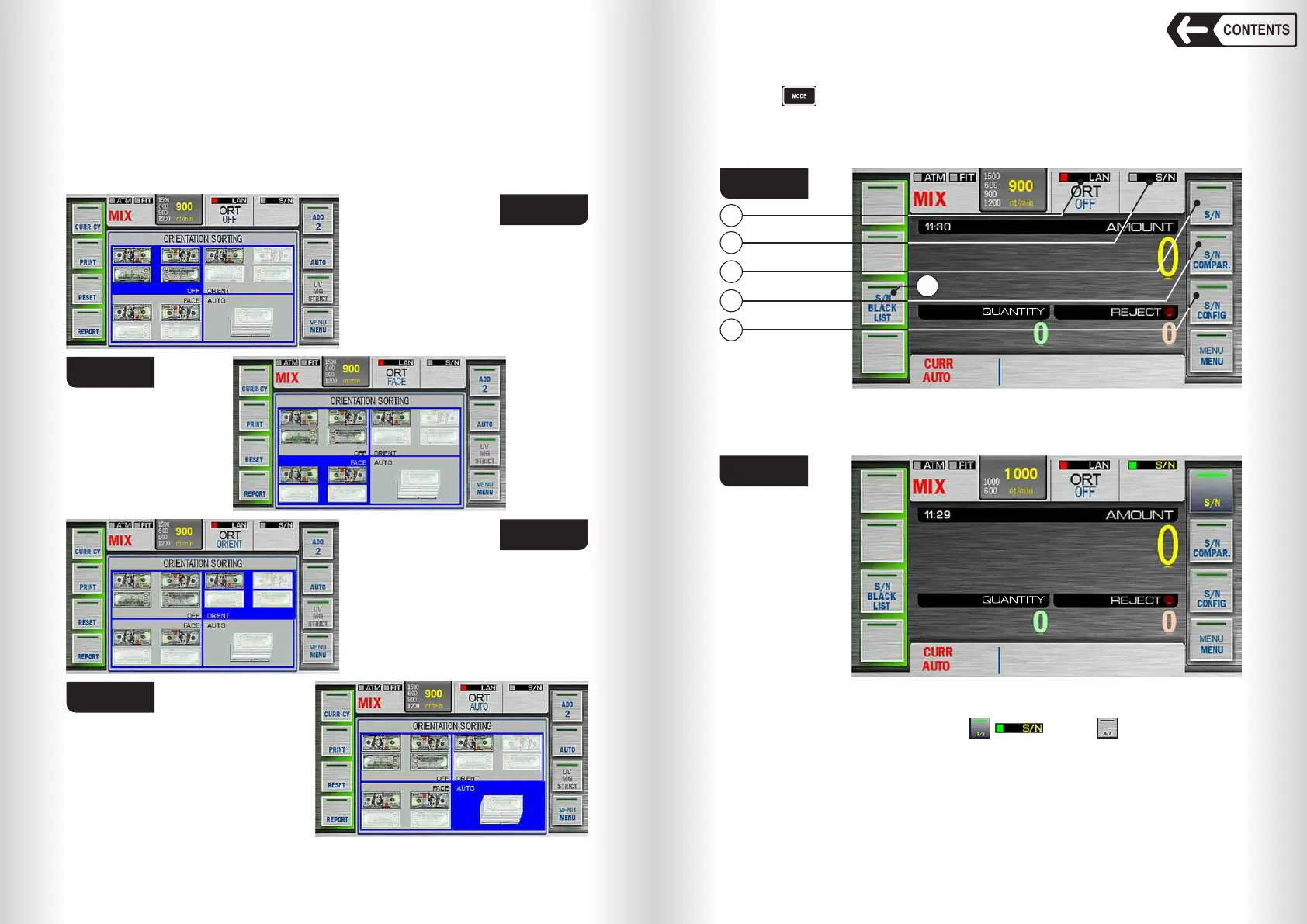
1 – Ethernet connection status; 4 – S/N comparison mode key;
2 – S/N detection indicator; 5 – S/N detection parameters select key;
3 – S/N detection mode key; 6 – S/N black list key.
Fig. 62
Two operation
modes are
available:
SN detection and
SN comparison.
SN detection
Touch key 3 (Fig. 61) to turn on ( , ) or off ( ) SN detection.
When the detection is on, the counter will detect serial numbers of the
banknotes in the counted batch.
The banknotes will not be rejected in this mode regardless of SN detection
result. This mode is for visual SN control or sending SN data to the computer.
Visual SN control is available in REPORT submenu or by touching REJECT
area on the main screen.
12 «SERIAL NUMBERS» Submenu
Touch key to open serial numbers submenu; the device will display as
in Fig. 61. Then select required operation mode.
Note: When serial numbers mode is on, two counting speeds are available -
600 and 1000 n/m (Fig. 62).
Fig. 61
2
1
3
4
5
6


 To Next Page
 Loading...


