53
52
Banknote counter DORS 820 Banknote counter DORS 820
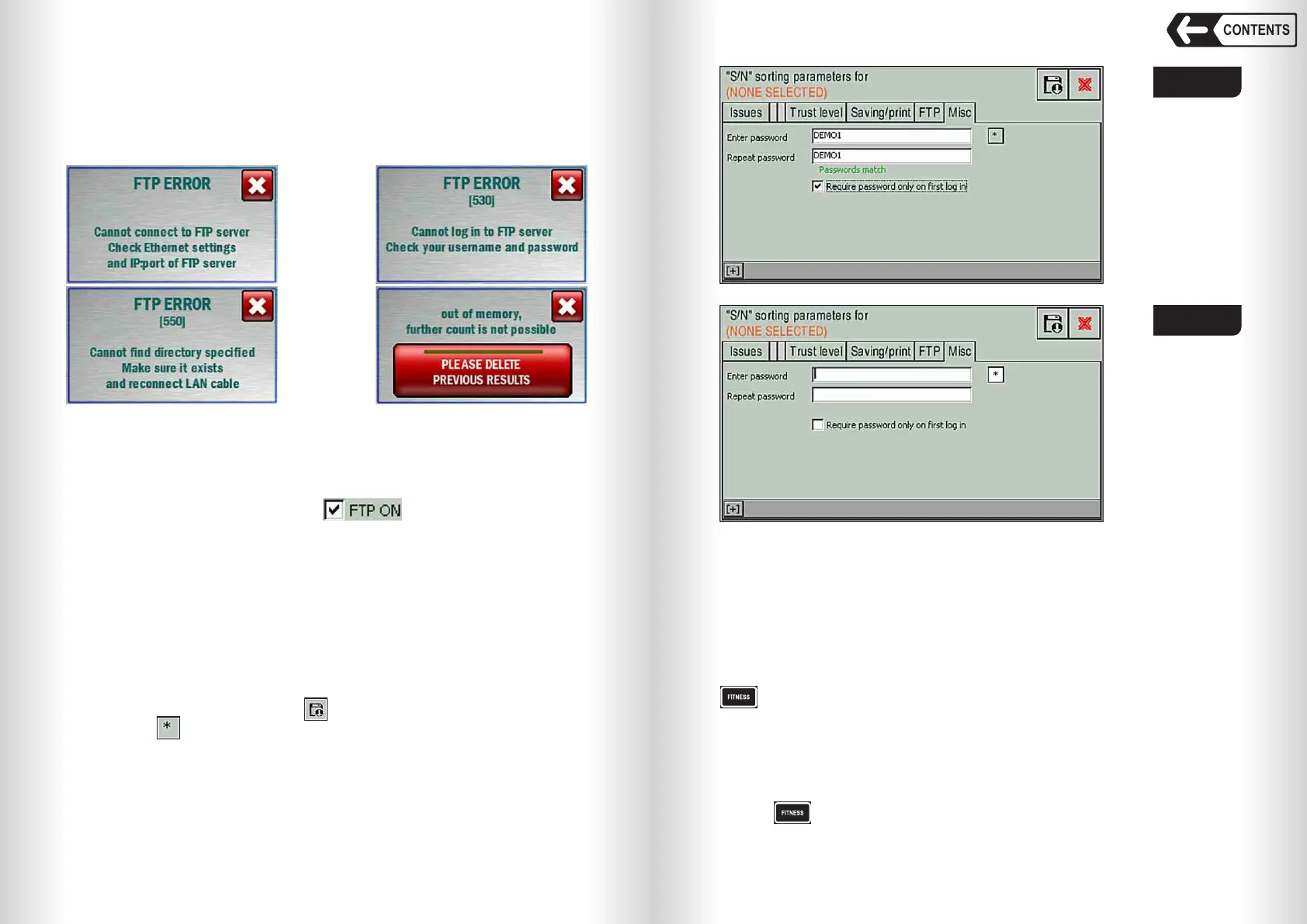
Possible error messages
At the beginning FTP client connects to the server using the IP address and
the port specified in the settings, then enters the server under the specified
name, and then searches for the specified directory and navigates to it. If it is
unable to complete one of these steps, an error will occur and one of the
following messages will be displayed:
Fig. 86а
If one of these messages appears, check the appropriate counter settings,
server settings (whether such a user exists, is the password correct, does the
directory for saving archives exist), as well as settings and network status.
After recounting, the error Fig. 86a may appear. This means that the
archives were not sent from the counter. In this case, you should make sure
that the FTP client is turned on (the checkbox is checked), the
appropriate settings fields are filled in, the counter is physically connected to
the network, the server is allowed to receive data in passive mode, and also
make sure that the network is configured correctly.
After eliminating the cause of the error, the archives will begin to be sent to
the server, the message will be closed, and the counting can be continued.
«FITNESS SORTING» Submenu
– key opens fitness sorting submenu.
The parameters of the fitness of the banknotes are shown in Fig. 101.
For every parameter a range of values is set with a threshold value that
determines the validity of the banknote.
If the banknote is considered unfit by at least one of these parameters, then
it will be rejected.
Push and then select required operation mode Fitness screen is shown
in Fig. 89.
CONTENTS
Misc Tab
The tab is to change the teller password (see. Fig. 68, Fig. 69).
The new password must be typed twice in the «Enter Password» and
«Repeat Password» fields (see Fig. 87, 88), and both passwords must match
(a message about password matching will appear below the input fields). To
save a new password press the key and confirm the changes (see Fig. 77).
The button allows you to show the entered characters (see Fig. 88).
The checkbox «Require password only on first login» allows you to enter
the menu without a password if it has been entered once since the counter has
been turned on. Each time the counter is turned on, the password must be re-
entered for accessing the teller's menu.
This password also applies to the «UNFIT PARAM.» (see Fig. 94, 95) and
the «ATM PARAM.».
Fig. 87
Fig. 88


 To Next Page
 Loading...


