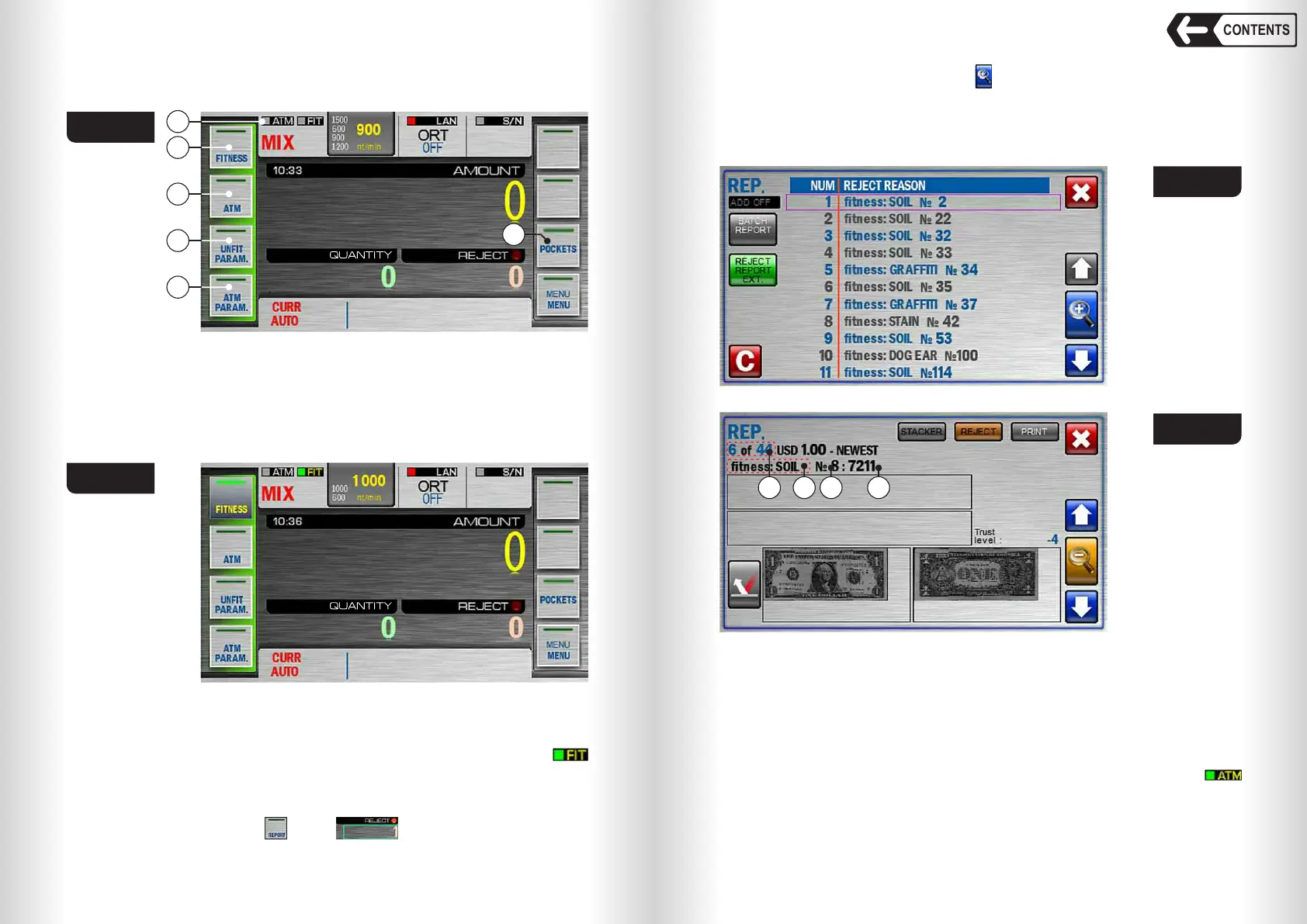
Fig. 89
55
54
Banknote counter DORS 820 Banknote counter DORS 820
Note: when the FIT or ATM sorting modes is turned on, two banknote
counting speeds are available - 600 and 1000 nt/min (see Fig. 90).
1 – Fitness detection indicator;
2 – FIT mode key;
3 – ATM mode key;
4 – UNFIT parameters settings key;
5 – ATM parameters settings key;
6 – Pockets settings configure key.
Fig. 90
Two operation
modes
are available:
FIT and ATM.
FIT mode
Touch «FIT» key (item 2 Fig. 89) to turn on/off FIT mode, the indicator
will become green (see Fig. 90).
The banknote that do not match fitness settings (FIT: parameters) will be
rejected in this mode.
To open reject report touch key or on the main screen.
1
2
3
4
5
6
To open detailed reject report touch (see Fig. 91), then the detailed report
window will open (see Fig. 92).
For detailed report window description see Fig. 64, to check reject reason
see Table 1 (REPORT key).
Fig. 91
Fig. 92
3 412
1 – Reject reason;
2 – Banknote number in the reject pocket;
3 – Banknote number in the batch placed in the hopper;
4 – Single count number.
ATM mode
Touch «АТМ» key (item 3 Fig. 89) to turn on/off ATM mode, the indicator
will become green (see Fig. 93).
When ATM mode is on the counter will select the banknotes to be used in
ATM or other cash self-service machines.
CONTENTS



 To Next Page