57
56
Banknote counter DORS 820 Banknote counter DORS 820
The selected banknotes are forwarded to the pocket selected in the
POCKETS menu (see Fig. 105).
ATM mode is a variation of the general FIT mode with more stringent
parameter settings.
Fig. 93
UNFIT parameters menu
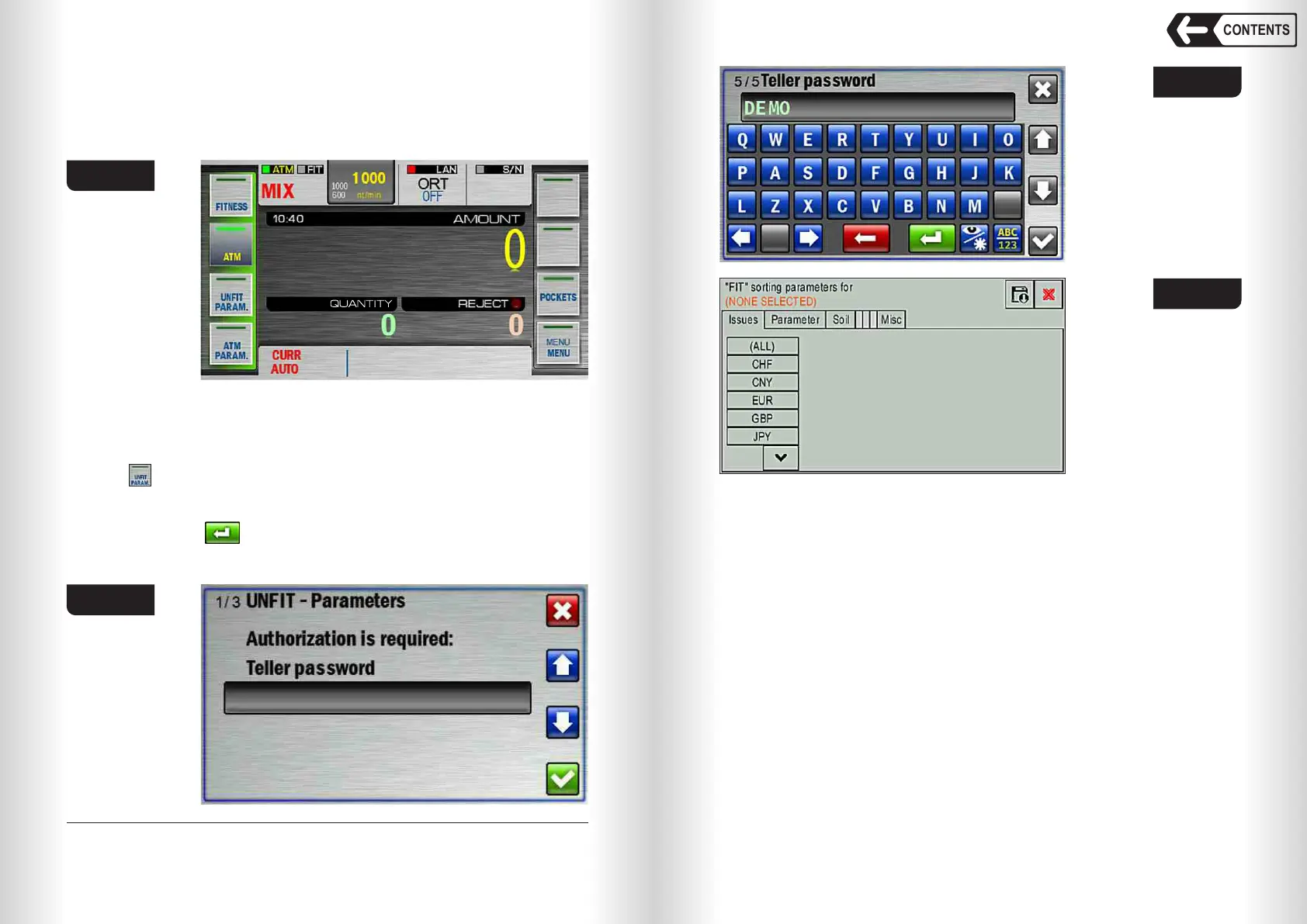
Touch (item 4 Fig. 89) to open FIT mode parameters settings.
7
Warning: parameters menu is password protected .
Touch the grey rectangle (see Fig. 94), the keyboard will appear. Type the
password and touch (see Fig. 95), then FIT parameters menu screen will
open (see Fig. 96).
7
— Default password is «DEMO» (see Fig. 95)..
Fig. 94
Fig. 95
Fig. 96
The upper part of the screen indicates which currency, denomination and
emission are selected for setting the FIT mode parameters. If nothing is
selected (see Fig. 96), then the setting is not available (see Fig. 100).
Issues Tab
In this tab you can select the currencies, denominations and issues for
fitness sorting.
(ALL) will set the FIT mode parameters for all available currency bases (see
Fig. 97).
You can also set the FIT mode parameters for any issue of any
denomination of any currency separately, for this you need to select the
currency, select the denomination (or all denominations) in the column that
appears, and then select the issue (or all issues), see Fig. 98.
If some parameter is not selected (for example, the currency and
denomination are selected, but the issue is not selected (see Fig. 99)), then
setting the FIT mode parameters is not available (see Fig. 100).
CONTENTS



 To Next Page