59
58
Banknote counter DORS 820 Banknote counter DORS 820
Fig. 97
Fig. 98
Fig. 99
Fig. 100
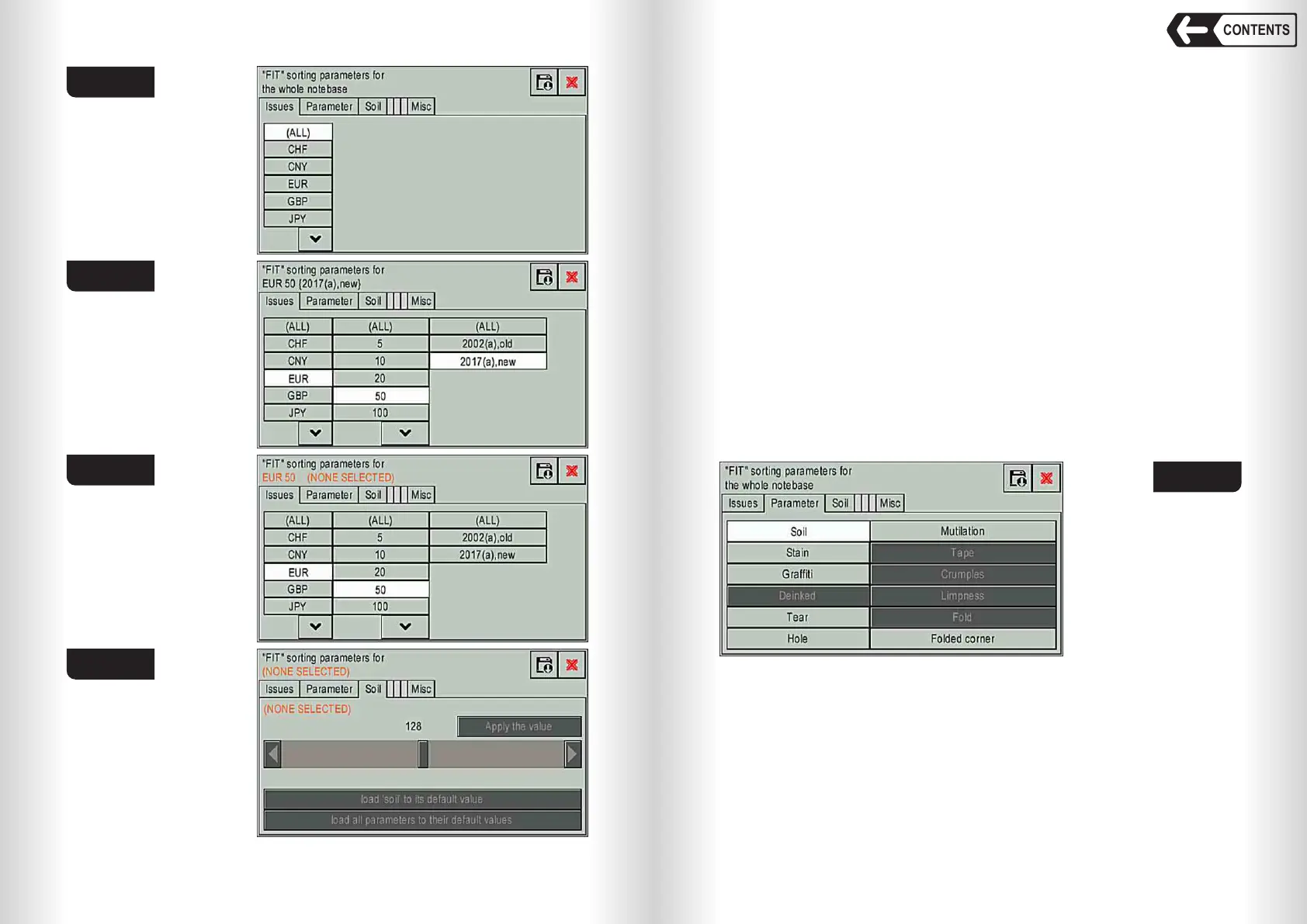
Parameter tab (see Fig. 101)
This tab is to set the parameters of FIT mode; available parameters may
vary depending on the counter version (see Fig. 101).
When you select one of the parameters, to the right of the «Parameter» tab,
a tab with the settings of the selected parameter will be displayed (see Fig. 101).
Soil – the banknotes having surface contamination of the front and (or)
reverse sides, with decreased brightness of the image compared to
the brightness of an ideal banknote are rejected.
Stain – the banknotes having one or more contrasting stains are rejected.
Graffiti – the banknotes having an inscription consisting of more than two
signs; having one or more extraneous drawings (stamps) are
rejected.
Tear – the banknotes having one or more breaks of the edge accompanied
by the loss of part of the banknote's area are rejected.
Hole – the banknotes having one or more holes (punctures) are rejected.
Mutilation – the banknotes that have lost the edge (s) as a result of which
the size of the banknote has decreased in length and (or) width are
rejected.
Folded corner – the banknotes that have lost one or more corners are
rejected.
Fig. 101
Parameter setting tab (see Fig. 102)
This tab is for adjusting the selected parameter value (for example «Soil»).
Fig. 102 shows:
1 Selected currency, denomination and issue (for example «ALL» – the whole
notebase)
Warning: all the changes of the selected parameter will be applied for
selected currency, denomination and issue only.
2 The slider to set the current value from 0 to 255. Default value (128) allows
rejecting the banknotes with the defects beyond the standard allowed value
CONTENTS


 To Next Page
 Loading...


