
 Need help?
Do you have a question about the Dors 90 and is the answer not in the manual?
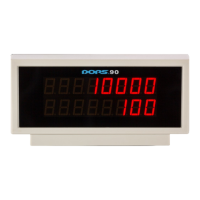
The primary product, the universal external display DORS 90.
The accompanying instruction booklet.
Refers to the packaging materials for the product.
Details the power cord and its RJ45 connector type.
Refers to the screen component of the external display.
Mentions holes for mounting or securing the display unit.
Reminder to adhere to specified safety precautions before proceeding.
Instruction to switch off the banknote counter before connecting the display.
Guidance on connecting the display's power cord to the counter.
Identifies the specific banknote counter model connected.
Shows the number of banknotes counted by the connected counter.
Displays the total monetary sum of counted banknotes.
Indicates any error conditions or messages displayed.
Specifies the duration of the warranty, typically 12 months from sale.
Lists situations and conditions under which the warranty is invalidated.
DORS's disclaimer regarding direct or indirect damages.
Describes the display technology and the number of lines/digits.
Explains how the display receives power, via RJ45 connector.
Specifies the electrical current requirement, not exceeding 150 mA.
Indicates the power consumption in watts, not exceeding 1 W.
Defines the acceptable range for operating temperature (+10°C to +35°C).
Specifies the permissible range for relative air humidity (40% to 80%).
Notes the atmospheric pressure range for operation (84 to 107 kPa).
Provides the physical size of the unit (Height, Width, Depth).
States the product's weight without packaging (0.23 kg).
States the product's weight with packaging (0.35 kg).
Indicates the official seven-year lifetime period for the display.

 To Next Page
 General