9
3-1. System setup
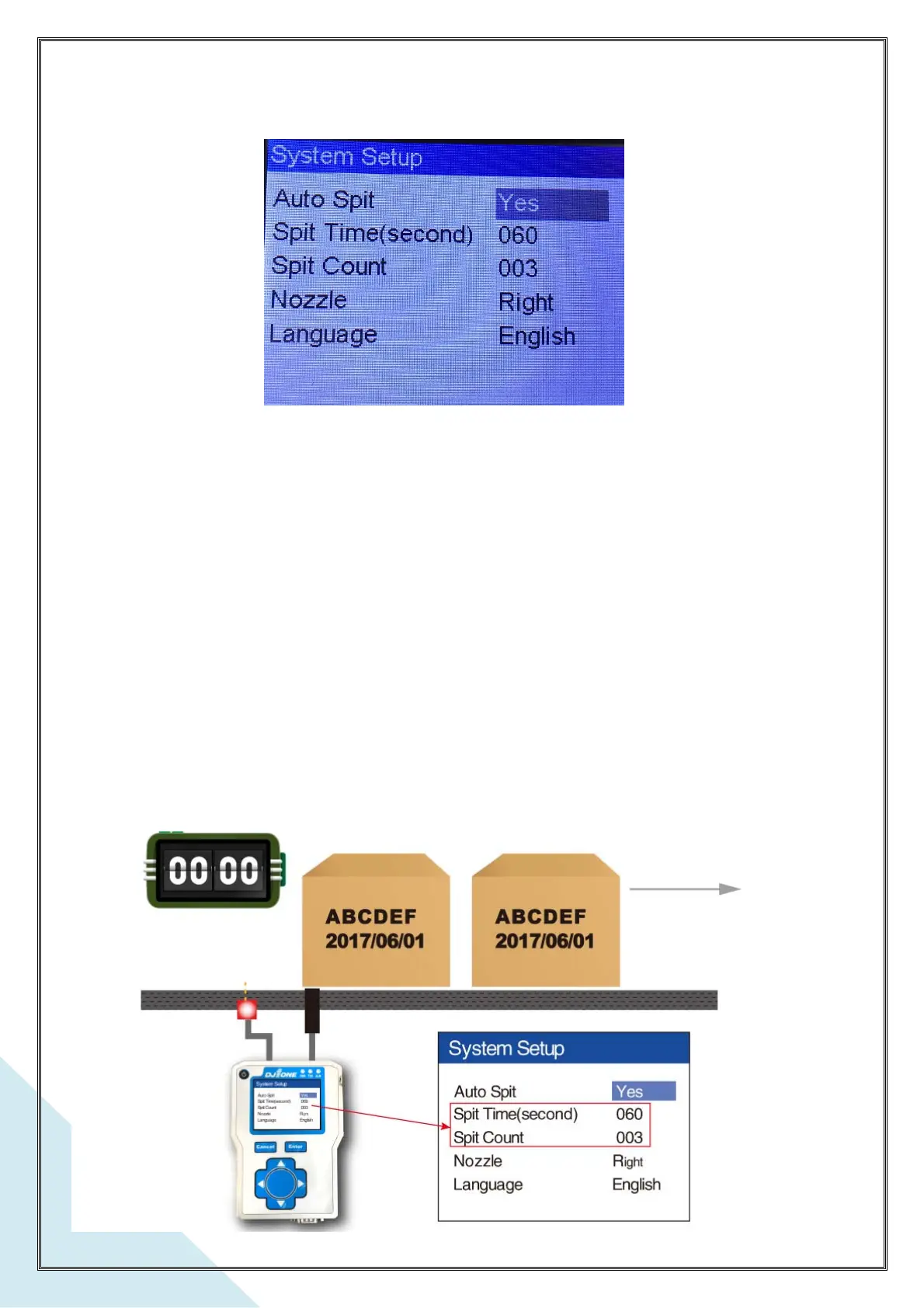
a. Enable spitting
This setting must integrate with Spit Count and Spit Interval below items, It is set in case the
photocell has not sensed product for a while. To ensure the nozzle is clear for printing
before a product is again sensed. When enabled, the print head will auto-spit during the
print head break regular printing.
b. Spitting Interval
Setting the break time (How many seconds) to do a spitting. It can be set from 000 – 999
seconds per interval.



 To Next Page