Touch Screen Setting(For DS-10UT)
Use of product
(7)
(8)
Turning off (O)
The USB monitor screen is turned OFF. Under the Off condition, it still maintains the turning off
condition while the PC is turned off that select "E" or "M" to have the screen back on the USB monitor.
Advanced class (A)
It moves to the display set mode.
USB MONITOR 11
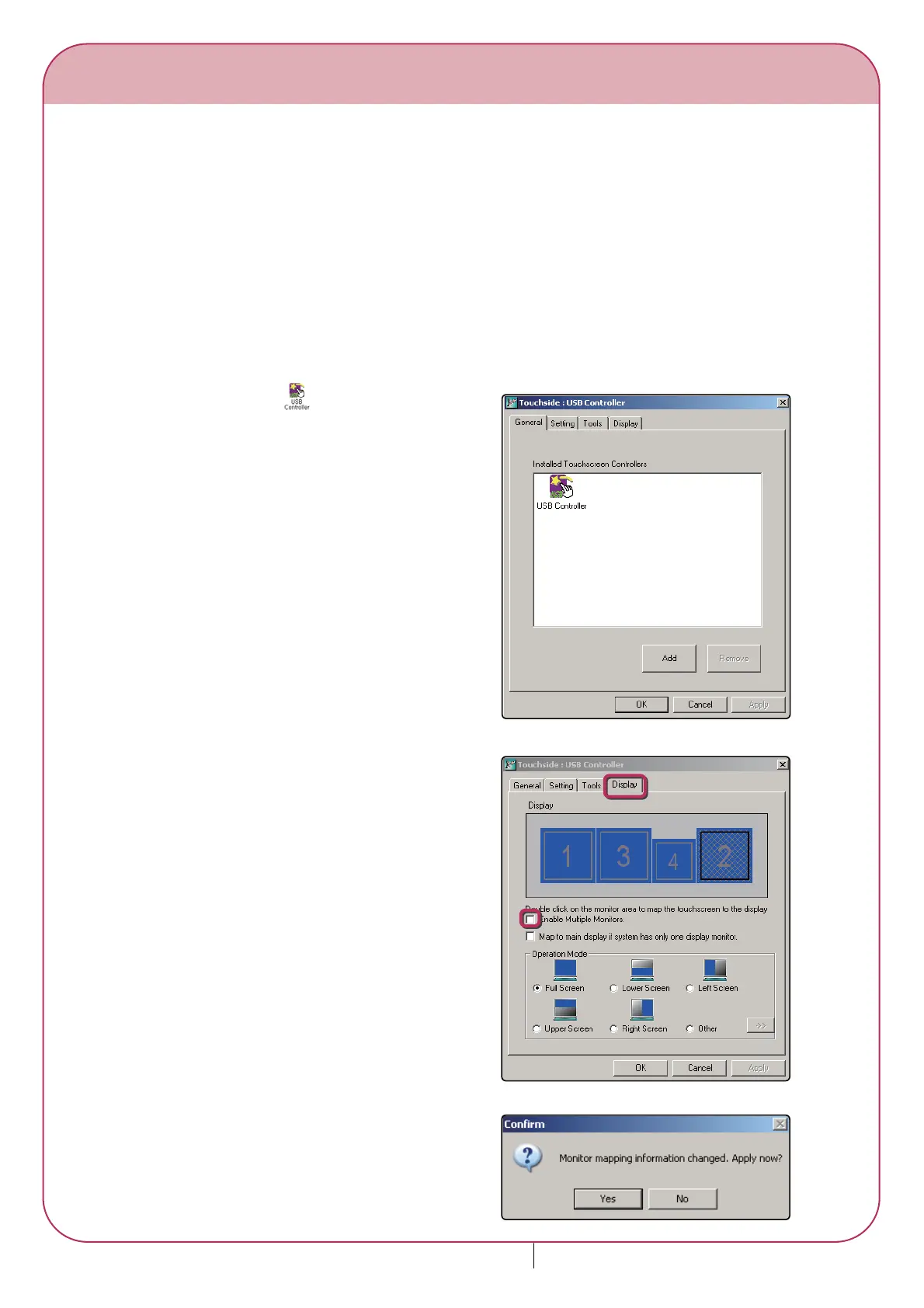
USB Controller icon appears when
touch screen driver is ready.
1.
Click "Yes"3.
Check "Enable Multiple Monitors" and
double click the monitor setting screen.
2.






 To Next Page