Driver installation
Use of product
Driver Installation
USB MONITOR 8
■
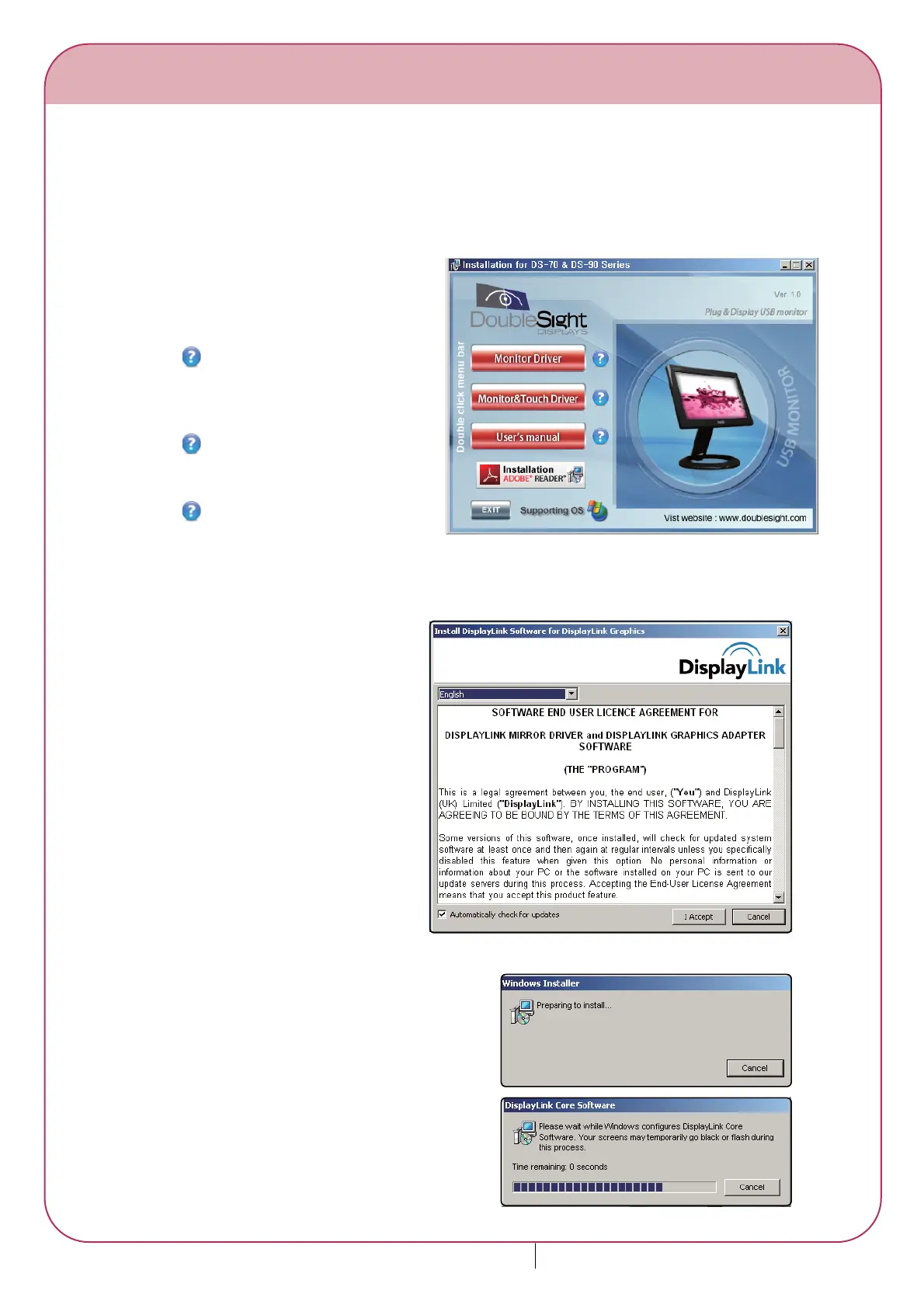
When the PC booting is completed, begin installation after connecting the USB cable.
You can see the right screen when you
insert CD into CD-ROM.
Monitor Driver
Double click to install USB monitor driver.
* Please check your model name.
Monitor & Touch Installation
Double click to install USB monitor &
touch driver.
* Please check your model number.
User's manual
Double click to see the user's manual.
* Please refer to Help unless you can see
the user's manual.
1.
Select your language and click "I
Accept".
2.
Installation screen appears.3.
(1)
(2)
(3)






 To Next Page