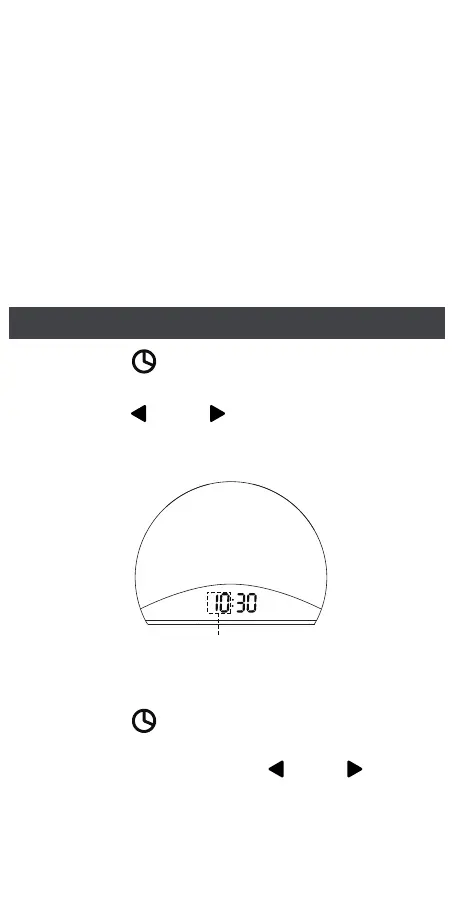
2. Press the “ ” button to confirm and enter
MINUTE setting, and the MINUTE digits flash
on the display. Press the “ ” or “ ” button
to advance to the correct minute.
5
1. Press the “ ” button to enter HOUR setting,
and the HOUR digits flash on the display.
Press the “ ” or “ ” button to advance to
the correct hour.
Time Setting
Notice
•
•
•
If the display is “blank” after plugging in,
please check whether the DISPLAY DIMMER
on the back is at the high position.
The machine is not battery-operated. It is
recommended to keep the machine plugged in
for regular operation.
Once the CR 2032 battery is removed and
there is an interruption of power, the time and
alarm settings will be lost and needed to be
reset when the power is restored.
Hour Flashes



 To Next Page