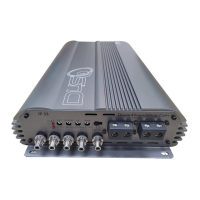
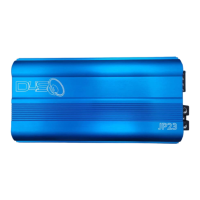
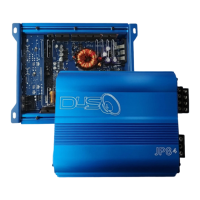
The JP33, JP43, JP63 & JP 83 amplifiers have STATE OF THE ART protection features to prevent any damage from
misuse or faulty conditions. If the amplifier senses excessive heat, short circuited speakers DC or voltage,
the protection indicator will light, and the system will be turned off. In order to check the problem, you should
turn all level down and all power off and carefully check the installation for wiring mistakes or short, check
the subwoofer too. Sometimes spiders rip and they short the coil.
If amplifier shuts down due to excessive heat, it will work once it cools down. Check Bluetooth remote the temp
meter on hot days, and aer extensive us. Before removing your amplifier, refer the list below and follow
the suggested procedures
NO OUTPUT
1. Check remote turn-on voltage at amplifier and headunit, when remote turn-on voltage is low or
no turn-on voltage, amplifiers will remain off.
2. Check fuses at the baery side or external fuses and all wire connections.
3. Check RCA Input is properly connected.
AMPLIFIER SHUT DOWN ( PROTECTION )
1. Please check POWER, GND and REMOTE wire connection and other wires for proper connection.
2. When input voltage greater then 4V DC is present at the amplifiers RCA input, the amp will go into DC protect.
In this case, remove the RCA input cable.
Check whether the amplifier comes out of the protection. if it does, you will need to replace the headunit or
signal processing source.
3. If amplifier overheats, the thermal protection will turn off the amp. Amplifier will be back to work
aer cooling down a lile bit. Please install amplifier with beer ventilation to allow it to cool.
4. JP33, JP43, JP63 and JP83 have minimum working impedance of 1ohm as single unit and 2ohm for strappable
connection.
5. P33, JP43, JP63 and JP83 working voltage is 9V - 16Volts.
6. Make sure Chassis and Remote use same GROUND.
DISTORTION & NOISE
1. Please readjust amplifier input gain level which is printed on endplate.
2. Make sure there is a good ground connection for amplifier and headunit.
3. Use sufficiently shielded RCA interconnects and good RCA routing. Avoid running RCA signal wires
near power cables.
4. Check all ground connections of all other audio equipment.
POOR BASS RESPONSE
1. Check speaker wiring and reverse polarity.


 To Previous Page
 Loading...