
 Need help?
Do you have a question about the D+M Group AVR-E400 and is the answer not in the manual?
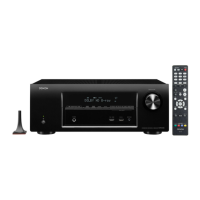
Turns the power of MAIN ZONE on/off (standby).
Indicates the power status (on, normal standby, HDMI/IP control active).
Connect headphones; audio no longer outputs from speakers.
Connects devices like video cameras and game consoles.
Connects USB storage devices and iPods via USB cable.
Connects the supplied setup and measurement microphone.
Adjusts the volume level.
Displays various pieces of information.
Receives signals from the remote control unit.
Selects the input source.
Turns the power of ZONE2 on/off.
Selects the input source for ZONE2.
Changes the display brightness.
Switches the status information shown on the display.
Calls up registered settings like input source and sound mode.
Connects FM and AM antennas.
Used to connect speakers.
Connects devices with component video connectors.
Connects the unit to the power supply.
Connects devices with HDMI connectors.
Connects devices with digital audio connectors.
Connects this unit to the network.
Connects devices with video connectors.
Connects a subwoofer or external power amplifier.
Connects devices with analog audio connectors.
Switch the zone (MAIN ZONE, ZONE2) for remote operation.
Select the input source.
Call up registered radio stations and content.
Select preset stations or switch pages.
Mutes the output audio.
Displays status information on the TV screen.
Select items.
Returns to the previous screen.
Perform playback operations like skip and play/pause.
Select the sound mode (MOVIE, MUSIC, GAME, PURE).
Transmits signals from the remote control unit.
Sets the sleep timer.
Turns the power on/off.
Adjust the volume level.
Displays the option menu on the TV screen.
Determines the selection.
Displays the menu on the TV screen.
Details warranty periods for new and refurbished units.
Provides contact details for Denon Electronics (USA), LLC.
Provides contact details for factory service.
Lists what is and is not covered by the warranty.
Describes service provider's responsibility for defective products.
Explains the process for obtaining warranty service.
Reminder to back up settings before resetting the microprocessor.
Step-by-step guide to perform a microprocessor reset.
Lists potential causes for microprocessor issues.
Recommendations before performing a reset.
Suggests using browser control to back up settings.
Advice to contact installer for specific system setups.
Details the remote control accessory.
Details the sound calibration microphone accessory.
Details the microphone stand accessory.
Details the AM loop antenna accessory.
Details the FM indoor antenna accessory.
Details the CD ROM owner's manual accessory.
Details the safety instructions accessory.
Details the notes on radio accessory.
Details the quick start guide accessory.
Details the warranty document accessory.
Information on automatic firmware updates via network connection.
Describes messages shown when update is interrupted.
Procedure to check for firmware updates via Ethernet.
Link to download the latest firmware for AVR-E400.
Steps to view the current firmware version on the TV.
Link to check for updates and see recent updates/upgrades.
Details rated output power for different channels.
Specifies the speaker output connector impedance.
Lists input sensitivity and impedance values.
Shows the frequency response range.
Specifies the signal-to-noise ratio.
Details FM/AM reception frequency range and sensitivity.
Details power supply and power consumption figures.
Diagram showing unit dimensions in inches and millimeters.
States the product's weight.

 To Next Page
 General